
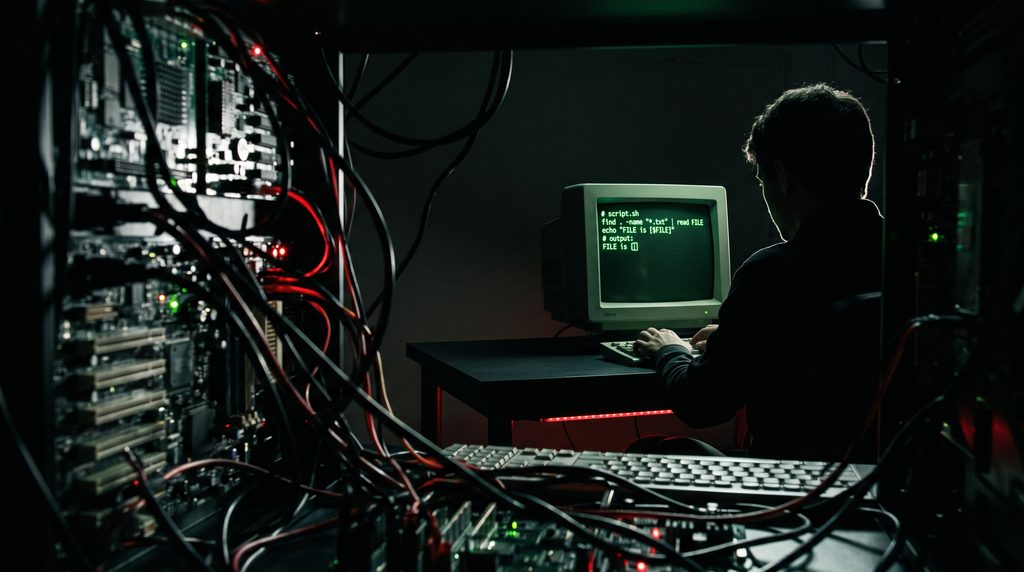
You stare at the screen. A clunky while loop sits there, tasked with processing exactly one single line of text. It looks like a grown adult wearing inflatable arm floaties in a puddle. It is offensive to your sensibilities as a clean, efficient programmer.
Here is the offending legacy code, minding its own business:
echo "Sector_7G" | while read -r zone; do
    echo "Deploying update to $zone"
done
There is only one line of input coming from that echo command. Wrapping a while loop around a single item is administrative overkill. You decide to fire the useless middle management. Why keep a loop when you can simply pipe the value directly into the read command and print it out on the next line?
You swiftly refactor the code into a sleek, modern masterpiece of brevity:
echo "Sector_7G" | read -r zone
echo "Deploying update to $zone"
The two versions look like they should produce the exact same result. They do not.
The first version successfully prints your deployment message. The second version, your beautifully optimized creation, prints a depressing half-sentence: Deploying update to.
At first, this makes absolutely no sense. The read command clearly received the input. The script did not freeze and wait for you to type something on the keyboard, which means the text from the echo command was successfully swallowed by read. The problem is what Bash decided to do with your variable immediately afterward.
A bureaucratic murder mystery
To understand where your variable went, you have to understand how the pipe operator actually functions. The vertical bar | is not a simple plumbing tube that gently moves water from one place to another. In the world of Bash, a pipeline is a paranoid corporate temp agency.
In Bash, every command in a pipeline is executed in its own isolated environment, known as a subshell.
When you type echo “Sector_7G” | read -r zone, Bash refuses to let your main script handle the incoming data directly. Instead, it hires two temporary workers. One temp worker is hired solely to shout the word “Sector_7G“. The second temp worker, confined to a tiny, soundproof cubicle called a subshell, is hired to execute the read command.
The read command does exactly what you asked. It wakes up in its temporary cubicle, catches the text coming through the pipe, proudly writes it on a sticky note labeled $zone, and slaps it on the desk. The temp worker is happy. They have successfully assigned the variable.
But the exact millisecond the pipeline finishes executing, Bash acts as a ruthless corporate liquidator. It fires the temp worker, incinerates the cubicle, and shreds every single sticky note inside it.
When the script moves to the next line of your code to print the message, it is running in the parent shell. This is the executive boardroom. The parent shell has absolutely no idea what happened down in the temporary cubicles. To the parent shell, the variable $zone is completely empty because the employee holding it no longer exists.
This explains why your original, clunky while loop actually worked. The echo statement was trapped inside the loop, meaning it was executed inside the exact same temporary cubicle as the read command.
Taking hostages in the cubicle
Now that we know the pipe operator is essentially an incinerator for local variables, how do we fix the optimization without reverting to a pointless while loop? You have a few clever options for tricking the bureaucracy.
If you absolutely must keep the pipeline, you can use curly braces to group your commands together. This forces both the data reading and the subsequent actions to execute inside the same doomed environment.
echo "Sector_7G" | { read -r zone; echo "Deploying update to $zone"; }This is basically a hostage situation. You know the temporary office is going to be burned to the ground in a fraction of a second, so you force the worker to finish the entire presentation and broadcast the results before the corporate security guards arrive. The variable is still trapped in a subshell, but since you are utilizing it from within that same confined space, it works perfectly.
Bypassing the mailroom entirely
If you want a cleaner script, you should avoid the temp agency altogether. Process substitution is the modern, preferred way to handle this problem.
Instead of piping data forward into a read command, you redirect the output of a command block directly into the input stream of your main shell. It looks like a slightly confused bird beak, but it is highly effective.
read -r zone < <(echo "Sector_7G")
echo "Deploying update to $zone"
There is no pipeline here. You have completely bypassed the subshell creation protocol. It is the equivalent of installing a pneumatic tube that shoots the document directly onto your executive desk. The read command executes in your primary, current shell, which means your shiny new variable is saved exactly where you need it, safe from incineration.
The lazy desk slap method
Sometimes you do not need a pneumatic tube. If you are just passing a simple string of text or the evaluated result of a basic command, you can use a here-string. This is denoted by three consecutive less-than signs.
read -r zone <<< "Sector_7G"Like process substitution, this completely avoids pipelines and subshells. It is the administrative equivalent of walking into the office and slapping the raw data directly onto the read command’s desk without filling out any requisition forms. It is fast, slightly dirty, and entirely immune to the subshell vanishing act.
The dark magic corporate loophole
Perhaps you are a Bash purist. You insist on using standard vertical pipes, you refuse to use curly braces, and you demand that your variables survive the process. If you are running Bash version 4.2 or newer, there is a bureaucratic loophole you can exploit.
You can flip a magic switch at the absolute top of your script.
shopt -s lastpipe
echo "Sector_7G" | read -r zone
echo "Deploying update to $zone"
The lastpipe option is a buried corporate policy that tells Bash to change how it handles the assembly line. It mandates that the very last command in any pipeline gets a full-time contract. Instead of spawning a doomed subshell for the final command, Bash executes it in the current, parent shell environment.
A word of warning for those who like to test things live. This magical loophole works beautifully inside saved scripts, but if you try typing it directly into your interactive terminal, Bash will likely ignore you. The terminal environment uses job control, which interferes with this policy. It is strictly a trick for your automated scripts.
The final autopsy report
Bash pipelines are undeniably brilliant mechanisms for shuffling text from one department to another. They are the efficient conveyor belts of the command line. However, we must stop viewing them as simple plumbing. A pipeline is actually a high-security quarantine zone managed by a deeply paranoid human resources department. It operates on a strict policy of total deniability. The exact millisecond the data transfer is complete, the entire department is liquidated with extreme prejudice.
The next time a vital piece of data vanishes without a ransom note after being perfectly processed, resist the urge to question your own sanity. Do not assume you typed the variable name incorrectly. Instead, look closely at your syntax. Look for that single, innocent-looking vertical bar.
The pipe symbol looks like a harmless structural pillar holding your commands together. In reality, it is a locked door behind which your local variables are quietly smothered with a bureaucratic pillow. Your data was not misplaced due to bad code. It was simply assigned to a temporary employee who was instantly fired, erased from the corporate registry, and escorted off the premises before they could hand you the final report. Welcome to Bash administration. The bureaucracy always wins, but at least now you know how to forge the paperwork.