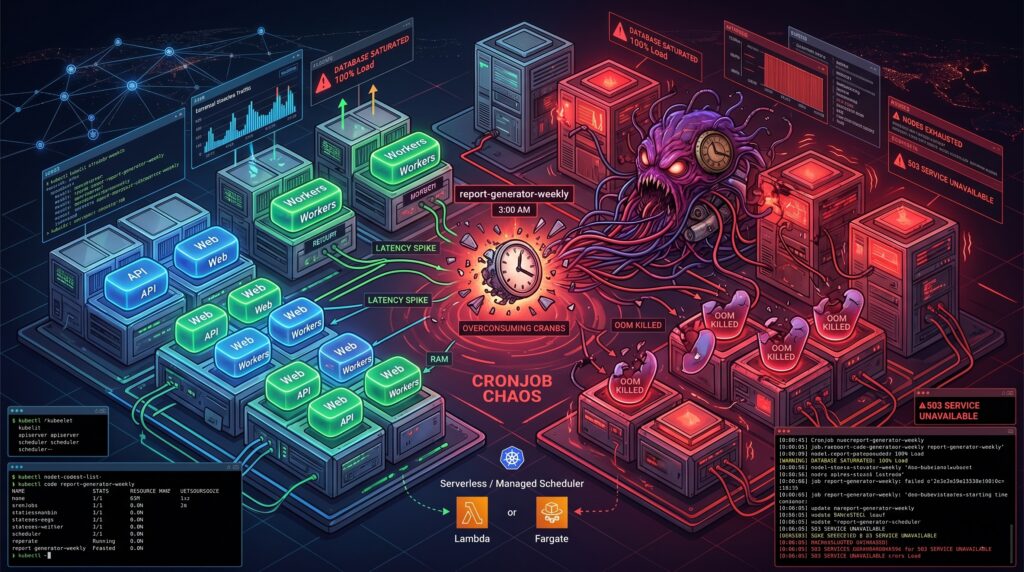
It was 3 AM on a Sunday when the primary database finally gave up. The alerts did not scream about a traffic spike or a rogue deployment. Instead, the culprit was a seemingly innocent Kubernetes CronJob named report-generator-weekly. Thanks to a subtle daylight saving time shift and a misunderstanding of how the kubelet interprets timezones, the cluster decided to spawn twenty-five concurrent instances of a highly unoptimized SQL aggregation query. The database wept, the API went down, and a dozen pagers ruined a perfectly good weekend.
Scheduled jobs can seem deceptively simple until they disrupt production. We tend to treat Kubernetes as a universal solvent for all our operational problems. If it runs containers, it should handle a little task scheduling, right? Sadly, the reality is far more complicated. Behind the scenes, the timezone handling often defaults to the kubelet’s local clock, concurrency policies are treated as polite suggestions under heavy control plane load, and failed jobs accumulate in your cluster like dirty dishes in a shared office sink. Observability is fractured across transient pods, ephemeral events, and missing logs. These “small” details are precisely how a benign script turns into an incident vector.
Resource contention and the illusion of isolation
Your scheduled job does not care about your Service Level Agreements. When you deploy a CronJob into a shared cluster, you are introducing a highly unpredictable workload into the same ring where your latency-sensitive APIs reside. Kubernetes tries its best to balance the scales, but the scheduler is only as good as the resource requests you provide.
Most scheduled jobs are spiky. They sleep for 23 hours, wake up, devour every megabyte of RAM they can reach, and then vanish. If you underprovision the memory requests to save money, the OutOfMemory killer will brutally terminate your job midway through a critical payment reconciliation. If you overprovision to stay safe, you end up paying for idle compute across your worker nodes all day long. We have all seen clusters where a five-minute data cleanup task was given the same IAM permissions and CPU priority as the core stateful application simply because “it is just a cron”. Taints, tolerations, and node affinity help, but they often create a false sense of isolation while increasing scheduling complexity.
Managed schedulers and workflow patterns to the rescue
The smartest way to run a CronJob in Kubernetes is usually to not run it in Kubernetes at all. If you are already building on a major cloud provider, you have access to tools that were specifically designed for this exact headache.
Consider decoupling the “schedule” from the “work”. Services like Cloud Scheduler in GCP, EventBridge in AWS, or Azure Logic Apps are practically bulletproof when it comes to firing a trigger at a specific time. You can wire these services to invoke a Cloud Run service, a Lambda function, or an ECS Fargate task. Yes, there is a minor trade-off regarding vendor lock-in. However, the operational peace of mind you gain by offloading scheduling logic to a managed service usually pays for itself during the first month.
For more complex scenarios where jobs depend on each other, you should look toward delay queues like SQS or Pub/Sub, or dedicated workflow engines like Temporal. When a scheduled task fails halfway through, a pure Kubernetes CronJob will either restart from scratch or die entirely. A proper workflow engine provides built-in backoff logic, idempotent execution tracking, and distributed state management. This pattern beats the traditional cron daemon every time you need reliable retries.
Hardening your jobs and the beauty of boring virtual machines
Of course, there are times when you absolutely must run scheduled jobs inside the cluster. I have also copied-pasted a CronJob YAML file at 2 AM out of sheer necessity (we have all been there). If you find yourself in this situation, you need to establish some defensive boundaries.
Start by enforcing resource quotas per cron namespace to contain the blast radius. Make idempotency checks mandatory in your application code, ensuring that a job running twice by accident does not charge a customer twice. Implement structured logging with clear correlation IDs so you can actually trace failures, and use preStop hooks for graceful shutdowns. The Kubernetes documentation clearly states that a CronJob might run a job zero times or multiple times under certain edge cases, so your code must defend itself against the infrastructure.
Alternatively, we should revive our appreciation for systemd timers on basic Virtual Machines. If you have a low-frequency, highly predictable job that is critical to your infrastructure, a lightweight VM is a fantastic home for it. Systemd timers are exceptionally reliable, the cost is completely transparent, and the blast radius is physically isolated from your stateless microservices. Reserving Kubernetes for your scalable workloads while putting the boring, critical timers on a VM is not a step backward. It is just good engineering.
A plea for architectural humility
Kubernetes is a brilliant piece of software. It is an exceptional orchestrator for stateless, auto-scaling microservices. However, it is not a magical alarm clock, and treating it as a universal cron daemon is a recipe for operational misery.
Architectural humility means picking the right tool for the job, rather than the trendiest one. The next time someone proposes adding a heavy, stateful CronJob to the production cluster, take a moment to ask the hard questions about resource profiles, failure tolerance, and observability. Sometimes, the most advanced cloud architecture decision you can make is to let a dedicated scheduling service handle the calendar, leaving your cluster free to do what it does best.
There is a special kind of morning reserved for DevOps teams. The coffee is still too hot, Slack is already too loud, and somewhere in the dependency tree, a package you have never consciously chosen has decided to become a tiny criminal enterprise.
Not a glamorous one. Not the cinematic kind with laser grids, violin music, and a morally complicated mastermind in a black turtleneck. This one wore the traditional uniform of modern software crime, a ‘package.json’ file, a lifecycle hook, and the quiet confidence of something that knows your CI/CD pipeline will execute almost anything if it arrives through the correct registry.
The Mini Shai-Hulud attack against the AntV npm ecosystem was not frightening because it was exotic. It was frightening because it was ordinary. A compromised maintainer account. A burst of malicious package versions. A ‘preinstall’ hook. A build server with secrets lying around like biscuits in a meeting room.
That is the part worth sitting with for a moment. Your pipeline did not fail because it was stupid. It failed because it behaved exactly as designed.
The morning npm trusted a stranger
On May 19, a maintainer account named ‘atool’, associated with the AntV visualization ecosystem and several widely used utility packages, was compromised. In a short automated burst, malicious versions were published across more than 300 npm packages. Some reports counted 314 packages tied to the compromised maintainer. Others counted a slightly broader set, depending on the package universe being measured. Either way, this was not a polite disturbance. It was an npm fire drill with the alarm wired directly into your build system.
The affected ecosystem included packages such as ‘size-sensor’, ‘echarts-for-react’, ‘timeago.js’, and many ‘@antv’ packages. Collectively, the package set represented roughly sixteen million weekly downloads. That number has the calm, bureaucratic feel of a spreadsheet cell, which is unfortunate, because the spreadsheet cell is quietly screaming.
The payload was not a kernel exploit. It was not a secret zero-day whispered into existence by a nation-state intern with excellent dental insurance. It was a preinstall hook that executed an obfuscated Bun script before the application had even reached the part of the day where tests pretend they are in charge.
That is the insult. The thief did not pick the lock. The thief rang the bell, wore a delivery jacket, and your pipeline said, “Of course, please come in. The cloud credentials are near the snacks.”
Why did your pipeline not see it coming?
Most CI/CD pipelines are optimized for speed, repeatability, and the pleasant fiction that dependencies are small sealed boxes of usefulness. A typical workflow clones the repository, restores a cache, runs ‘npm ci’, then moves on to tests, linters, SAST tools, dependency scanners, container builds, and finally deployment.
That order feels reasonable. It is also the problem.
The malicious ‘preinstall’ hook runs during dependency installation. It runs before your tests. Before your linter. Before the container image scanner gets to put on its tiny detective hat. Before most of the tools you bought, integrated, configured, and proudly presented in a security maturity slide deck have even entered the room.
By the time your scanner examines the artifact, the install phase may already have executed hostile code inside your build environment. The patient is now wearing the doctor’s coat.
This is the architectural blind spot. We often talk about CI/CD as plumbing, as if pipelines merely transport code from Git to production with the emotional depth of a garden hose. In practice, the build environment is one of the most privileged pieces of compute in the company.
It can read source code. It can fetch dependencies. It can publish artifacts. It can assume cloud roles. It can push containers. It can sign releases. It may have access to deployment tokens, package registry tokens, GitHub tokens, npm tokens, cloud credentials, vault credentials, and enough environment variables to make a compliance auditor age visibly.
Then, in the middle of that privileged environment, we run arbitrary community code as a normal business process.
We do this every day. We call it productivity because “ritualized trust falls with strangers” was apparently less attractive in Jira.
When your EC2 instance becomes a credential vending machine
The build server is only one part of the blast radius. Many organizations still run Node.js applications directly on EC2 instances, virtual machines, shared development servers, bastion hosts, or old pets with sentimental names and systemd units no one wants to touch.
If a malicious dependency runs during an install on one of those machines, the question becomes brutally simple. What can that machine see?
Mini Shai-Hulud style payloads are designed to ask exactly that. They look for AWS credentials in environment variables and local credential files. They probe cloud metadata services. They search for Kubernetes service account tokens mounted in predictable paths. They hunt for GitHub personal access tokens, npm tokens, HashiCorp Vault tokens, SSH keys, database connection strings, and local password manager material.
This is where the story stops being a malware story and becomes an architecture story.
The problem is not merely that the script is clever. The problem is that many machines are already arranged like vending machines for secrets. Insert malicious lifecycle hook. Receive access keys. Enjoy your snack.
If your EC2 user data script runs ‘npm install’ during bootstrap, you have given install-time code a front-row seat to the instance identity. If developers SSH into a shared VM and run package installs manually, you have blended local development, shared infrastructure, and cloud access into a smoothie with bits of glass in it. If a bastion host has credentials on disk because “it was only temporary”, congratulations, you have discovered the half-life of temporary infrastructure. It is forever, unless audited.
The uncomfortable lesson is not that EC2 is unsafe. EC2 is a perfectly respectable building block. The trouble begins when long-lived compute accumulates credentials the way kitchen drawers accumulate mysterious cables. After enough time, nobody knows what they are for, but everyone is afraid to throw them away.
The SaaS services you thought were sandboxed
Managed build platforms are not magically exempt from this pattern. Vercel, Netlify, Railway, Render, AWS Amplify, Google Cloud Build, and similar services often run dependency installation on your behalf. They do it in ephemeral containers, which sounds reassuring, because ephemeral is one of those cloud words that makes everything feel rinsed and hygienic.
But ephemeral does not mean harmless.
Those containers may still receive environment variables. They may still hold deployment credentials. They may still have API keys, database URLs, webhook secrets, third-party tokens, and production-adjacent configuration. A malicious ‘preinstall’ hook does not need a permanent server. It only needs a few seconds with the things you carefully injected into the build because the deployment would not work without them.
This is where the boundary between build time and runtime starts to look theatrical. We like to pretend they are separate kingdoms with guards and flags and polite customs inspections. In reality, build time often has enough access to affect runtime, and runtime secrets often leak backward into build time because somebody needed a preview deployment to talk to a real database “just for testing”.
The SaaS provider may provide isolation. It may provide clean containers. It may even provide excellent defaults. But your build environment is still your environment. You configured the secrets. You selected the dependencies. You allowed the install scripts. The sandbox is not a moral force. It is a container with permissions.
And containers, bless them, do not experience shame.
When the green badge smiles at the robber
The most unsettling part of Mini Shai-Hulud was not just credential theft. It was the way the attack interacted with modern supply chain trust.
Some malicious packages were observed with valid Sigstore and SLSA provenance signals. In plain English, the pipeline identity could be used to produce cryptographic evidence that looked legitimate. The signature was real. The attestation was real. The code was malicious.
This is a deeply unpleasant sentence for anyone who has spent the last few years building policies around signed artifacts, provenance, and supply chain gates.
Those controls still matter. They are not useless. But this attack is a reminder that provenance is not a spell. It tells you something about how an artifact was built, and sometimes where it was built. It does not automatically tell you that the person, process, maintainer account, or CI identity involved was trustworthy at that moment.
A green badge can prove that the robbery happened in a certified room with excellent lighting.
For cloud architects, that distinction matters. If your policy says “only deploy signed artifacts”, you have improved the baseline. If your mental model says “signed means safe”, the attacker has just found a very comfortable chair in your control plane.
The right question is not only whether an artifact is signed. It is whether the identity that signed it should have been allowed to sign it, whether the workflow that produced it was protected, whether the release path was expected, whether the maintainer account had strong controls, and whether the dependency version appeared with the behavior of a normal release or with the body language of a raccoon in a data center.
Signatures are evidence. They are not character witnesses.
What to change before the next deployment
There is no single magic fix, which is irritating, because single magic fixes are much easier to put on a roadmap. What you can do is reduce the number of places where arbitrary install-time code meets valuable credentials.
Start with the obvious rule that is somehow still controversial. Do not run npm install in production on long-lived machines. Build once in a controlled environment. Bake dependencies into immutable images or artifacts. Promote those artifacts across environments. Production should receive the finished meal, not a bag of groceries and a stranger with a knife.
Use lockfiles with discipline. Treat changes to ‘package-lock.json’, ‘pnpm-lock.yaml’, or ‘yarn.lock’ as meaningful code changes. Review them. Pin dependencies where it matters. Avoid allowing automatic minor or patch upgrades in privileged CI jobs without human review or a quarantine window. Freshly published packages are not necessarily fresh bread. Sometimes they are bread with a tiny radio transmitter inside.
Disable install scripts where you can. For many CI validation jobs, ‘npm ci –ignore-scripts’ is a reasonable default. When lifecycle scripts are genuinely required, make that an explicit exception rather than a silent assumption. Exceptions should feel slightly annoying. That is how you know they are doing their job.
Separate build secrets from runtime secrets. A build job should not need direct access to production databases. It should not carry cloud admin credentials. It should not have permission to do everything because it is easier than discovering the three actions it actually needs. Use short-lived credentials through OIDC where possible, scoped narrowly to the job, the repository, the branch, and the environment.
Treat the build environment as hostile until proven otherwise. Run builds in ephemeral, isolated environments. Avoid reusing caches between trusted and untrusted contexts. Restrict egress where practical. Monitor unusual outbound traffic from CI runners, especially to metadata endpoints, GitHub APIs, unknown domains, and places where stolen secrets go to begin their new life.
On AWS, enforce IMDSv2 and restrict access to instance metadata. Do not let random processes on a host treat the metadata service like a neighborhood tapas bar. On Kubernetes, avoid mounting default service account tokens into pods that do not need them. If a pod has no business speaking to the Kubernetes API, do not give it a tiny passport and a laminated badge.
Finally, treat developer workstations as part of the production risk surface. This is annoying because developers are humans, and humans enjoy installing things. But if a developer runs npm install on a laptop that has AWS SSO sessions, GitHub tokens, package registry credentials, SSH keys, and password manager integrations, that laptop is not merely a laptop. It is a small branch office with stickers.
The uncomfortable truth about convenience
The cloud industry has spent more than a decade optimizing for developer velocity. We made dependency installation fast. We made CI/CD pipelines automatic. We made SaaS build platforms beautifully simple. We taught ourselves to trust registries because the alternative was slow, manual, and socially unpopular.
Mini Shai-Hulud is not the end of that model. It is the invoice.
The convenience of ‘npm install’ is not free. It is a line of credit against your security posture, and the interest rate just went up.
This does not mean we should retreat into caves and compile everything by candlelight, although some incident response teams have looked into it. It means we need to stop treating dependency installation as a harmless clerical step. It is code execution. It happens early. It happens often. It happens in places where secrets live.
That is the part that should make every DevOps engineer, platform engineer, and cloud architect feel a small chill behind the neck. Not panic. Panic is noisy and usually produces dashboards. A chill is more useful. A chill asks better questions.
Why does this build job have access to production credentials?
Why can this runner reach the metadata service?
Why are install scripts enabled by default?
Why are we deploying from a machine where somebody also tests packages manually?
Why did the green badge make us stop thinking?
Modern DevOps was already a strange job. You were part sysadmin, part release engineer, part therapist for YAML, part barista for impatient microservices. Now, occasionally, you must also check whether your pipeline has become an accomplice to a robbery.
It will not look guilty. Pipelines never do. They fail with clean logs, pass with suspicious confidence, and continue brewing coffee while a stranger quietly empties the safe.
Human beings are notoriously bad at coordination, but we like to think our machines are better. They are not. For over a decade, Kubernetes, the undisputed king of cloud orchestration, has behaved like a blind restaurant host with a severe case of short-term memory loss.
If you arrived at this restaurant with a party of eight, the host would not look for a table of eight. Instead, they would grab the first person in your group, lead them to a random single stool in the corner, and tell them to wait. Then they would grab the second person and squeeze them between two strangers at the bar. If the remaining guests could not find seats, the host would simply shrug. The first seven would sit there forever, nursing their half-empty glasses of water, while the last person stood shivering in the rain outside.
In computer science, we call this tragedy a scheduling deadlock. In Kubernetes, it is just another Tuesday. But with the release of version 1.36, the system is finally learning some manners through a set of features known as workload-aware scheduling.
The tragedy of scheduling one shoe at a time
Historically, Kubernetes was designed to think in terms of individual pods. To the scheduler, a pod is a single, solitary unit of life, like a lonely left shoe. It does not know or care if there is a right shoe waiting in the queue. It just wants to put the left shoe on a foot, even if the owner of that foot has no legs.
This single-minded approach works beautifully for simple web servers. If you need ten copies of an application, they do not need to know each other. They do not talk, they do not share secrets, and they certainly do not need to hold hands.
But modern workloads, particularly those driving artificial intelligence, machine learning, and massive mathematical calculations, are different. They do not run on lonely, independent pods. They run on highly codependent troupes of containers that must work together or not at all. If you are running an eight-GPU training job, you might need all eight nodes to start at exactly the same microsecond. If seven show up and the eighth is stuck in the hallway because a node ran out of memory, the entire operation grinds to a halt. The active pods just sit there, chewing up expensive processor cycles and doing absolutely nothing useful.
To fix this, the open-source community decided to give Kubernetes some social intelligence. They wanted to teach the system how to recognize a group of friends and seat them all together.
Enter the PodGroup, a unit of social cohesion
To bring order to this chaos, Kubernetes v1.36 introduces a clever piece of psychological separation. It splits the concept of a multi-pod job into two distinct entities, namely a static blueprint called the Workload API and an active, fast-moving runtime object called the PodGroup API.
The separation is brilliant in its boringness. Imagine trying to coordinate a huge family reunion. The Workload is the official invitation list, a static piece of paper detailing who should theoretically show up. The PodGroup is the group text message where everyone argues in real-time about who is actually arriving, who is running late, and who went to the wrong address.
If the scheduler had to update the master blueprint every single time a single pod changed its status, the central API server would suffer the digital equivalent of a massive nervous breakdown. By keeping the blueprint quiet and letting the temporary PodGroup handle the frantic, fast-moving status updates, the system avoids data congestion. It is the architectural equivalent of having a calm office manager who handles the contracts while an assistant runs around screaming with a clipboard.
A basic PodGroup declaration is surprisingly simple, containing just enough information to tell the scheduler how many members actually make a quorum.
In this little snippet, we are telling Kubernetes that unless all eight of our digital family members can be seated at the table at the exact same time, nobody gets seated at all. The scheduler takes one clean snapshot of the system and commits the whole gang, or nothing. It is, quite literally, collective bargaining for containers.
The art of polite eviction
Of course, life in the cloud is rarely empty. Most of the time, your cluster is already full of small, low-priority pods doing things like sending promotional emails or logging the temperature of the server room.
When your giant, expensive AI training workload arrives at the door, it needs space immediately. In the old days, the scheduler would look at the crowded room, see that there was no space for a group of eight pods, and simply give up.
With workload-aware preemption, the scheduler gains a more assertive personality. Instead of looking at individual pods, it evaluates the entire PodGroup as a single, powerful entity. If the group cannot fit, the scheduler can look at the low-priority pods currently occupying the nodes and decide to evict them.
Crucially, this is controlled by a setting called the disruptionMode. You can configure your PodGroup so that if it must be interrupted, it happens as an all-or-nothing event. Your pods can either be evicted one by one, or they can refuse to leave unless the entire group is taken down together, holding hands in a dramatic show of solidarity. This prevents a situation where half of your training job is evicted, leaving the remaining half running uselessly and burning through your cloud budget.
Putting the family in the same neighborhood
There is one final piece to this scheduling puzzle. In the world of high-performance computing, physical distance matters. If your pods are communicating constantly, placing half of them in an Oregon data center and the other half in Virginia is a recipe for terrible latency. It is like trying to have a conversation where every sentence takes three seconds to travel across the room.
To solve this, Kubernetes v1.36 introduces topology-aware workload scheduling. This ensures that the scheduler does not just find enough seats for your pods, but actually finds them close to one another, preferably on the same network switch, the same rack, or even the same physical machine.
It is the equivalent of booking hotel rooms for your family reunion and ensuring that everyone is on the third floor, rather than scattered across five different buildings in different zip codes.
A short conclusion for the caffeinated reader
We have spent years treating containers like isolated, disposable little boxes. We launched them, forgot about them, and let them fend for themselves. But as our software grows more complex and our artificial intelligence models require more computational power, we are discovering that our containers need to cooperate.
The changes in Kubernetes v1.36 are not just minor performance tweaks. They represent a fundamental shift in how the system understands work. By teaching the scheduler how to recognize groups, respect their physical proximity, and evict them gracefully, Kubernetes is growing up. It is no longer just a system for running individual applications. It is becoming a highly sophisticated, socially aware coordinator for the most complex computational tasks on the planet. And that is definitely worth raising a coffee mug to.
Let us consider the cranium of the modern Cloud Architect. It is a finite biological container, roughly the size of a cantaloupe, filled with a squishy mass of fat and water. Yet, the tech industry operates under the hallucination that this cantaloupe can effortlessly absorb the entire AWS service catalog updates before your morning coffee. Trying to ingest the sheer volume of new DevOps tooling is a lot like watching a python try to swallow a double-door refrigerator. It is structurally impossible, deeply uncomfortable to witness, and usually ends with someone needing medical attention. We are practically obligated to evolve constantly, but our neurological hard drives have strict, unyielding limits.
The biological absurdity of keeping up with the CNCF landscape
The concept of “continuous improvement” in IT often feels less like an inspirational corporate poster and more like a slightly sadistic evolutionary mandate. You finally understand the esoteric routing logic of your Kubernetes networking setup. Your heart rate settles. You feel peace. Then, a cheerful newsletter arrives to inform you that your setup is obsolete and someone has thrown a brand new service mesh at your head.
The exhaustion you feel is not a character flaw. It is a standard biological response to an ecosystem that mutates faster than a flu virus in a crowded airport. Our brains were optimized for remembering which berries are poisonous, not for tracking the depreciation schedule of Helm charts.
Stop eating the trendy vegetables you hate
Then there is the fear of missing out, or FOMO, which drives otherwise rational engineers to do deeply irrational things. Let us be brutally honest here. If you absolutely despise Javascript or feel a physical wave of nausea when looking at a shiny new frontend framework, do not force yourself to learn them just because they are trending on Hacker News.
Trying to master disciplines outside your actual interests is like forcing a housecat to take up scuba diving. The cat will hate it, it will do a terrible job, and everyone involved will end up bleeding. Protect your cognitive load with ruthless aggression. As a DevOps professional, you have permission to focus solely on the infrastructure pipelines and Linux kernel quirks that actually bring you joy. Leave the trendy stuff to the people who actually like it.
Enter the hyperactive, infinitely patient robot intern
This brings us to the survival strategy. Artificial intelligence is often pitched as an omniscient overlord coming for our jobs. Right now, however, it is much more useful to view it as a hyperactive, infinitely patient intern. These LLMs exist to do the dirty work our cantaloupe brains reject.
They can read the soul-crushing, poorly translated documentation you desperately want to avoid. You can feed a brutal 50-page technical manual on IAM policies into an AI tool and instruct it to spit out a concise summary directly in your terminal. Or better yet, tell it to explain the concepts to you like you are a tired sysadmin who just wants to go home and play with their Mac. It saves hours of mental decay.
Curating your own survival kit
The trick is learning how to interrogate the AI properly. You do not just ask it “what is new in Terraform.” You demand it to extract the protein from the learning material and throw away the useless fat. You can ask it to summarize release notes, generate highly specific flashcards, or even act as a mock interviewer to test your knowledge on specific CI/CD pipelines before a migration. You are outsourcing the most painful parts of the learning curve to a machine that cannot feel pain or boredom.
The fine art of ignoring things
Ultimately, surviving this industry requires a liberating realization. You simply cannot know everything, and attempting to do so is a biological folly. To truly master the fine art of ignoring things, you need to implement a few practical, slightly ruthless habits.
First, practice strategic amnesia. Stop trying to memorize syntax. If an AI can generate the boilerplate YAML for a Kubernetes deployment in three seconds, your brain should actively refuse to store that information. Treat syntax like a disposable coffee cup; use it once and throw it away.
Second, stop hoarding documentation and start hoarding prompts. Your personal knowledge base should not be a graveyard of unread PDFs. It should be a collection of highly tuned, tested instructions that you can feed into an LLM to get exactly what you need, when you need it. Think of them as spells to summon your robot intern.
Third, politely decline the buffet. When a vendor announces a revolutionary new tool that solves a problem you do not actually have, just nod, smile, and walk away. Your cognitive load is precious cargo. Do not fill the cargo bay with garbage.
The ultimate architectural achievement is not memorizing every obscure command line flag. It is building a well structured mind that understands the core principles and knows exactly how to extract the rest of the answers from an AI assistant. Let the machines hold the heavy encyclopedias. We need our brain space for the truly important mysteries, like figuring out why the production database just mysteriously vanished.
Your monthly cloud infrastructure bill arrives in your inbox. You open the PDF document, and suddenly your left eyelid starts twitching uncontrollably. The finance department has started leaving passive-aggressive sticky notes on your monitor. You realize you are spending the equivalent of a small nation’s gross domestic product just to store text files that repeat “INFO: User logged in” three billion times a day. Welcome to the modern logging crisis.
For years, the Kubernetes logging ecosystem was basically on autopilot. You installed the EFK stack (Elasticsearch, Fluentd, and Kibana), and it just worked. It was the safest default in the industry. But as we navigate through 2026, something has fundamentally ruptured. EFK did not suddenly become toxic waste overnight. It simply became the victim of its own architecture in an era where log volumes have mutated into unrecognizable monsters.
The shift away from EFK is not driven by shiny object syndrome. It is driven by raw economics, hardware exhaustion, and the very human desire not to wake up sweating at 3 AM because a logging cluster ran out of disk space.
The golden retriever in the sausage factory
Let us start with Fluentd. Fluentd is incredibly stable, highly flexible, and has served the community well. However, it is written in Ruby.
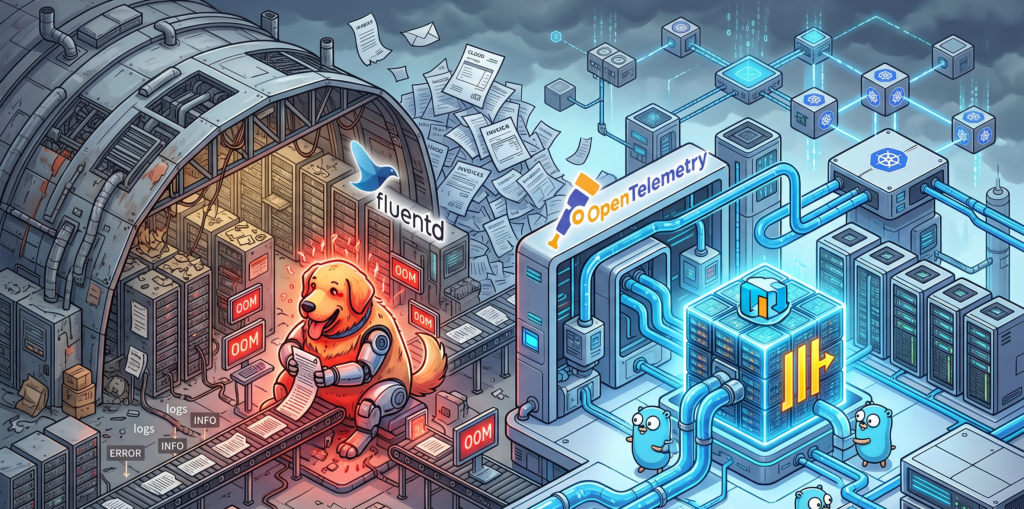
Under moderate loads, Fluentd is a perfectly polite guest. But when you expose it to the high-demand environments of modern microservices, Fluentd exhibits the same impulse control as an unsupervised Golden Retriever locked inside a sausage factory. It just eats all your available CPU and RAM until it physically cannot hold any more, burps an Out Of Memory error, and then politely demands that you scale it horizontally.
This operational overhead becomes exhausting. The industry needed something leaner. Enter the OpenTelemetry Collector. Written in Go, it processes telemetry data with the cold, calculated efficiency of an IRS auditor. It handles metrics, traces, and logs in a unified pipeline without treating your server’s memory like an all you can eat buffet.
Here is what a modern, lightweight pipeline configuration looks like today, completely devoid of Ruby overhead:
The real villain in your cloud bill, however, is not the collector. It is the storage layer. Elasticsearch is an absolute marvel of engineering if you are trying to build a complex search engine for an e-commerce website. But using it exclusively to store application logs is an architectural tragedy.
Storing logs in Elasticsearch is like packing a single pair of socks in an individual cardboard box, wrapping that box in three layers of industrial bubble wrap, and attaching a GPS tracker to it. Yes, the inverted index structure guarantees that you will find those specific socks at the speed of light. But your luggage now occupies three entire aviation hangars, and the monthly rent is absurd. The indexing process creates massive data bloat, multiplying your storage footprint and your anxiety levels simultaneously.
The bouillon cube of observability
This is where ClickHouse enters the scene and aggressively rewrites the rules. ClickHouse looks at your three hangars full of bubble-wrapped socks, throws them into an industrial shredder, and compresses the resulting mass into a super dense data bouillon cube.
ClickHouse relies on columnar storage and sparse indexes. It does not index every single word of your log lines. Instead, it compresses the data so tightly that your storage footprint shrinks to a fraction of what EFK required. And because developers already dream in SQL, querying this massive block of data feels entirely natural.
Instead of wrestling with Kibana’s proprietary query language just to find out why a payment failed, your team can simply run a query like this:
-- Finding errors without going bankrupt
SELECT
    toStartOfMinute(timestamp) AS minute,
    count() AS total_errors,
    dictGet('services', 'name', service_id) AS service_name
FROM application_logs
WHERE level = 'ERROR' AND timestamp > now() - INTERVAL 1 HOUR
GROUP BY minute, service_name
ORDER BY minute DESC;
Grafana sits on top of this SQL engine like a happy gargoyle, providing the exact same dashboarding capabilities you used to get from Kibana, but with the added benefit of seamlessly linking your logs directly to your OpenTelemetry metrics and traces.
Swapping tires on the highway
Now, a word of caution. The worst thing you can do after reading this is to march into your office and delete your Elasticsearch cluster.
Transitioning from EFK to the OpenTelemetry and ClickHouse stack overnight is the IT equivalent of trying to change your car tires while driving at 120 miles per hour down the highway. You will almost certainly lose the chassis in the process.
A migration requires a gradual cutover. You must deploy the OpenTelemetry Collector alongside your existing Fluentd setup. Route a small subset of non critical logs to ClickHouse. Compare the ingestion rates. Let your team practice writing SQL queries to find errors. Only when you are confident that the bouillon cube is holding its shape should you start decommissioning the old, expensive hangars.
When to completely ignore my advice
To be perfectly fair, EFK is not dead for everyone. If your daily log volume fits comfortably on a standard thumb drive, or if your company enjoys setting fire to piles of corporate cash to keep the server room warm, EFK remains a wonderfully easy solution. If your team has zero experience managing relational databases and relies heavily on managed Elasticsearch services, moving to ClickHouse might introduce more friction than it resolves.
But for the rest of the world, the verdict is clear. Do not migrate just because it is trendy. Migrate because your current system has become a financial bottleneck. If your Elasticsearch bill is the fastest growing metric in your entire company, that is your signal. Run the numbers, evaluate the OpenTelemetry stack, and stop paying hangar prices for your socks.