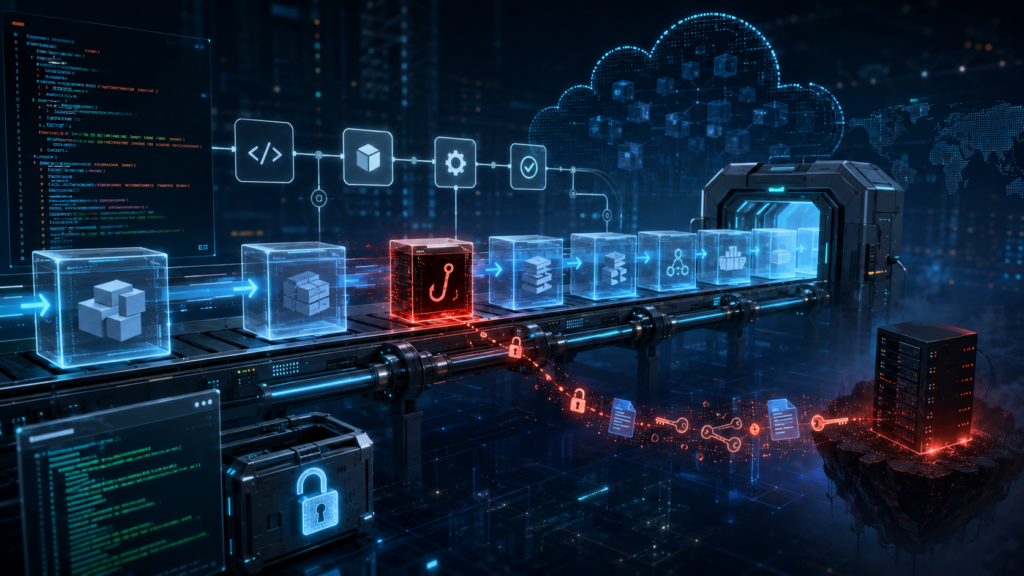
There is a special kind of morning reserved for DevOps teams. The coffee is still too hot, Slack is already too loud, and somewhere in the dependency tree, a package you have never consciously chosen has decided to become a tiny criminal enterprise.
Not a glamorous one. Not the cinematic kind with laser grids, violin music, and a morally complicated mastermind in a black turtleneck. This one wore the traditional uniform of modern software crime, a ‘package.json’ file, a lifecycle hook, and the quiet confidence of something that knows your CI/CD pipeline will execute almost anything if it arrives through the correct registry.
The Mini Shai-Hulud attack against the AntV npm ecosystem was not frightening because it was exotic. It was frightening because it was ordinary. A compromised maintainer account. A burst of malicious package versions. A ‘preinstall’ hook. A build server with secrets lying around like biscuits in a meeting room.
That is the part worth sitting with for a moment. Your pipeline did not fail because it was stupid. It failed because it behaved exactly as designed.
The morning npm trusted a stranger
On May 19, a maintainer account named ‘atool’, associated with the AntV visualization ecosystem and several widely used utility packages, was compromised. In a short automated burst, malicious versions were published across more than 300 npm packages. Some reports counted 314 packages tied to the compromised maintainer. Others counted a slightly broader set, depending on the package universe being measured. Either way, this was not a polite disturbance. It was an npm fire drill with the alarm wired directly into your build system.
The affected ecosystem included packages such as ‘size-sensor’, ‘echarts-for-react’, ‘timeago.js’, and many ‘@antv’ packages. Collectively, the package set represented roughly sixteen million weekly downloads. That number has the calm, bureaucratic feel of a spreadsheet cell, which is unfortunate, because the spreadsheet cell is quietly screaming.
The payload was not a kernel exploit. It was not a secret zero-day whispered into existence by a nation-state intern with excellent dental insurance. It was a preinstall hook that executed an obfuscated Bun script before the application had even reached the part of the day where tests pretend they are in charge.
That is the insult. The thief did not pick the lock. The thief rang the bell, wore a delivery jacket, and your pipeline said, “Of course, please come in. The cloud credentials are near the snacks.”
Why did your pipeline not see it coming?
Most CI/CD pipelines are optimized for speed, repeatability, and the pleasant fiction that dependencies are small sealed boxes of usefulness. A typical workflow clones the repository, restores a cache, runs ‘npm ci’, then moves on to tests, linters, SAST tools, dependency scanners, container builds, and finally deployment.
That order feels reasonable. It is also the problem.
The malicious ‘preinstall’ hook runs during dependency installation. It runs before your tests. Before your linter. Before the container image scanner gets to put on its tiny detective hat. Before most of the tools you bought, integrated, configured, and proudly presented in a security maturity slide deck have even entered the room.
By the time your scanner examines the artifact, the install phase may already have executed hostile code inside your build environment. The patient is now wearing the doctor’s coat.
This is the architectural blind spot. We often talk about CI/CD as plumbing, as if pipelines merely transport code from Git to production with the emotional depth of a garden hose. In practice, the build environment is one of the most privileged pieces of compute in the company.
It can read source code. It can fetch dependencies. It can publish artifacts. It can assume cloud roles. It can push containers. It can sign releases. It may have access to deployment tokens, package registry tokens, GitHub tokens, npm tokens, cloud credentials, vault credentials, and enough environment variables to make a compliance auditor age visibly.
Then, in the middle of that privileged environment, we run arbitrary community code as a normal business process.
We do this every day. We call it productivity because “ritualized trust falls with strangers” was apparently less attractive in Jira.
When your EC2 instance becomes a credential vending machine
The build server is only one part of the blast radius. Many organizations still run Node.js applications directly on EC2 instances, virtual machines, shared development servers, bastion hosts, or old pets with sentimental names and systemd units no one wants to touch.
If a malicious dependency runs during an install on one of those machines, the question becomes brutally simple. What can that machine see?
Mini Shai-Hulud style payloads are designed to ask exactly that. They look for AWS credentials in environment variables and local credential files. They probe cloud metadata services. They search for Kubernetes service account tokens mounted in predictable paths. They hunt for GitHub personal access tokens, npm tokens, HashiCorp Vault tokens, SSH keys, database connection strings, and local password manager material.
This is where the story stops being a malware story and becomes an architecture story.
The problem is not merely that the script is clever. The problem is that many machines are already arranged like vending machines for secrets. Insert malicious lifecycle hook. Receive access keys. Enjoy your snack.
If your EC2 user data script runs ‘npm install’ during bootstrap, you have given install-time code a front-row seat to the instance identity. If developers SSH into a shared VM and run package installs manually, you have blended local development, shared infrastructure, and cloud access into a smoothie with bits of glass in it. If a bastion host has credentials on disk because “it was only temporary”, congratulations, you have discovered the half-life of temporary infrastructure. It is forever, unless audited.
The uncomfortable lesson is not that EC2 is unsafe. EC2 is a perfectly respectable building block. The trouble begins when long-lived compute accumulates credentials the way kitchen drawers accumulate mysterious cables. After enough time, nobody knows what they are for, but everyone is afraid to throw them away.
The SaaS services you thought were sandboxed
Managed build platforms are not magically exempt from this pattern. Vercel, Netlify, Railway, Render, AWS Amplify, Google Cloud Build, and similar services often run dependency installation on your behalf. They do it in ephemeral containers, which sounds reassuring, because ephemeral is one of those cloud words that makes everything feel rinsed and hygienic.
But ephemeral does not mean harmless.
Those containers may still receive environment variables. They may still hold deployment credentials. They may still have API keys, database URLs, webhook secrets, third-party tokens, and production-adjacent configuration. A malicious ‘preinstall’ hook does not need a permanent server. It only needs a few seconds with the things you carefully injected into the build because the deployment would not work without them.
This is where the boundary between build time and runtime starts to look theatrical. We like to pretend they are separate kingdoms with guards and flags and polite customs inspections. In reality, build time often has enough access to affect runtime, and runtime secrets often leak backward into build time because somebody needed a preview deployment to talk to a real database “just for testing”.
The SaaS provider may provide isolation. It may provide clean containers. It may even provide excellent defaults. But your build environment is still your environment. You configured the secrets. You selected the dependencies. You allowed the install scripts. The sandbox is not a moral force. It is a container with permissions.
And containers, bless them, do not experience shame.
When the green badge smiles at the robber
The most unsettling part of Mini Shai-Hulud was not just credential theft. It was the way the attack interacted with modern supply chain trust.
Some malicious packages were observed with valid Sigstore and SLSA provenance signals. In plain English, the pipeline identity could be used to produce cryptographic evidence that looked legitimate. The signature was real. The attestation was real. The code was malicious.
This is a deeply unpleasant sentence for anyone who has spent the last few years building policies around signed artifacts, provenance, and supply chain gates.
Those controls still matter. They are not useless. But this attack is a reminder that provenance is not a spell. It tells you something about how an artifact was built, and sometimes where it was built. It does not automatically tell you that the person, process, maintainer account, or CI identity involved was trustworthy at that moment.
A green badge can prove that the robbery happened in a certified room with excellent lighting.
For cloud architects, that distinction matters. If your policy says “only deploy signed artifacts”, you have improved the baseline. If your mental model says “signed means safe”, the attacker has just found a very comfortable chair in your control plane.
The right question is not only whether an artifact is signed. It is whether the identity that signed it should have been allowed to sign it, whether the workflow that produced it was protected, whether the release path was expected, whether the maintainer account had strong controls, and whether the dependency version appeared with the behavior of a normal release or with the body language of a raccoon in a data center.
Signatures are evidence. They are not character witnesses.
What to change before the next deployment
There is no single magic fix, which is irritating, because single magic fixes are much easier to put on a roadmap. What you can do is reduce the number of places where arbitrary install-time code meets valuable credentials.
Start with the obvious rule that is somehow still controversial. Do not run npm install in production on long-lived machines. Build once in a controlled environment. Bake dependencies into immutable images or artifacts. Promote those artifacts across environments. Production should receive the finished meal, not a bag of groceries and a stranger with a knife.
Use lockfiles with discipline. Treat changes to ‘package-lock.json’, ‘pnpm-lock.yaml’, or ‘yarn.lock’ as meaningful code changes. Review them. Pin dependencies where it matters. Avoid allowing automatic minor or patch upgrades in privileged CI jobs without human review or a quarantine window. Freshly published packages are not necessarily fresh bread. Sometimes they are bread with a tiny radio transmitter inside.
Disable install scripts where you can. For many CI validation jobs, ‘npm ci –ignore-scripts’ is a reasonable default. When lifecycle scripts are genuinely required, make that an explicit exception rather than a silent assumption. Exceptions should feel slightly annoying. That is how you know they are doing their job.
Separate build secrets from runtime secrets. A build job should not need direct access to production databases. It should not carry cloud admin credentials. It should not have permission to do everything because it is easier than discovering the three actions it actually needs. Use short-lived credentials through OIDC where possible, scoped narrowly to the job, the repository, the branch, and the environment.
Treat the build environment as hostile until proven otherwise. Run builds in ephemeral, isolated environments. Avoid reusing caches between trusted and untrusted contexts. Restrict egress where practical. Monitor unusual outbound traffic from CI runners, especially to metadata endpoints, GitHub APIs, unknown domains, and places where stolen secrets go to begin their new life.
On AWS, enforce IMDSv2 and restrict access to instance metadata. Do not let random processes on a host treat the metadata service like a neighborhood tapas bar. On Kubernetes, avoid mounting default service account tokens into pods that do not need them. If a pod has no business speaking to the Kubernetes API, do not give it a tiny passport and a laminated badge.
Finally, treat developer workstations as part of the production risk surface. This is annoying because developers are humans, and humans enjoy installing things. But if a developer runs npm install on a laptop that has AWS SSO sessions, GitHub tokens, package registry credentials, SSH keys, and password manager integrations, that laptop is not merely a laptop. It is a small branch office with stickers.
The uncomfortable truth about convenience
The cloud industry has spent more than a decade optimizing for developer velocity. We made dependency installation fast. We made CI/CD pipelines automatic. We made SaaS build platforms beautifully simple. We taught ourselves to trust registries because the alternative was slow, manual, and socially unpopular.
Mini Shai-Hulud is not the end of that model. It is the invoice.
The convenience of ‘npm install’ is not free. It is a line of credit against your security posture, and the interest rate just went up.
This does not mean we should retreat into caves and compile everything by candlelight, although some incident response teams have looked into it. It means we need to stop treating dependency installation as a harmless clerical step. It is code execution. It happens early. It happens often. It happens in places where secrets live.
That is the part that should make every DevOps engineer, platform engineer, and cloud architect feel a small chill behind the neck. Not panic. Panic is noisy and usually produces dashboards. A chill is more useful. A chill asks better questions.
Why does this build job have access to production credentials?
Why can this runner reach the metadata service?
Why are install scripts enabled by default?
Why are we deploying from a machine where somebody also tests packages manually?
Why did the green badge make us stop thinking?
Modern DevOps was already a strange job. You were part sysadmin, part release engineer, part therapist for YAML, part barista for impatient microservices. Now, occasionally, you must also check whether your pipeline has become an accomplice to a robbery.
It will not look guilty. Pipelines never do. They fail with clean logs, pass with suspicious confidence, and continue brewing coffee while a stranger quietly empties the safe.