
kubernetes

RBAC is not least privilege, and your cluster is the proof

Your security scanner ran last night. It came back green. RBAC is configured, there are no critical findings, and you closed the tab with the quiet satisfaction of someone who has done the responsible thing. The cluster is locked down. You can go to lunch.

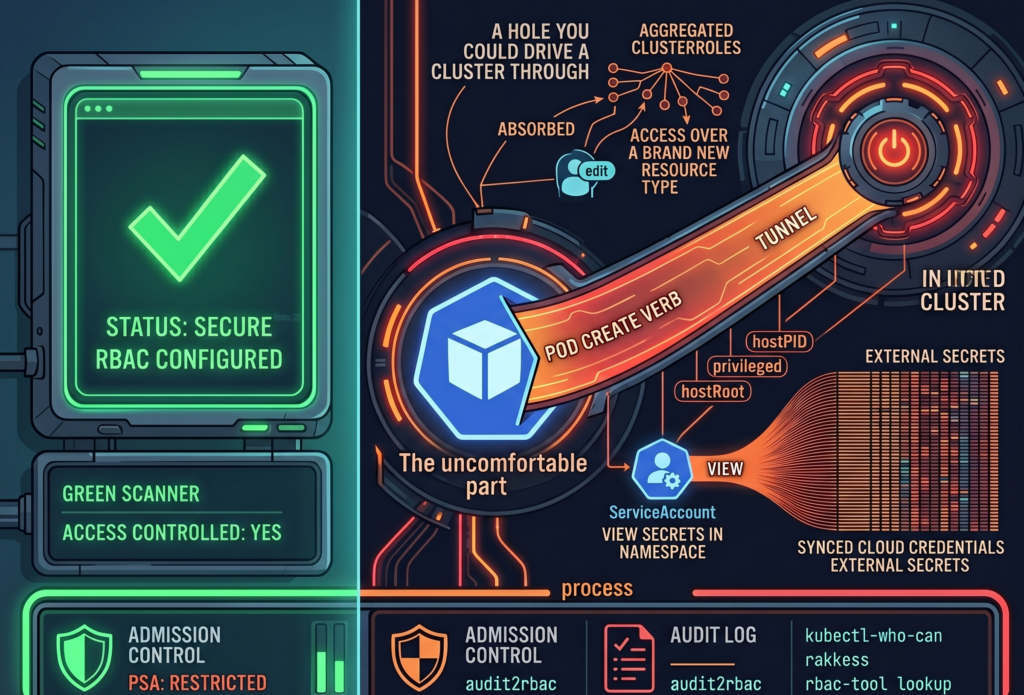
Here is the uncomfortable part. A green scanner answers the question “Is access controlled?” It does not answer the question “Is access minimal?” Those are different questions, and most teams conflate them because the first one is easy to check and the second one requires reading things nobody wants to read on a Tuesday.

RBAC answers the first. Least privilege requires answering both. And a perfectly valid RBAC configuration can be, at the very same time, a perfectly generous one. The scanner has no opinion about generosity.

The ClusterRole you inherited from a Helm chart in March

Kubernetes ships three aggregated ClusterRoles out of the box (admin, edit, view), and they have a quietly alarming property. They absorb permissions. Any ClusterRole carrying the label ‘rbac.authorization.k8s.io/aggregate-to-edit: “true”’ gets automatically folded into ‘edit’, with no human in the loop and no diff to review.

This is convenient right up until it is not. When you installed that operator back in March, its Helm chart shipped a CRD and a ClusterRole with the aggregation label attached, because that is the polite, idiomatic way to do it. From the moment ‘helm install’ finished, every subject bound to ‘edit’ in your cluster silently gained permissions over a brand new resource type. Nobody approved it. Nobody saw it. The controller did exactly what it was designed to do, which is the part that should worry you.

So the RoleBinding still says ‘edit’. The word has not changed. What it grants has, several times, across several chart upgrades, and the only record of the expansion is scattered across ClusterRole objects nobody has opened since they were applied.

The takeaway is small and annoying: every time you install a chart, check what it aggregated. ‘kubectl get clusterrole -l rbac.authorization.k8s.io/aggregate-to-edit=true’ is two minutes of your life and occasionally a genuine surprise.

That ServiceAccount reads secrets, all of them, probably

Consider a ServiceAccount with ‘get’ on secrets in a single namespace. On paper, this looks narrow and tidy. The reviewer who approved it was right to approve it. The problem is that RBAC grants do not live in isolation; they live next to whatever else is running in that namespace.

If that namespace also hosts External Secrets Operator, a Vault Agent sidecar, or a CSI secrets driver, the secrets sitting there are not application trivia. They are the synced, materialized credentials that those tools pulled from somewhere more important. A grant that reads “can view secrets in ‘team-a’” can, depending on the architecture around it, mean “can read the cloud provider credentials that External Secrets faithfully copied into ‘team-a’ thirty seconds ago.”

Nothing here is broken. Every component is behaving as documented. That is exactly why it slips past review: each piece is reasonable, and the risk only exists in the seam between them, where no single Role definition is looking.

So when you audit a secrets grant, do not read the Role. Read the room. Ask what else lives in that namespace and what those neighbors keep in their pockets.

Creating a Pod sometimes creates a root shell on the node

This is the one people refuse to believe until you show them.

If Pod Security Admission is not enforced in ‘restricted’ mode, a subject with ‘create’ on pods is, functionally, a subject with a path to the node. They can define a pod that mounts the host root filesystem as a volume, sets ‘hostPID: true’, runs ‘privileged: true’, or maps a host port to quietly intercept traffic. From inside that pod, the node is no longer a node; it is a directory.

None of this is a vulnerability. There is no CVE to patch, because Kubernetes is doing precisely what the spec permits. The escalation lives in the gap between two true statements: “we have RBAC” and “nobody can reach the node.” Both can be accurate. Together, they can still be a hole you could drive a cluster through.

The fix is not more RBAC. It is admission control. Enforce PSA ‘restricted’ as the namespace default, and treat every exception as a decision someone wrote down and owns, rather than a default nobody chose.

Three commands that will ruin your afternoon

Theory is comfortable. Here is the part where you actually look.

‘kubectl-who-can’ answers the blunt question: who can perform this verb on this resource, right now. ‘kubectl who-can create pods -n production’ is a fast way to find out that the list is longer than you remembered.

‘rakkess’ produces a full access matrix for a given subject, so you can stare at an entire grid of green checkmarks belonging to a ServiceAccount that, in principle, only needed to read a config map.

‘rbac-tool lookup’ lists everything a specific subject can do across the whole cluster, which is the tool you run when you have a name and a bad feeling.

I will set an honest expectation. The first time you run any of these against a cluster older than a year, you will find at least one thing nobody intended, and there is a decent chance it will be something you granted. This is not a moral failing. It is entropy. Permissions accrete the same way junk drawers do, one reasonable decision at a time.

The scanner will still be green, that is no longer the point

Here is where I am supposed to hand you a fix that makes the scary parts go away. I cannot, because least privilege in Kubernetes is not a configuration state you reach and then defend. It is a process you keep doing, slightly grudgingly, forever.

Start subjects at zero and grant only what the audit log proves they actually use. Tools like ‘audit2rbac’ can generate tight RBAC from real API server audit events, which is to say from evidence rather than from optimism. Enforce PSA ‘restricted’ by default. Audit aggregated ClusterRoles every time you install a chart. Rotate ServiceAccount tokens, because a credential that never expires is just a future incident with good patience.

Do all of that, and run the scanner again. It will still be green. It was always going to be green. The result has not changed at all. The only thing that has changed is the question you now know to ask, and that, inconveniently, was the whole job.

There is no universal answer here, only better-informed trade-offs, and the faint suspicion that your next audit will find something too. It usually does.

Why Kubernetes struggles with scheduled workloads

The day the cron job fought back

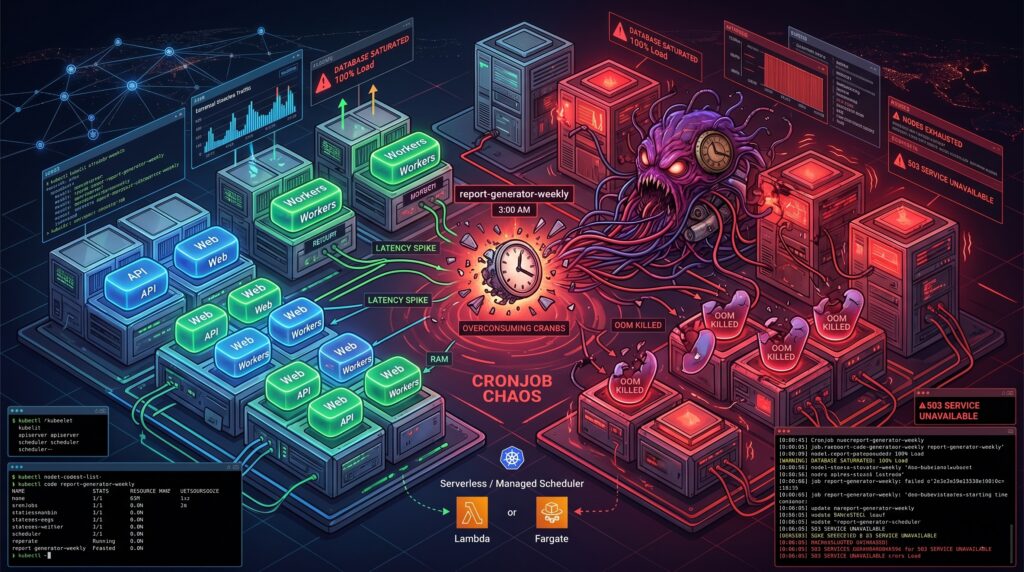
It was 3 AM on a Sunday when the primary database finally gave up. The alerts did not scream about a traffic spike or a rogue deployment. Instead, the culprit was a seemingly innocent Kubernetes CronJob named report-generator-weekly. Thanks to a subtle daylight saving time shift and a misunderstanding of how the kubelet interprets timezones, the cluster decided to spawn twenty-five concurrent instances of a highly unoptimized SQL aggregation query. The database wept, the API went down, and a dozen pagers ruined a perfectly good weekend.

Scheduled jobs can seem deceptively simple until they disrupt production. We tend to treat Kubernetes as a universal solvent for all our operational problems. If it runs containers, it should handle a little task scheduling, right? Sadly, the reality is far more complicated. Behind the scenes, the timezone handling often defaults to the kubelet’s local clock, concurrency policies are treated as polite suggestions under heavy control plane load, and failed jobs accumulate in your cluster like dirty dishes in a shared office sink. Observability is fractured across transient pods, ephemeral events, and missing logs. These “small” details are precisely how a benign script turns into an incident vector.

Resource contention and the illusion of isolation

Your scheduled job does not care about your Service Level Agreements. When you deploy a CronJob into a shared cluster, you are introducing a highly unpredictable workload into the same ring where your latency-sensitive APIs reside. Kubernetes tries its best to balance the scales, but the scheduler is only as good as the resource requests you provide.

Most scheduled jobs are spiky. They sleep for 23 hours, wake up, devour every megabyte of RAM they can reach, and then vanish. If you underprovision the memory requests to save money, the OutOfMemory killer will brutally terminate your job midway through a critical payment reconciliation. If you overprovision to stay safe, you end up paying for idle compute across your worker nodes all day long. We have all seen clusters where a five-minute data cleanup task was given the same IAM permissions and CPU priority as the core stateful application simply because “it is just a cron”. Taints, tolerations, and node affinity help, but they often create a false sense of isolation while increasing scheduling complexity.

Managed schedulers and workflow patterns to the rescue

The smartest way to run a CronJob in Kubernetes is usually to not run it in Kubernetes at all. If you are already building on a major cloud provider, you have access to tools that were specifically designed for this exact headache.

Consider decoupling the “schedule” from the “work”. Services like Cloud Scheduler in GCP, EventBridge in AWS, or Azure Logic Apps are practically bulletproof when it comes to firing a trigger at a specific time. You can wire these services to invoke a Cloud Run service, a Lambda function, or an ECS Fargate task. Yes, there is a minor trade-off regarding vendor lock-in. However, the operational peace of mind you gain by offloading scheduling logic to a managed service usually pays for itself during the first month.

For more complex scenarios where jobs depend on each other, you should look toward delay queues like SQS or Pub/Sub, or dedicated workflow engines like Temporal. When a scheduled task fails halfway through, a pure Kubernetes CronJob will either restart from scratch or die entirely. A proper workflow engine provides built-in backoff logic, idempotent execution tracking, and distributed state management. This pattern beats the traditional cron daemon every time you need reliable retries.

Hardening your jobs and the beauty of boring virtual machines

Of course, there are times when you absolutely must run scheduled jobs inside the cluster. I have also copied-pasted a CronJob YAML file at 2 AM out of sheer necessity (we have all been there). If you find yourself in this situation, you need to establish some defensive boundaries.

Start by enforcing resource quotas per cron namespace to contain the blast radius. Make idempotency checks mandatory in your application code, ensuring that a job running twice by accident does not charge a customer twice. Implement structured logging with clear correlation IDs so you can actually trace failures, and use preStop hooks for graceful shutdowns. The Kubernetes documentation clearly states that a CronJob might run a job zero times or multiple times under certain edge cases, so your code must defend itself against the infrastructure.

Alternatively, we should revive our appreciation for systemd timers on basic Virtual Machines. If you have a low-frequency, highly predictable job that is critical to your infrastructure, a lightweight VM is a fantastic home for it. Systemd timers are exceptionally reliable, the cost is completely transparent, and the blast radius is physically isolated from your stateless microservices. Reserving Kubernetes for your scalable workloads while putting the boring, critical timers on a VM is not a step backward. It is just good engineering.

A plea for architectural humility

Kubernetes is a brilliant piece of software. It is an exceptional orchestrator for stateless, auto-scaling microservices. However, it is not a magical alarm clock, and treating it as a universal cron daemon is a recipe for operational misery.

Architectural humility means picking the right tool for the job, rather than the trendiest one. The next time someone proposes adding a heavy, stateful CronJob to the production cluster, take a moment to ask the hard questions about resource profiles, failure tolerance, and observability. Sometimes, the most advanced cloud architecture decision you can make is to let a dedicated scheduling service handle the calendar, leaving your cluster free to do what it does best.

The social awakening of the Kubernetes scheduler

Human beings are notoriously bad at coordination, but we like to think our machines are better. They are not. For over a decade, Kubernetes, the undisputed king of cloud orchestration, has behaved like a blind restaurant host with a severe case of short-term memory loss.

If you arrived at this restaurant with a party of eight, the host would not look for a table of eight. Instead, they would grab the first person in your group, lead them to a random single stool in the corner, and tell them to wait. Then they would grab the second person and squeeze them between two strangers at the bar. If the remaining guests could not find seats, the host would simply shrug. The first seven would sit there forever, nursing their half-empty glasses of water, while the last person stood shivering in the rain outside.

In computer science, we call this tragedy a scheduling deadlock. In Kubernetes, it is just another Tuesday. But with the release of version 1.36, the system is finally learning some manners through a set of features known as workload-aware scheduling.

The tragedy of scheduling one shoe at a time

Historically, Kubernetes was designed to think in terms of individual pods. To the scheduler, a pod is a single, solitary unit of life, like a lonely left shoe. It does not know or care if there is a right shoe waiting in the queue. It just wants to put the left shoe on a foot, even if the owner of that foot has no legs.

This single-minded approach works beautifully for simple web servers. If you need ten copies of an application, they do not need to know each other. They do not talk, they do not share secrets, and they certainly do not need to hold hands.

But modern workloads, particularly those driving artificial intelligence, machine learning, and massive mathematical calculations, are different. They do not run on lonely, independent pods. They run on highly codependent troupes of containers that must work together or not at all. If you are running an eight-GPU training job, you might need all eight nodes to start at exactly the same microsecond. If seven show up and the eighth is stuck in the hallway because a node ran out of memory, the entire operation grinds to a halt. The active pods just sit there, chewing up expensive processor cycles and doing absolutely nothing useful.

To fix this, the open-source community decided to give Kubernetes some social intelligence. They wanted to teach the system how to recognize a group of friends and seat them all together.

Enter the PodGroup, a unit of social cohesion

To bring order to this chaos, Kubernetes v1.36 introduces a clever piece of psychological separation. It splits the concept of a multi-pod job into two distinct entities, namely a static blueprint called the Workload API and an active, fast-moving runtime object called the PodGroup API.

The separation is brilliant in its boringness. Imagine trying to coordinate a huge family reunion. The Workload is the official invitation list, a static piece of paper detailing who should theoretically show up. The PodGroup is the group text message where everyone argues in real-time about who is actually arriving, who is running late, and who went to the wrong address.

If the scheduler had to update the master blueprint every single time a single pod changed its status, the central API server would suffer the digital equivalent of a massive nervous breakdown. By keeping the blueprint quiet and letting the temporary PodGroup handle the frantic, fast-moving status updates, the system avoids data congestion. It is the architectural equivalent of having a calm office manager who handles the contracts while an assistant runs around screaming with a clipboard.

A basic PodGroup declaration is surprisingly simple, containing just enough information to tell the scheduler how many members actually make a quorum.

apiVersion: scheduling.k8s.io/v1alpha2
kind: PodGroup
metadata:
  name: neural-training-crew
spec:
  minMember: 8

In this little snippet, we are telling Kubernetes that unless all eight of our digital family members can be seated at the table at the exact same time, nobody gets seated at all. The scheduler takes one clean snapshot of the system and commits the whole gang, or nothing. It is, quite literally, collective bargaining for containers.

The art of polite eviction

Of course, life in the cloud is rarely empty. Most of the time, your cluster is already full of small, low-priority pods doing things like sending promotional emails or logging the temperature of the server room.

When your giant, expensive AI training workload arrives at the door, it needs space immediately. In the old days, the scheduler would look at the crowded room, see that there was no space for a group of eight pods, and simply give up.

With workload-aware preemption, the scheduler gains a more assertive personality. Instead of looking at individual pods, it evaluates the entire PodGroup as a single, powerful entity. If the group cannot fit, the scheduler can look at the low-priority pods currently occupying the nodes and decide to evict them.

Crucially, this is controlled by a setting called the disruptionMode. You can configure your PodGroup so that if it must be interrupted, it happens as an all-or-nothing event. Your pods can either be evicted one by one, or they can refuse to leave unless the entire group is taken down together, holding hands in a dramatic show of solidarity. This prevents a situation where half of your training job is evicted, leaving the remaining half running uselessly and burning through your cloud budget.

Putting the family in the same neighborhood

There is one final piece to this scheduling puzzle. In the world of high-performance computing, physical distance matters. If your pods are communicating constantly, placing half of them in an Oregon data center and the other half in Virginia is a recipe for terrible latency. It is like trying to have a conversation where every sentence takes three seconds to travel across the room.

To solve this, Kubernetes v1.36 introduces topology-aware workload scheduling. This ensures that the scheduler does not just find enough seats for your pods, but actually finds them close to one another, preferably on the same network switch, the same rack, or even the same physical machine.

It is the equivalent of booking hotel rooms for your family reunion and ensuring that everyone is on the third floor, rather than scattered across five different buildings in different zip codes.

A short conclusion for the caffeinated reader

We have spent years treating containers like isolated, disposable little boxes. We launched them, forgot about them, and let them fend for themselves. But as our software grows more complex and our artificial intelligence models require more computational power, we are discovering that our containers need to cooperate.

The changes in Kubernetes v1.36 are not just minor performance tweaks. They represent a fundamental shift in how the system understands work. By teaching the scheduler how to recognize groups, respect their physical proximity, and evict them gracefully, Kubernetes is growing up. It is no longer just a system for running individual applications. It is becoming a highly sophisticated, socially aware coordinator for the most complex computational tasks on the planet. And that is definitely worth raising a coffee mug to.

Chronicle of a death foretold for the EFK stack in high demand environments

Your monthly cloud infrastructure bill arrives in your inbox. You open the PDF document, and suddenly your left eyelid starts twitching uncontrollably. The finance department has started leaving passive-aggressive sticky notes on your monitor. You realize you are spending the equivalent of a small nation’s gross domestic product just to store text files that repeat “INFO: User logged in” three billion times a day. Welcome to the modern logging crisis.

For years, the Kubernetes logging ecosystem was basically on autopilot. You installed the EFK stack (Elasticsearch, Fluentd, and Kibana), and it just worked. It was the safest default in the industry. But as we navigate through 2026, something has fundamentally ruptured. EFK did not suddenly become toxic waste overnight. It simply became the victim of its own architecture in an era where log volumes have mutated into unrecognizable monsters.

The shift away from EFK is not driven by shiny object syndrome. It is driven by raw economics, hardware exhaustion, and the very human desire not to wake up sweating at 3 AM because a logging cluster ran out of disk space.

The golden retriever in the sausage factory

Let us start with Fluentd. Fluentd is incredibly stable, highly flexible, and has served the community well. However, it is written in Ruby.

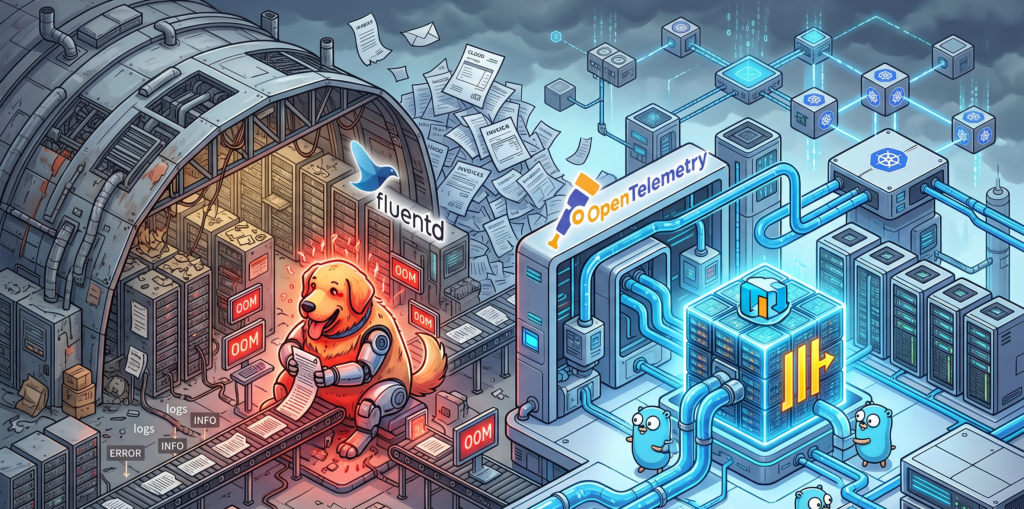
Under moderate loads, Fluentd is a perfectly polite guest. But when you expose it to the high-demand environments of modern microservices, Fluentd exhibits the same impulse control as an unsupervised Golden Retriever locked inside a sausage factory. It just eats all your available CPU and RAM until it physically cannot hold any more, burps an Out Of Memory error, and then politely demands that you scale it horizontally.

This operational overhead becomes exhausting. The industry needed something leaner. Enter the OpenTelemetry Collector. Written in Go, it processes telemetry data with the cold, calculated efficiency of an IRS auditor. It handles metrics, traces, and logs in a unified pipeline without treating your server’s memory like an all you can eat buffet.

Here is what a modern, lightweight pipeline configuration looks like today, completely devoid of Ruby overhead:

# OpenTelemetry Collector routing logs without eating your RAM
receivers:
  filelog:
    include: [ /var/log/pods/*/*/*.log ]
exporters:
  clickhouse:
    endpoint: tcp://clickhouse-server:9000
    database: observability
service:
  pipelines:
    logs:
      receivers: [filelog]
      exporters: [clickhouse]

Packing your socks in industrial hangars

The real villain in your cloud bill, however, is not the collector. It is the storage layer. Elasticsearch is an absolute marvel of engineering if you are trying to build a complex search engine for an e-commerce website. But using it exclusively to store application logs is an architectural tragedy.

Storing logs in Elasticsearch is like packing a single pair of socks in an individual cardboard box, wrapping that box in three layers of industrial bubble wrap, and attaching a GPS tracker to it. Yes, the inverted index structure guarantees that you will find those specific socks at the speed of light. But your luggage now occupies three entire aviation hangars, and the monthly rent is absurd. The indexing process creates massive data bloat, multiplying your storage footprint and your anxiety levels simultaneously.

The bouillon cube of observability

This is where ClickHouse enters the scene and aggressively rewrites the rules. ClickHouse looks at your three hangars full of bubble-wrapped socks, throws them into an industrial shredder, and compresses the resulting mass into a super dense data bouillon cube.

ClickHouse relies on columnar storage and sparse indexes. It does not index every single word of your log lines. Instead, it compresses the data so tightly that your storage footprint shrinks to a fraction of what EFK required. And because developers already dream in SQL, querying this massive block of data feels entirely natural.

Instead of wrestling with Kibana’s proprietary query language just to find out why a payment failed, your team can simply run a query like this:

-- Finding errors without going bankrupt
SELECT
    toStartOfMinute(timestamp) AS minute,
    count() AS total_errors,
    dictGet('services', 'name', service_id) AS service_name
FROM application_logs
WHERE level = 'ERROR' AND timestamp > now() - INTERVAL 1 HOUR
GROUP BY minute, service_name
ORDER BY minute DESC;

Grafana sits on top of this SQL engine like a happy gargoyle, providing the exact same dashboarding capabilities you used to get from Kibana, but with the added benefit of seamlessly linking your logs directly to your OpenTelemetry metrics and traces.

Swapping tires on the highway

Now, a word of caution. The worst thing you can do after reading this is to march into your office and delete your Elasticsearch cluster.

Transitioning from EFK to the OpenTelemetry and ClickHouse stack overnight is the IT equivalent of trying to change your car tires while driving at 120 miles per hour down the highway. You will almost certainly lose the chassis in the process.

A migration requires a gradual cutover. You must deploy the OpenTelemetry Collector alongside your existing Fluentd setup. Route a small subset of non critical logs to ClickHouse. Compare the ingestion rates. Let your team practice writing SQL queries to find errors. Only when you are confident that the bouillon cube is holding its shape should you start decommissioning the old, expensive hangars.

When to completely ignore my advice

To be perfectly fair, EFK is not dead for everyone. If your daily log volume fits comfortably on a standard thumb drive, or if your company enjoys setting fire to piles of corporate cash to keep the server room warm, EFK remains a wonderfully easy solution. If your team has zero experience managing relational databases and relies heavily on managed Elasticsearch services, moving to ClickHouse might introduce more friction than it resolves.

But for the rest of the world, the verdict is clear. Do not migrate just because it is trendy. Migrate because your current system has become a financial bottleneck. If your Elasticsearch bill is the fastest growing metric in your entire company, that is your signal. Run the numbers, evaluate the OpenTelemetry stack, and stop paying hangar prices for your socks.

The kernel dashboard you already have but ignore

The pager goes off at 3 AM. Your most critical Kubernetes node is gasping for air. You SSH into the box, but your fancy cloud observability agents are completely frozen. You cannot run top, htop is a distant dream, and your metrics dashboard is just a spinning loading wheel of despair.

What do you do now?

Most people panic. But if you know where to look, your Linux server has a secret, real-time dashboard built right in. It requires zero agents, consumes zero disk space, and is literally generating its data on the fly just for you.

Welcome to the weird, wonderful, and slightly chaotic world of the proc pseudo-filesystem.

The hallucinated filesystem

If you run ls /proc, you will see what looks like a messy drawer full of text files and numbered directories. It is easy to dismiss it as legacy kernel clutter. But here is the bizarre truth about this directory. It does not exist.

Not on your SSD, anyway. The proc filesystem is a pure hallucination managed by the kernel. It exists entirely in RAM. The files inside it have a size of zero bytes right up until the exact microsecond you try to read them. When you run cat /proc/uptime, the kernel intercepts your request, hastily scribbles down the current system state, and hands it back to you.

It is the “everything is a file” Unix philosophy taken to its absolute, absurd logical conclusion. And once you understand how to read it, it becomes an indispensable tool for Cloud Architecture and DevOps engineers.

Gold nuggets for your daily rotation

You do not need to memorize every file in here. Treat it like a hardware store. You only need to know where the hammers and screwdrivers are kept.

The memory health check

Checking /proc/meminfo gives you your memory health at a glance, long before you even try to execute free -h. It is the raw, unfiltered truth about your RAM.

The CPU heartbeat

You can check /proc/loadavg and /proc/stat to understand CPU load and scheduler activity. Load average is like looking at the queue outside a nightclub. It tells you how many processes are waiting to get onto the CPU dance floor.

The network socket inventory

When you are trapped inside a stripped-down Docker container that lacks ss or netstat, /proc/net/tcp and /proc/net/udp are your best friends. They list every active socket connection.

The runtime clock

A quick look at /proc/uptime gives you the system runtime and idle time in a single line. It is incredibly easy to parse for quick uptime checks in your automation scripts.

Peeking inside running applications

If the root of this filesystem is the global state of the machine, the numbered directories are the personal diaries of every running application. Each number corresponds to a Process ID.

Finding the exact command

Sometimes, ps truncates output or is not installed. You can read /proc/<pid>/cmdline to see the exact, literal command that launched the process, null bytes and all.

Reading the environment

Checking /proc/<pid>/environ reveals the environment variables the process started with. It is an absolute goldmine for debugging and a terrifying danger zone for security. Environment variables are like a bouncer who will not let the application start unless its name is on the list, and the application brought the list itself.

Chasing file descriptors

If you ever hit a “too many open files” error, look inside /proc/<pid>/fd/. This directory contains symlinks to every single file, socket, and pipe the application is currently holding onto.

Surviving the cloud native illusion

Containers are, fundamentally, just Linux processes lying to themselves about how much of the world they own. They think they are the only tenant in the building. When you are working with Kubernetes, this pseudo-filesystem bridges the gap between the illusion and the reality.

When eBPF tools or your sidecar agents fail, this interface is your manual override. You can check /proc/<pid>/cgroup to see exactly which control groups are clamping down on your process. If a container keeps getting killed by the Out Of Memory killer, you can watch /proc/<pid>/oom_score to see how angry the kernel is getting at that specific process. The higher the number, the more likely the kernel is going to take it out back and end its misery.

War stories from the trenches

Theoretical knowledge is great, but let us look at how this saves your skin when you are sleep deprived.

The phantom disk filler

Your alerts say the disk is at 100%. You find a massive 50GB application log and delete it. You run df -h again. The disk is still at 100%. What happened? The application is still writing to the deleted file. A file is not truly deleted until the last process closes it. Running lsof or digging through /proc/<pid>/fd will show you the deleted file still held open by the stubborn process. Restart the process, and your 50GB magically returns.

The frozen startup

An application hangs immediately on startup. It is not using CPU, and it is not crashing. What is it waiting for? Inspecting /proc/<pid>/wchan will literally tell you the exact kernel function where the process went to sleep.

The dark side of the dashboard

It is not all sunshine and perfectly formatted data. There are traps here.

First, formatting varies between kernel versions. Writing a strict regular expression to parse these files in a production bash script is a recipe for tears. Always use defensive coding.

Second, the /proc/sys/ directory is not just for looking. It is for touching. This is where kernel tunables live, the underlying mechanism for sysctl. Writing the wrong value here can permanently break your network stack or cause a kernel panic faster than you can hit Ctrl+C. Look, but do not touch unless you have read the documentation twice.

Quick reference sheet

Keep this list handy for your next terminal session.

  • cat /proc/cpuinfo shows your hardware details
  • cat /proc/version gives you the exact kernel and distro info
  • ls -l /proc/<pid>/fd displays live file descriptors
  • cat /proc/net/dev reveals network interface stats
  • echo 3 > /proc/sys/vm/drop_caches frees up pagecache, dentries, and inodes (and makes your database administrator incredibly nervous)

Keep a terminal open to your kernel

This interface is the universal API. It is present when your monitoring tools are broken, when your containers are stripped bare, and when the orchestrator is lying to you.

Next time you SSH into a server or run kubectl exec into a pod, take a second to explore this directory before you reflexively type htop. In the cloud, understanding this in-memory filesystem means you understand exactly what your platform sees. And that is the kind of visibility no vendor can sell you.

Anatomy of an overworked Kubernetes operator called CoreDNS

Your newly spun-up frontend pod wakes up in the cluster with total amnesia. It has a job to do, but it has no idea where it is, who its neighbors are, or how to find the database it desperately needs to query. IP addresses in a Kubernetes cluster change as casually as socks in a gym locker room. Keeping track of them requires a level of bureaucratic masochism that no sane developer wants to deal with.

Someone has to manage this phonebook. That someone lives in a windowless sub-basement namespace called kube-system. It sits there, answering the same questions thousands of times a second, routing traffic, and receiving absolutely zero credit for any of it until something breaks.

That entity is CoreDNS. And this is an exploration of the thankless, absurd, and occasionally heroic life it leads inside your infrastructure.

The temperamental filing cabinet that came before

Before CoreDNS was given the keys to the kingdom in Kubernetes 1.13, the job belonged to kube-dns. It technically worked, much like a rusty fax machine transmits documents. But nobody was happy to see it. kube-dns was not a single, elegant program. It was a chaotic trench coat containing three different containers stacked on top of each other, all whispering to each other to resolve a single address.

CoreDNS replaced it because it is written in Go as a single, compiled binary. It is lighter, faster, and built around a modular plugin architecture. You can bolt on new behaviors to it, much like adding attachments to a vacuum cleaner. It is efficient, utterly devoid of joy, and built to survive the hostile environment of a modern microservices architecture.

Inside the passport control of resolv.conf

When a pod is born, the container runtime shoves a folded piece of paper into its pocket. This piece of paper is the /etc/resolv.conf file. It is the internal passport and instruction manual for how the pod should talk to the outside world.

If you were to exec into a standard web application pod and look at that slip of paper, you would see something resembling this:

search default.svc.cluster.local svc.cluster.local cluster.local
nameserver 10.96.0.10
options ndots:5

At first glance, it looks harmless. The nameserver line simply tells the pod exactly where the CoreDNS operator is sitting. But the rest of this file is a recipe for a spectacular amount of wasted effort.

Look at the search directive. This is a list of default neighborhoods. In human terms, if you tell a courier to deliver a package to “Smith”, the courier does not just give up. The courier checks “Smith in the default namespace”, then “Smith in the general services area”, then “Smith in the local cluster”. It is a highly structured, incredibly repetitive guessing game. Every time your application tries to look up a short name like “inventory-api”, CoreDNS has to physically flip through these directories until it finds a match.

But the true villain of this document, the source of immense invisible suffering, is located at the very bottom.

The loud waiter and the tragedy of ndots

Let us talk about options ndots:5. This single line of configuration is responsible for more wasted network traffic than a teenager downloading 4K video over cellular data.

The ndots value tells your pod how many dots a domain name must have before it is considered an absolute, fully qualified domain name. If a domain has fewer than five dots, the pod assumes it is a local nickname and starts appending the search domains to it.

Imagine a waiter in a crowded, high-end restaurant. You ask this waiter to bring a message to a guest named “google.com”.

Because “google.com” only has one dot, the waiter refuses to believe this is the person’s full legal name. Instead of looking at the master reservation book, the waiter walks into the center of the dining room and screams at the top of his lungs, “IS THERE A GOOGLE.COM IN THE DEFAULT.SVC.CLUSTER.LOCAL NAMESPACE?”

The room goes dead silent. Nobody answers.

Undeterred, the waiter moves to the next search domain and screams, “IS THERE A GOOGLE.COM IN THE SVC.CLUSTER.LOCAL NAMESPACE?”

Again, nothing. The waiter does this a third time for cluster.local. Finally, sweating and out of breath, having annoyed every single patron in the establishment, the waiter says, “Fine. Let me check the outside world for just plain google.com.”

This happens for every single external API call your application makes. Three useless, doomed-to-fail DNS queries hit CoreDNS before your pod even attempts the correct external address. CoreDNS processes these garbage queries with the dead-eyed stare of a DMV clerk stamping “DENIED” on improperly filled forms. If you ever wonder why your cluster DNS latency is slightly terrible, the screaming waiter is usually to blame.

The Corefile and other documents of self-inflicted pain

The rules governing CoreDNS are dictated by a configuration file known as the Corefile. It is essentially the Human Resources policy manual for the DNS server. It defines which plugins are active, who is allowed to ask questions, and where to forward queries it does not understand.

A simplified corporate policy might look like this:

.:53 {
    errors
    health
    kubernetes cluster.local in-addr.arpa ip6.arpa {
       pods insecure
       fallthrough in-addr.arpa ip6.arpa
    }
    prometheus :9153
    forward . /etc/resolv.conf
    cache 30
    loop
    reload
}

Most of this is standard bureaucratic routing. The Kubernetes plugin tells CoreDNS how to talk to the Kubernetes API to find out where pods actually live. The cache plugin allows CoreDNS to memorize answers for 30 seconds, so it does not have to bother the API constantly.

But the most fascinating part of this document is the loop plugin.

In complex networks, it is very easy to accidentally configure DNS servers to point at each other. Server A asks Server B, and Server B asks Server A. In a normal corporate environment, two middle managers delegating the same task back and forth will do so indefinitely, drawing salaries for years until retirement.

Software does not have a retirement plan. Left unchecked, a DNS forwarding loop will exponentially consume memory and CPU until the entire node catches fire and dies.

The loop plugin exists solely to detect this exact scenario. It sends a uniquely tagged query out into the world. If that same query comes back to it, CoreDNS realizes it is trapped in a futile, infinite cycle of middle-management delegation.

And what does it do? It refuses to participate. It halts. CoreDNS will intentionally shut itself down rather than perpetuate a stupid system. There is a profound life lesson hiding in that logic. It shows a level of self-awareness and boundary-setting that most human workers never achieve.

Headless services or giving out direct phone numbers

Most of the time, when you ask CoreDNS for a service, it gives you the IP address of a load balancer. You call the front desk, and the receptionist routes your call to an available agent. You do not know who you are talking to, and you do not care.

But some applications are needy. Databases in a cluster, like a Cassandra ring or a MongoDB replica set, cannot just talk to a random receptionist. They need to replicate data. They need to know exactly who they are talking to. They need direct home phone numbers.

This is where CoreDNS provides a feature known as a “headless service”.

When you create a service in Kubernetes, it usually looks like a standard networking request. But when you explicitly add one specific line to the YAML definition, you are effectively firing the receptionist:

apiVersion: v1
kind: Service
metadata:
  name: inventory-db
spec:
  clusterIP: None # <-- The receptionist's termination letter
  selector:
    app: database

By setting “clusterIP: None”, you are telling CoreDNS that this department has no front desk.

Now, when a pod asks for “inventory-db”, CoreDNS does not hand out a single routing IP. Instead, it dumps a raw list of the individual IP addresses of every single pod backing that service. Furthermore, it creates a custom, highly specific DNS entry for every individual pod in the StatefulSet.

It assigns them names like “pod-0.inventory-db.production.svc.cluster.local”.

Suddenly, your database node has a personal identity. It can be addressed directly. It is a minor administrative miracle, allowing complex, stateful applications to map out their own internal corporate structure without relying on the cluster’s default routing mechanics.

The unsung hero of the sub-basement

CoreDNS is rarely the subject of glowing keynotes at tech conferences. It does not have the flashy appeal of a service mesh, nor does it generate the architectural excitement of an advanced deployment strategy. It is plumbing. It is bureaucracy. It is the guy in the basement checking names off a clipboard.

But the next time you type a simple, human-readable name into an application configuration file and it flawlessly connects to a database across the cluster, think of CoreDNS. Think of the thousands of fake ndots queries it cheerfully absorbed. Think of its rigid adherence to the Corefile.

And most importantly, respect a piece of software that is smart enough to know when it is stuck in a loop, and brave enough to quit on the spot.

Stop killing your pods just to give them more RAM

If your pants feel a little tight after a large Thanksgiving meal, the logical solution is to discreetly unbutton them. You do not typically hire a hitman to assassinate yourself, clone your DNA in a vat, and grow a slightly wider version of yourself just to digest dessert. Yet, for nearly a decade, this is exactly how Kubernetes handled resource management.

When an application slowly consumed all its allocated memory, the standard orchestration response was absolute, violent destruction. We did not give the application more memory. We shot it in the head, deleted its entire existence, and span up a brand new replica with a slightly larger plate. Connections dropped. Warm caches evaporated. State was lost in the digital wind.

Thankfully, the era of the Kubernetes firing squad is drawing to a close. In-place pod resizing has officially graduated to stable General Availability in Kubernetes v1.35, and it changes the fundamental physics of how we manage workloads. We can finally stop burning down the house just to buy a bigger sofa.

Let us explore how this works, why it is practically miraculous, and how to use it without accidentally angering the Linux kernel.

The historical absurdity of pod resource management

Before in-place resizing, if you wanted to change the CPU or memory allocated to a running pod, the workflow was brutally simplistic. You updated your Deployment specification with the new resource requests and limits. The Kubernetes control plane saw the discrepancy between the desired state and the current state. The control plane then instructed the Kubelet to terminate the old pod and create a new one.

Think of taking your car to the mechanic because you need thicker tires. Instead of swapping the tires, the mechanic puts your car into an industrial crusher, hands you an identical car with thicker tires, and tells you to reprogram your radio stations. Sure, the rolling update strategy ensured you had a backup car to drive while the primary one was being crushed, but the specific pod doing the heavy lifting was gone.

For stateless microservices written in Go, this was barely an inconvenience. For a massive Java Virtual Machine holding gigabytes of cached data, or a machine learning inference service handling a traffic spike, a restart was a traumatic event. It meant minutes of downtime, CPU spikes during startup, and a slew of unhappy alerts.

Enter the era of in-place resizing

The magic of Kubernetes v1.35 is that the “resources.requests” and “resources.limits” fields within a pod specification are no longer immutable. You can edit them on the fly.

Under the hood, Kubernetes is finally taking full advantage of Linux control groups (cgroups). A container is basically just a regular Linux process trapped in a highly restrictive administrative box. The kernel has always had the ability to move the walls of this box without killing the process inside. If a container needs more memory, the kernel simply adjusts the cgroup memory limit. It is like a landlord quietly sliding a partition wall outward while you are still sleeping in your bed.

Here is a sanitized example of how you might update a running pod. Notice how we are just applying a patch to an existing, actively running resource.

# We patch the running pod to increase memory limits
# No restarts, no dropped connections, just instant gratification
kubectl patch pod bloated-legacy-api-7b89f5c -p '{"spec":{"containers":[{"name":"main-app","resources":{"limits":{"memory":"4Gi"}}}]}}'

It feels almost illegal the first time you do it. The pod keeps running, the uptime counter keeps ticking, but suddenly the application has breathing room.

The bureaucratic lifecycle of asking for more RAM

Of course, you cannot just demand more resources and expect the universe to instantly comply. The physical node hosting your pod must actually have the spare CPU or memory available. To manage this negotiation, Kubernetes introduces a new field in the pod status called resize.

This field tracks the bureaucratic process of your resource request. It is very much like dealing with the Department of Motor Vehicles, but measured in milliseconds. The statuses are surprisingly descriptive.

First, there is Proposed. This means your request for more resources has been acknowledged. The paperwork is on the desk, but nobody has stamped it yet.

Second, we have “InProgress”. The Kubelet has accepted the request and is currently asking the container runtime (like containerd or CRI-O) to adjust the cgroup limits. The walls are physically moving.

Third, you might see Deferred. This is the orchestrator politely telling you that the node is currently full. Your pod is on a waitlist. As soon as another pod terminates or frees up space, your resize request will be processed. You do not get an error, but you also do not get your RAM. You just wait.

Finally, there is Infeasible. This is Kubernetes looking at you with deep, profound disappointment. You probably asked for 64 Gigabytes of memory on a tiny virtual machine that only has 8 Gigabytes total. The API server essentially stamps your form with a big red “DENIED” and moves on with its life.

Negotiating with stubborn runtimes using resize policies

Not all applications are smart enough to realize they have been gifted more resources. Node.js or Go applications will happily consume newly available CPU cycles without being told. Java applications, on the other hand, are like stubborn mules. If you start a JVM with a maximum heap size of 2 Gigabytes, giving the container 4 Gigabytes of memory will accomplish absolutely nothing. The JVM will stubbornly refuse to look at the new memory until you reboot it.

To handle these varying levels of application intelligence, Kubernetes gives us the resizePolicy array. This allows you to define exactly how the Kubelet should handle changes for each specific resource type.

apiVersion: v1
kind: Pod
metadata:
  name: stubborn-java-beast
spec:
  containers:
  - name: heavy-calculator
    image: corporate-repo/calculator:v4
    resizePolicy:
    - resourceName: cpu
      restartPolicy: RestartNotRequired
    - resourceName: memory
      restartPolicy: RestartContainer
    resources:
      requests:
        memory: "2Gi"
        cpu: "1"
      limits:
        memory: "4Gi"
        cpu: "2"

In this configuration, we are telling Kubernetes a very specific set of rules. If we patch the CPU limits, the Kubelet will adjust the cgroups and leave the container alone (RestartNotRequired). The application will just run faster. However, if we patch the memory limits, the Kubelet knows it must restart the container (RestartContainer) so the application can read the new environment variables and adjust its internal memory management.

The vertical pod autoscaler is your marital therapist

Manually patching pods in the middle of the night is still a terrible way to manage infrastructure. The true power of in-place resizing is unlocked when you pair it with the Vertical Pod Autoscaler.

Historically, the VPA was a bit of a brute. It would watch your pods, realize they needed more memory, and then mercilessly murder them to apply the new sizes. It was effective, but highly destructive.

Now, the VPA features a magical mode called InPlaceOrRecreate. Think of this mode as a highly skilled couples therapist. It sits quietly in the background, observing the relationship between your application and its memory usage. When the application needs more space to grow, the VPA simply slides the walls outward without causing a scene. It only resorts to the nuclear option of recreating the pod if an in-place resize is technically impossible.

apiVersion: autoscaling.k8s.io/v1
kind: VerticalPodAutoscaler
metadata:
  name: smooth-scaling-vpa
spec:
  targetRef:
    apiVersion: apps/v1
    kind: Deployment
    name: frontend-service
  updatePolicy:
    # The magic word that prevents the firing squad
    updateMode: "InPlaceOrRecreate"

With this single setting, your stateful workloads, long-running batch jobs, and memory-hungry APIs can seamlessly adapt to traffic spikes without ever dropping a user request.

The fine print and the rottweiler problem

As with all things in distributed systems, there are rules. You cannot cheat the laws of physics. If a node is completely exhausted of resources, your in-place resize will sit in the Deferred state forever. You still need the Cluster Autoscaler to add fresh physical nodes to your cluster. In-place resizing is a tool for distributing existing wealth, not for printing new money.

Furthermore, we must talk about the danger of scaling down. Increasing memory is a joyous occasion. Reducing memory limits on a running container is like trying to take a juicy steak out of the mouth of a hungry Rottweiler.

The Linux kernel takes memory limits very seriously. If your application is currently using 3 Gigabytes of memory, and you smugly patch the pod to limit it to 2 Gigabytes, the kernel does not politely ask the application to clean up its garbage. The Out Of Memory killer wakes up, grabs an axe, and immediately slaughters your application.

Always scale down memory with extreme caution. It is almost always safer to wait for a natural deployment cycle to reduce memory requests than to try to forcefully shrink a running process.

In the end, in-place pod resizing is not just a neat party trick. It is a fundamental maturation of Kubernetes as an operating system for the cloud. We are no longer treating our workloads like disposable cattle to be slaughtered at the first sign of trouble. We are treating them like slightly demanding house pets. Just give them the bigger bowl of food and let them sleep.

Why Crossplane is the Kubernetes therapy your multi-cloud setup needs

Let us be perfectly honest about multi-cloud environments. They are not a harmonious symphony of computing power. They are a logistical nightmare, roughly equivalent to hosting a dinner party where one guest only eats raw vegan food, another demands a deep-fried turkey, and the third will only consume blue candy. You are running around three different kitchens trying to keep everyone alive and happy while speaking three different languages.

For years, we relied on Terraform or its open-source sibling OpenTofu to manage this chaos. These tools are fantastic, but they come with a terrifying piece of baggage known as the state file. The state file is essentially a fragile, highly sensitive diary holding the deepest, darkest secrets of your infrastructure. If that file gets corrupted or someone forgets to lock it, your cloud provider develops sudden amnesia and forgets where it put the database.

Kubernetes evolved quite a bit while we were busy babysitting our state files. It stopped being just a container orchestrator and started trying to run the whole house. Every major cloud provider released their own Kubernetes operator. Suddenly, you could manage a storage bucket or a database directly from inside your cluster. But there was a catch. The operators refused to speak to each other. You essentially hired a team of brilliant specialists who absolutely hate each other.

This is exactly where Crossplane steps in to act as the universal, unbothered therapist for your infrastructure.

Meet your new obsessive infrastructure butler

Crossplane does not care about vendor rivalries. It installs itself into your Kubernetes cluster and uses the native Kubernetes reconciliation loop to manage your external cloud resources.

If you are unfamiliar with the reconciliation loop, think of it as an aggressively helpful, obsessive-compulsive butler. You hand this butler a piece of YAML paper stating that you require a specific storage bucket in a specific region. The butler goes out, builds the bucket, and then stands there staring at it forever. If a rogue developer logs into the cloud console and manually deletes that bucket, the butler simply builds it again before the developer has even finished their morning coffee. It is relentless, slightly unnerving, and exactly what you want to keep your infrastructure in check.

Because Crossplane lives inside Kubernetes, you do not need to run a separate pipeline just to execute an infrastructure plan. The cluster itself is the engine. You declare what you want, and the cluster makes reality match your desires.

The anatomy of a multi-cloud combo meal

To understand how this actually works without getting bogged down in endless documentation, you only need to understand three main concepts.

First, you have Providers. These are the translator modules. You install the AWS Provider, the Azure Provider, or the Google Cloud Provider, and suddenly your Kubernetes cluster knows how to speak their specific dialects.

Next, you have Managed Resources. These are the raw ingredients. A single virtual machine, a single virtual network, or a single database instance. You can deploy these directly, but asking a developer to configure twenty different Managed Resources just to get a working application is like handing them a live chicken, a sack of flour, and telling them to make a sandwich.

This brings us to the real magic of Crossplane, which is the Composite Resource.

Composite Resources allow you to bundle all those raw ingredients into a single, easy-to-digest package. It is the infrastructure equivalent of a fast-food drive-through. A developer does not need to know about subnets, security groups, or routing tables. They just submitted a claim for a “Standard Web Database” value meal. Crossplane takes that simple request and translates it into the complex web of resources required behind the scenes.

Looking at the code without falling asleep

To prove that this is not just theoretical nonsense, let us look at what it takes to command two completely different cloud providers from the exact same place.

Normally, doing this requires switching between different tools, authenticating multiple times, and praying you do not execute the wrong command in the wrong terminal. With Crossplane, you just throw your YAML files into the cluster.

Here is a sanitized, totally harmless example of how you might ask AWS for a storage bucket.

apiVersion: s3.aws.upbound.io/v1beta1
kind: Bucket
metadata:
  name: acme-corp-financial-reports
spec:
  forProvider:
    region: eu-west-1
  providerConfigRef:
    name: aws-default-provider

And right next to it, in the exact same directory, you can drop this snippet to demand a Resource Group from Azure.

apiVersion: azure.upbound.io/v1beta1
kind: ResourceGroup
metadata:
  name: rg-marketing-dev-01
spec:
  forProvider:
    location: West Europe
  providerConfigRef:
    name: azure-default-provider

You apply these manifests, and Crossplane handles the authentication, the API calls, and the aggressive babysitting of the resources. No Terraform state file is required. It is completely stateless GitOps magic.

The ugly truth about operating at scale

Of course, getting rid of the state file is like going to a music festival without a cell phone. It sounds incredibly liberating until you lose your friends and cannot find your way home.

Operating Crossplane at scale is not always a walk in the park. When things go wrong during provisioning, and they absolutely will go wrong, you do not get a neatly formatted error summary. Because there is no central state file to reference, finding out why a resource failed requires interrogating the Kubernetes API directly.

You type a command to check the status of your resources, and the cluster vomits a massive wall of text onto your screen. It is like trying to find a typo in a phone book while someone shouts at you in a foreign language. Running multiple kubectl commands just to figure out why an Azure database refused to spin up gets very old, very fast.

To survive this chaos, you cannot rely on manual terminal commands. You must pair Crossplane with a dedicated GitOps tool like ArgoCD or FluxCD.

These tools act as the adult in the room. They keep track of what was actually deployed, provide a visual dashboard, and translate the cluster’s internal panic into something a human being can actually read. They give you the visibility that Crossplane lacks out of the box.

Ultimately, moving to Crossplane is a paradigm shift. It requires letting go of the comfortable, procedural workflows of traditional infrastructure as code and embracing the chaotic, eventual consistency of Kubernetes. It has a learning curve that might make you pull your hair out initially, but once you set up your Composite Resources and your GitOps pipelines, you will never want to go back to juggling state files again.

Surviving the Ingress NGINX apocalypse without breaking a sweat

Look at the calendar. It is March 2026. The deadline we have been hearing about for months has officially arrived, and across the globe, engineers are clutching their coffee mugs, staring at their terminals, and waiting for their Kubernetes clusters to spontaneously combust. There is a palpable panic in the air. Tech forums are overflowing with dramatic declarations that the internet is broken, all because a specific piece of software is officially retiring.

Take a deep breath. Your servers are not going to melt. Traffic is not going to suddenly hit a brick wall. But you do need to pack up your things and move, because the building you are living in just fired its maintenance staff.

To understand how we got here and how to get out alive, we need to stop treating this retirement like a digital Greek tragedy and start looking at it like a mundane eviction notice. We are going to peel back the layers of this particular onion, dry our eyes, and figure out how to migrate our traffic routing without breaking a sweat.

The great misunderstanding of what is actually dying

Before we start packing boxes, we need to address the rampant identity confusion that has turned a routine software lifecycle event into a source of mass hysteria. A lot of online discussion has mixed up three entirely different things, treating them like a single, multi-headed beast. Let us separate them.

First, there is NGINX. This is the web server and reverse proxy that has been moving packets around the internet since you were still excited about flip phones. NGINX is fine. Nobody is retiring NGINX. It is healthy, wealthy, and continues to route a massive chunk of the global internet.

Second, there is the Ingress API. This is the Kubernetes object you use to describe your HTTP and HTTPS routing rules. It is just a set of instructions. The Ingress API is not being removed. The Kubernetes maintainers are not going to sneak into your cluster at night and delete your YAML files.

Finally, there is the Ingress NGINX controller. This is the community-maintained piece of software that reads your Ingress API instructions and configures NGINX to actually execute them. This specific controller, maintained by a group of incredibly exhausted volunteers, is the thing that is retiring. As of right now, March 2026, it is no longer receiving updates, bug fixes, or security patches.

That distinction avoids most of the confusion. The bouncer at the door of your nightclub is retiring, but the nightclub itself is still open, and the rules of who gets in remain the same. You just need to hire a new bouncer.

Why the bouncer finally walked off the job

To understand why the community Ingress NGINX controller is packing its bags, you have to look at what we forced it to do. For years, this controller has been the stoic bouncer at the entrance of your Kubernetes cluster. It stood in the rain, checked the TLS certificates, and decided which request got into the VIP pod and which one got thrown out into the alley.

But the Ingress API itself was fundamentally limited. It only understood the basics. It knew about hostnames and paths, but it had no idea how to handle anything complex, like weighted canary deployments, custom header manipulation, or rate limiting.

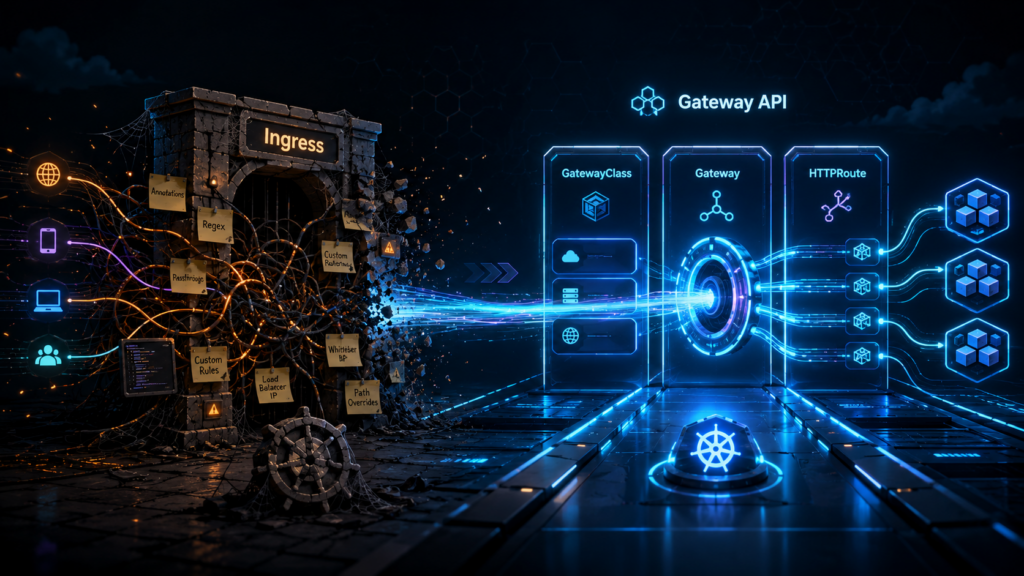
Because we developers are needy creatures who demand complex routing, we found a workaround. We started using annotations. We slapped sticky notes all over the bouncer’s forehead. We wrote cryptic instructions on these notes, telling the controller to inject custom configuration snippets directly into the underlying NGINX engine.

Eventually, the bouncer was walking around completely blinded by thousands of contradictory sticky notes. Maintaining this chaotic system became a nightmare for the open-source volunteers. They were basically performing amateur dental surgery in the dark, trying to patch security holes in a system entirely built out of user-injected string workarounds. The technical debt became a mountain, and the maintainers rightly decided they had had enough.

The terrifying reality of unpatched edge components

If the controller is not going to suddenly stop working today, you might be tempted to just leave it running. This is a terrible idea.

Leaving an obsolete, unmaintained Ingress controller facing the public internet is exactly like leaving the front door of your house under the strict protection of a scarecrow. The crows might stay away for the first week. But eventually, the local burglars will realize your security system is made of straw and old clothes.

Edge proxies are the absolute favorite targets for attackers. They sit right on the boundary between the wild, unfiltered internet and your soft, vulnerable application data. When a new vulnerability is discovered next month, there will be no patch for your retired Ingress NGINX controller. Attackers will scan the internet for that specific outdated signature, and they will walk right past your scarecrow. Do not be the person explaining to your boss that the company data was stolen because you did not want to write a few new YAML files.

Meet the new security firm known as Gateway API

If Ingress was a single bouncer overwhelmed by sticky notes, the new standard, known as Gateway API, is a professional security firm with distinct departments.

The core problem with Ingress was that it forced the infrastructure team and the application developers to fight over the same file. The platform engineer wanted to manage the TLS certificates, while the developer just wanted to route traffic to their new shopping cart service.

Gateway API fixes this by splitting the responsibilities into different objects. You have a GatewayClass (the type of security firm), a Gateway (the physical building entrance managed by the platform team), and an HTTPRoute (the specific room VIP lists managed by the developers). It is structured, it is typed, and most importantly, it drastically reduces the need for those horrible annotation sticky notes.

You do not have to migrate to the Gateway API. You can simply switch to a different, commercially supported Ingress controller that still reads your old files. But if you are going to rip off the bandage and change your routing infrastructure, you might as well upgrade to the modern standard.

A before-and-after infomercial for your YAML files

Let us look at a practical example. Has this ever happened to you? Are your YAML files bloated, confusing, and causing you physical pain to read? Look at this disastrous piece of legacy Ingress configuration.

apiVersion: networking.k8s.io/v1
kind: Ingress
metadata:
  name: desperate-cries-for-help
  annotations:
    nginx.ingress.kubernetes.io/rewrite-target: /$2
    nginx.ingress.kubernetes.io/use-regex: "true"
    nginx.ingress.kubernetes.io/server-snippet: |
      location ~* ^/really-bad-regex/ {
        return 418;
      }
    nginx.ingress.kubernetes.io/canary: "true"
    nginx.ingress.kubernetes.io/canary-weight: "15"
spec:
  ingressClassName: nginx
  rules:
  - host: chaotic-store.example.local
    http:
      paths:
      - path: /catalog(/|$)(.*)
        pathType: Prefix
        backend:
          service:
            name: catalog-service-v2
            port:
              number: 8080

This is not a configuration. This is a hostage note. You are begging the controller to understand regex rewrites and canary deployments by passing simple strings through annotations.

Now, wipe away those tears and look at the clean, structured beauty of an HTTPRoute in the Gateway API world.

apiVersion: gateway.networking.k8s.io/v1
kind: HTTPRoute
metadata:
  name: calm-and-collected-routing
spec:
  parentRefs:
  - name: main-company-gateway
  hostnames:
  - "smooth-store.example.local"
  rules:
  - matches:
    - path:
        type: PathPrefix
        value: /catalog
    filters:
    - type: URLRewrite
      urlRewrite:
        path:
          type: ReplacePrefixMatch
          replacePrefixMatch: /
    backendRefs:
    - name: catalog-service-v1
      port: 8080
      weight: 85
    - name: catalog-service-v2
      port: 8080
      weight: 15

Look at that. No sticky notes. No injected server snippets. The routing weights and the URL rewrites are native, structured fields. Your linter can actually read this and tell you if you made a typo before you deploy it and take down the entire production environment.

A twelve-step rehabilitation program for your cluster

You cannot just delete the old controller on a Friday afternoon and hope for the best. You need a controlled rehabilitation program for your cluster. Treat this as a serious infrastructure project.

Phase 1: The honest inventory

You need to look at yourself in the mirror and figure out exactly what you have deployed. Find every single Ingress object in your cluster. Document every bizarre annotation your developers have added over the years. You will likely find routing rules for services that were decommissioned three years ago.

Phase 2: Choosing your new guardian

Evaluate the replacements. If you want to stick with NGINX, look at the official F5 NGINX Ingress Controller. If you want something modern, look at Envoy-based solutions like Gateway API implementations from Cilium, Istio, or Contour. Deploy your choice into a sandbox environment.

Phase 3: The great translation

Start converting those sticky notes. Take your legacy Ingress objects and translate them into Gateway API routes, or at least clean them up for your new controller. This is the hardest part. You will have to decipher what nginx.ingress.kubernetes.io/configuration-snippet actually does in your specific context.

Phase 4: The side-by-side test

Run the new controller alongside the retiring community one. Use a test domain. Throw traffic at it. Watch the metrics. Ensure that your monitoring dashboards and alerting rules still work, because the new controller will expose entirely different metric formats.

Phase 5: The DNS switch

Slowly move your DNS records from the old load balancer to the new one. Do this during business hours when everyone is awake and heavily caffeinated, not at 2 AM on a Sunday.

The final word on not panicking

If you need a message to send to your management team today, keep it simple. Tell them the community ingress-nginx controller is now officially unmaintained. Assure them the website is not down, but inform them that staying on this software is a ticking security time bomb. You need time and resources to move to a modern implementation.

The real lesson here is not that Kubernetes is unstable. It is that the software world relies heavily on the unpaid labor of open-source maintainers. When a critical project no longer has enough volunteers to hold back the tide of technical debt, responsible engineering teams do not sit around complaining on internet forums. They say thank you for the years of free service, they roll up their sleeves, and they migrate before the lack of maintenance becomes an incident report.

How a Kubernetes Pod comes to life

Run ‘kubectl apply -f pod.yaml’ and Kubernetes has the good manners to make it look simple. You hand over a neat little YAML file, press Enter, and for a brief moment, it feels as if you have politely asked the cluster to start a container.

That is not what happened.

What you actually did was file a request with a distributed bureaucracy. Several components now need to validate your paperwork, record your wishes for posterity, decide where your Pod should live, prepare networking and storage, ask a container runtime to do the heavy lifting, and keep watching the whole arrangement in case it misbehaves. Kubernetes is extremely good at hiding all this. It has the same talent as a hotel lobby. Everything looks calm and polished, while somewhere behind the walls, people are hauling luggage, changing sheets, arguing about room allocation, and trying not to let anything catch fire.

This article follows that process from the moment you submit a manifest to the moment the Pod disappears again. To keep the story tidy, I will use a standalone Pod. In real production environments, Pods are usually created by higher-level controllers such as Deployments, Jobs, or StatefulSets. The Pod is still the thing that ultimately gets scheduled and runs, so it remains the most useful unit to study when you want to understand what Kubernetes is really doing.

The YAML lands on the front desk

Let us start with a very small Pod manifest:

apiVersion: v1
kind: Pod
metadata:
  name: demo-pod
  labels:
    app: demo
spec:
  containers:
    - name: web
      image: nginx:1.27
      ports:
        - containerPort: 80
      resources:
        requests:
          cpu: "100m"
          memory: "128Mi"
        limits:
          cpu: "250m"
          memory: "256Mi"

When you apply this file, the request goes to the Kubernetes API server. That is the front door of the cluster. Nothing important happens without passing through it first.

The API server does more than nod politely and stamp the form. It checks authentication and authorization, validates the object schema, and sends the request through admission control. Admission controllers can modify or reject the request based on policies, quotas, defaults, or security rules. Only when that process is complete does the API server persist the desired state in etcd, the key-value store Kubernetes uses as its source of truth.

At that point, the Pod officially exists as an object in the cluster.

That does not mean it is running.

It means Kubernetes has written down your intentions in a very serious ledger and is now obliged to make reality catch up.

The scheduler looks for a home

Once the Pod exists but has no node assigned, the scheduler takes interest. Its job is not to run the Pod. Its job is to decide where the Pod should run.

This is less mystical than it sounds and more like trying to seat one extra party in a crowded restaurant without blocking the fire exit.

The scheduler first filters out nodes that cannot host the Pod. A node may be ruled out because it lacks CPU or memory, does not match nodeSelector labels, has taints the Pod does not tolerate, violates affinity or anti-affinity rules, or fails other placement constraints.

From the nodes that survive this round of rejection, the scheduler scores the viable candidates and picks one. Different scoring plugins influence the choice, including resource balance and topology preferences. Kubernetes is not asking, “Which node feels lucky today?” It is performing a structured selection process, even if the result arrives so quickly that it looks like instinct.

When the decision is made, the scheduler updates the Pod object with the chosen node.

That is all.

It does not pull images, start containers, mount storage, or wave a wand. It points at a node and says, in effect, “This one. Good luck to everyone involved.

The kubelet picks up the job

Each node runs an agent called the kubelet. The kubelet watches the API server and notices when a Pod has been assigned to its node.

This is where the abstract promise turns into physical work.

The kubelet reads the Pod specification and starts coordinating with the local container runtime, such as ‘containerd’, to make the Pod real. If there are volumes to mount, secrets to project, environment variables to inject, or images to fetch, the kubelet is the one making sure those steps happen in the correct order.

The kubelet is not glamorous. It is the floor manager. It does not write the policies, it does not choose the table, and it does not get invited to keynote conferences. It simply has to make the plan work on an actual machine with actual limits. That makes it one of the most important components in the whole affair.

The sandbox appears before the containers do

Before your application container starts, Kubernetes prepares a Pod sandbox.

This is one of those wonderfully unglamorous details that turns out to matter a great deal. A Pod is not just “a container.” It is a small execution environment that may contain one or more containers sharing networking and, often, storage.

To build that environment, several things need to happen.

First, the container runtime may need to pull the image from a registry if it is not already cached on the node. This step alone can keep a Pod waiting for longer than people expect, especially when the image is huge, the registry is slow, or somebody has built an image as if hard disk space were a personal insult.

Second, networking must be prepared. Kubernetes relies on a CNI plugin to create the Pod’s network namespace and assign an IP address. All containers in the same Pod share that network namespace, which is why they can communicate over ‘localhost’. This is convenient and occasionally dangerous, much like sharing a flat with someone who assumes every shelf in the fridge belongs to them.

Third, volumes are mounted. If the Pod references ‘emptyDir’, ‘configMap’, ‘secret’, or persistent volumes, those mounts have to be prepared before the containers can use them.

There is also a small infrastructure container, commonly called the ‘pause’ container, whose job is to hold the Pod’s shared namespaces in place. It is not famous, but it is essential. The ‘pause’ container is a bit like the quiet relative at a family gathering who does no storytelling, makes no dramatic entrance, and is nevertheless the reason the chairs are still standing.

Only after this setup is complete can the application containers begin.

Watching the lifecycle from the outside

You can observe part of this process with a few simple commands:

kubectl apply -f pod.yaml
kubectl get pod demo-pod -w
kubectl describe pod demo-pod

The watch output often gives the first visible clue that the cluster is busy doing considerably more than the neatness of YAML would suggest.

A Pod typically moves through a small set of phases:

  • Pending’ means the Pod has been accepted but is still waiting for scheduling, image pulls, volume setup, or other preparation.
  • Running’ means the Pod has been bound to a node and at least one container is running or starting.
  • Succeeded’ means all containers completed successfully and will not be restarted.
  • Failed’ means all containers finished, but at least one exited with an error.
  • Unknown’ means the control plane cannot reliably determine the Pod state, usually because communication with the node has gone sideways.

These phases are useful, but they do not tell the whole story. One of the more common sources of confusion is ‘CrashLoopBackOff’. That is not a Pod phase. It is a container state pattern shown in ‘kubectl get pods’ output when a container keeps crashing, and Kubernetes backs off before trying again.

This matters because people often stare at ‘Running’ and assume everything is fine. Kubernetes, meanwhile, is quietly muttering, “Technically yes, but only in the way a car is technically functional while smoke comes out of the bonnet.”

Running is not the same as ready

Another detail worth understanding is that a Pod can be running without being ready to receive traffic.

This distinction matters in real systems because applications often need a few moments to warm up, load configuration, establish database connections, or otherwise stop acting like startled wildlife.

A readiness probe tells Kubernetes when the container is actually prepared to serve requests. Until that probe succeeds, the Pod should not be considered a healthy backend for a Service.

Here is a minimal example:

readinessProbe:
  httpGet:
    path: /
    port: 80
  initialDelaySeconds: 5
  periodSeconds: 10

With this in place, the container may be running, but Kubernetes will wait before routing traffic to it. This is one of those details that prevents very expensive forms of optimism.

Deletion is a polite process until it is not

Now, let us look at the other end of the Pod’s life.

When you run the following command, the Pod does not vanish in a puff of administrative smoke:

kubectl delete pod demo-pod

Instead, the API server marks the Pod for deletion and sets a grace period. The Pod enters a terminating state. The kubelet on the node sees that instruction and begins shutdown.

The normal sequence looks like this:

  1. Kubernetes may first stop sending new traffic to the Pod if it is behind a Service and no longer considered ready.
  2. A ‘preStop’ hook runs if one has been defined.
  3. The kubelet asks the runtime to send ‘SIGTERM’ to the container’s main process.
  4. Kubernetes waits for the grace period, which is ‘30’ seconds by default and controlled by ‘terminationGracePeriodSeconds’.
  5. If the process still refuses to exit, Kubernetes sends ‘SIGKILL’ and ends the discussion.

That grace period exists for good reasons. Applications may need time to flush logs, finish requests, close connections, write buffers, or otherwise clean up after themselves. Production systems tend to appreciate this courtesy.

Here is a small example of a graceful shutdown configuration:

terminationGracePeriodSeconds: 30
containers:
  - name: web
    image: nginx:1.27
    lifecycle:
      preStop:
        exec:
          command: ["/bin/sh", "-c", "sleep 5"]

Once the containers stop, Kubernetes cleans up the sandbox, releases network resources, unmounts volumes as needed, and frees the node’s CPU and memory.

If the Pod was managed by a Deployment, a replacement Pod will usually be created to maintain the desired replica count. This is an important point. In Kubernetes, individual Pods are disposable. The desired state is what matters. Pods come and go. The controller remains stubborn.

Why this matters in the real world

Understanding this lifecycle is not trivia for people who enjoy suffering through conference diagrams. It is practical.

If a Pod is stuck in ‘Pending’, you need to know whether the issue is scheduling, image pulling, volume attachment, or policy rejection.

If a container is ‘CrashLoopBackOff’, you need to know that the Pod object exists, has probably been scheduled, and that the failure is happening later in the chain.

If traffic is not reaching the application, you need to remember that ‘Running’ and ‘Ready’ are not the same thing.

If shutdowns are ugly, logs are truncated, or users get errors during rollout, you need to inspect readiness probes, ‘preStop’ hooks, and grace periods rather than blaming Kubernetes in the abstract, which it will survive, but your incident report may not.

This is also where commands like these become genuinely useful:

kubectl get pod demo-pod -o wide
kubectl describe pod demo-pod
kubectl logs demo-pod
kubectl get events --sort-by=.metadata.creationTimestamp

Those commands let you inspect node placement, container events, log output, and recent cluster activity. Most Kubernetes troubleshooting starts by figuring out which stage of the Pod lifecycle has gone wrong, then narrowing the problem from there.

The quiet machinery behind a simple command

The next time you type ‘kubectl apply -f pod.yaml’, it is worth remembering that you are not merely starting a container. You are triggering a chain of decisions and side effects across the control plane and a worker node.

The API server validates and records the request. The scheduler finds a suitable home. The kubelet coordinates the local work. The runtime pulls images and starts containers. The CNI plugin wires up networking. Volumes are mounted. Probes decide whether the Pod is truly ready. And when the time comes, Kubernetes tears the whole thing down with the brisk professionalism of hotel staff clearing a room before the next guest arrives.

Which is impressive, really.

Particularly when you consider that from your side of the terminal, it still looks as though you only asked for one modest little Pod.