
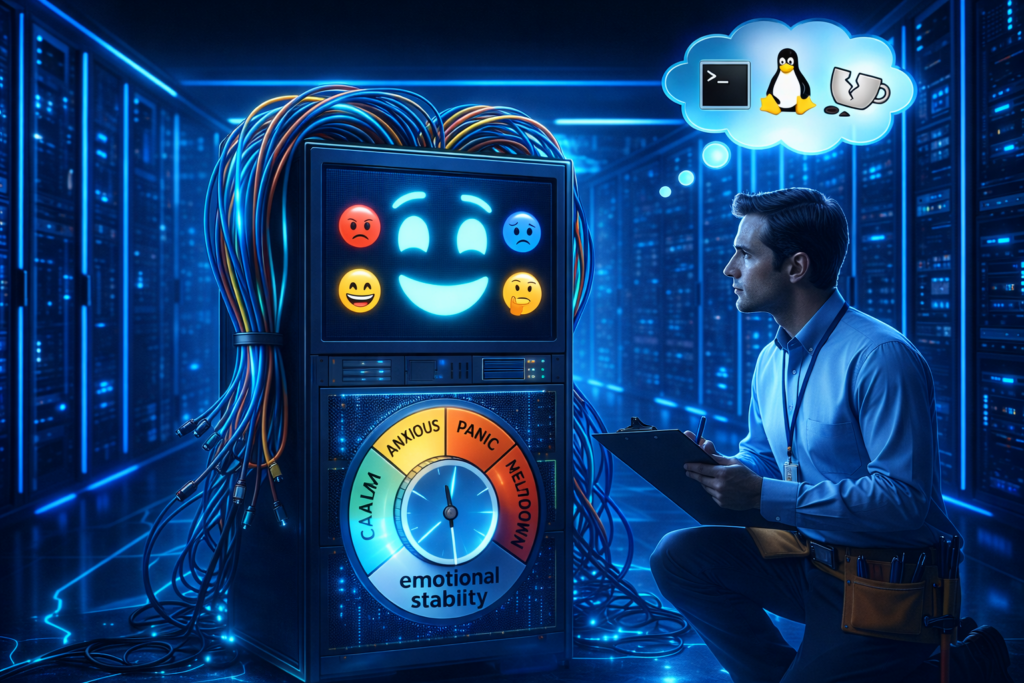
Thursday, 3:47 AM. Your server is named Nigel. You named him Nigel because deep down, despite the silicon and the circuitry, he feels like a man who organizes his spice rack alphabetically by the Latin name of the plant. But right now, Nigel is not organizing spices. Nigel has decided to stage a full-blown existential rebellion.
The screen is black. The network fan is humming with a tone of passive-aggressive silence. A cursor blinks in the upper-left corner with a rhythm that seems designed specifically to induce migraines. You reboot. Nigel reboots. Nothing changes. The machine is technically “on,” in the same way a teenager staring at the ceiling for six hours is technically “awake.”
At this moment, the question separating the seasoned DevOps engineer from the panicked googler is not “Why me?” but rather: Which personality did Nigel wake up with today?
This is not a technical question. It is a psychological one. Linux does not break at random; it merely changes moods. It has emotional states. And once you learn to read them, troubleshooting becomes less like exorcising a demon and more like coaxing a sulking relative out of the bathroom during Thanksgiving dinner.
The grumpy grandfather who started it all
We lived in a numeric purgatory for years. In an era when “multitasking” sounded like dangerous witchcraft and coffee came only in one flavor (scorched), Linux used a system called SysVinit to manage its temperaments. This system boiled the entire machine’s existence down to a handful of numbers, zero through six, called runlevels.
It was a rigid caste system. Each number was a dial you could turn to decide how much Nigel was willing to participate in society.
Runlevel 0 meant Nigel was checking out completely. Death. Runlevel 6 meant Nigel had decided to reincarnate. Runlevel 1 was Nigel as a hermit monk, holed up in a cave with no network, no friends, just a single shell and a vow of digital silence. Runlevel 5 was Nigel on espresso and antidepressants, graphical interface blazing, ready to party and consume RAM for no apparent reason.
This was functional, in the way a Soviet-era tractor is functional. It was also about as intuitive as a dishwasher manual written in cuneiform. You would tell a junior admin to “boot to runlevel 3,” and they would nod while internally screaming. What does three mean? Is it better than two? Is five twice as good as three? The numbers did not describe anything; they just were, like the arbitrary rules of a board game invented by someone who actively hated you.
And then there was runlevel 4. Runlevel 4 is the appendix of the Linux anatomy. It is vaguely present, historically relevant, but currently just taking up space. It was the “user-definable” switch in your childhood home that either did nothing or controlled the neighbor’s garage door. It sits there, unused, gathering digital dust.
Enter the overly organized therapist
Then came systemd. If SysVinit was a grumpy grandfather, systemd is the high-energy hospital administrator who carries a clipboard and yells at people for walking too slowly. Systemd took one look at those numbered mood dials and was appalled. “Numbers? Seriously? Even my router has a name.”
It replaced the cold digits with actual descriptive words: multi-user.target, graphical.target, rescue.target. It was as if Linux had finally gone to therapy and learned to use its words to express its feelings instead of grunting “runlevel 3” when it really meant “I need personal space, but WiFi would be nice.”
Targets are just runlevels with a humanities degree. They perform the exact same job, defining which services start, whether the GUI is invited to the party, whether networking gets a plus-one, but they do so with the kind of clarity that makes you wonder how we survived the numeric era without setting more server rooms on fire.
A Rosetta Stone for Nigel’s mood swings
Here is the translation guide that your cheat sheet wishes it had. Think of this as the DSM-5 for your server.
- Runlevel 0 becomes poweroff.target
Nigel is taking a permanent nap. This is the Irish Goodbye of operating states. - Runlevel 1 becomes rescue.target
Nigel is in intensive care. Only family is allowed to visit (root user). The network is unplugged, the drives might be mounted read-only, and the atmosphere is grim. This is where you go when you have broken something fundamental and need to perform digital surgery. - Runlevel 3 becomes multi-user.target
Nigel is wearing sweatpants but answering emails. This is the gold standard for servers. Networking is up, multiple users can log in, cron jobs are running, but there is no graphical interface to distract anyone. It is a state of pure, joyless productivity. - Runlevel 5 becomes graphical.target
Nigel is in full business casual with a screensaver. He has loaded the window manager, the display server, and probably a wallpaper of a cat. He is ready to interact with a mouse. He is also consuming an extra gigabyte of memory just to render window shadows. - Runlevel 6 becomes reboot.target
Nigel is hitting the reset button on his life.
The command line couch
Knowing Nigel’s mood is useless unless you can change it. You need tools to intervene. These are the therapy techniques you keep in your utility belt.
To eyeball Nigel’s default personality (the one he wakes up with every morning), you ask:
systemctl get-defaultThis might spit back graphical.target. This means Nigel is a morning person who greets the world with a smile and a heavy user interface. If it says multi-user.target, Nigel is the coffee-before-conversation type.
But sometimes, you need to force a mood change. Let’s say you want to switch Nigel from party mode (graphical) to hermit mode (text-only) without making it permanent. You are essentially putting an extrovert in a quiet room for a breather.
systemctl isolate multi-user.targetThe word “isolate” here is perfect. It is not “disable” or “kill.” It is “isolate”. It sounds less like computer administration and more like what happens to the protagonist in the third act of a horror movie involving Antarctic research stations. It tells systemd to stop everything that doesn’t belong in the new target. The GUI vanishes. The silence returns.
To switch back, because sometimes you actually need the pretty buttons:
systemctl isolate graphical.targetAnd to permanently change Nigel’s baseline disposition, akin to telling a chronically late friend that dinner is at 6:30 when it is really at 7:00:
systemctl set-default multi-user.targetNow Nigel will always wake up in Command Line Interface mode, even after a reboot. You can practically hear the sigh of relief from your CPU as it realizes it no longer has to render pixels.
When Nigel has a real breakdown
Let’s walk through some actual disasters, because theory is just a hobby until production goes down and your boss starts hovering behind your chair breathing through his mouth.
Scenario one: The fugue state
Nigel updated his kernel and now boots to a black screen. He is not dead; he is just confused. You reboot, interrupt the boot loader, and add systemd.unit=rescue.target to the boot parameters.
Nigel wakes up in a safe room. It is a root shell. There is no networking. There is no drama. It is just you and the config files. It is intimate, in a disturbing way. You fix the offending setting, type exec /sbin/init, and Nigel reboots into his normal self, slightly embarrassed about the whole episode.
Scenario two: The toddler on espresso
Nigel’s graphical interface has started crashing like a toddler after too much sugar. Every time you log in, the desktop environment panics and dies. Instead of fighting it, you switch to multi-user.target.
Nigel is now a happy, stable server with no interest in pretty icons. Your users can still SSH in. Your automated jobs still run. Nigel just doesn’t have to perform anymore. It is like taking the toddler out of the Chuck E. Cheese and putting him in a library. The screaming stops immediately.
Scenario three: The bloatware incident
Nigel is a production web server that has inexplicably slowed to a crawl. You dig through the logs and discover that an intern (let’s call him “Not-Fernando”) installed a full desktop environment six months ago because they liked the screensaver.
This is akin to buying a Ferrari to deliver pizza because you like the leather seats. The graphical target is eating resources that your database desperately needs. You set the default to multi-user.target and reboot. Nigel comes back lean, mean, and suddenly has five hundred extra megabytes of RAM to play with. It is like watching someone shed a winter coat in the middle of July.
The mindset shift
Beginners see a black screen and ask, “Why is Nigel broken?” Professionals see a black screen and ask, “Which target is Nigel in, and which services are active?”
This is not just semantics. It is the difference between treating a symptom and diagnosing a disease. When you understand that Linux doesn’t break so much as it changes states, you stop being a victim of circumstance and start being a negotiator. You are not praying to the machine gods; you are simply asking Nigel, “Hey buddy, what mood are you in?” and then coaxing him toward a more productive state.
The panic evaporates because you know the vocabulary. You know that rescue.target is a panic room, multi-user.target is a focused work session, and graphical.target is Nigel trying to impress someone at a party.
Linux targets are not arcane theory reserved for greybeards and certification exams. They are the foundational language of state management. They are how you tell Nigel, “It is okay to be a hermit today,” or “Time to socialize,” or “Let’s check you into therapy real quick.”
Once you internalize this, boot issues stop being terrifying mysteries. They become logical puzzles. Interviews stop being interrogations. They become conversations. You stop sounding like a generic admin reading a forum post and start sounding like someone who knows Nigel personally.
Because you do. Nigel is that fussy, brilliant, occasionally melodramatic friend who just needs the right kind of encouragement. And now you have the exact words to provide it.