
SoftwareEngineering

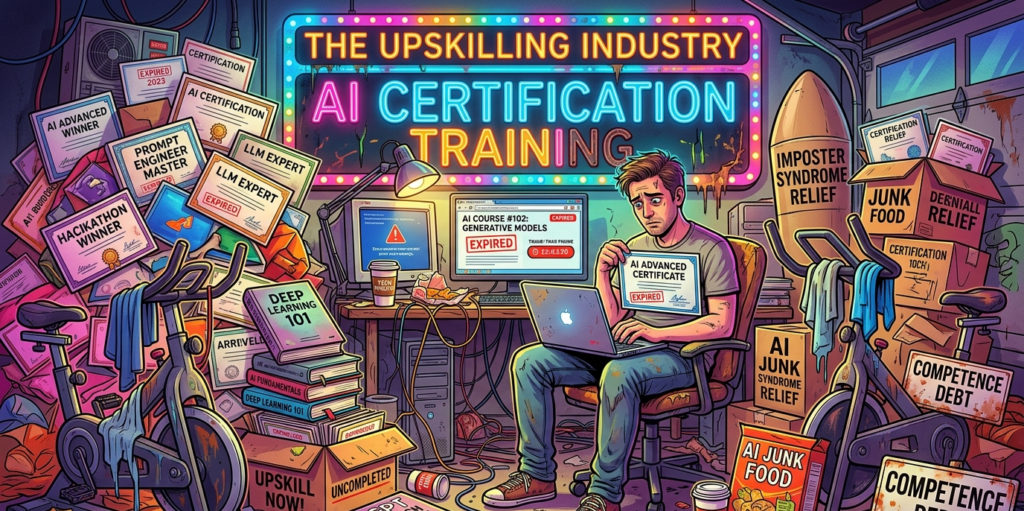
The upskilling industry is selling you expired AI anxiety

Last week, someone in your LinkedIn feed posted about being thrilled to build AI agents over the weekend. The post had forty-seven likes, a handful of rocket emojis, and several comments praising their growth mindset. You stared at the screen and felt a familiar, dull panic in your gut. It was not inspiration. It was the exact same feeling you get when you watch someone pretend to genuinely enjoy a room-temperature kale and gravel smoothie.

Nobody with a healthy central nervous system is genuinely thrilled to learn prompt engineering frameworks on a Saturday morning. They are just terrified of what happens to their mortgage if they do not.

You probably have your own personal monument to this anxiety. It is a browser tab you keep meaning to open. A course you bought during a Black Friday panic sale and never started. A corporate Slack thread about AI readiness that you skimmed, starred, and immediately buried under a pile of actual work. It is the quiet admission that you do not know enough to stay relevant, paired with the even quieter admission that simply bookmarking the resource made you feel slightly less like a dinosaur.

You have been writing production code, configuring infrastructure, and surviving catastrophic deployment rollbacks for years. By most reasonable measures, you know exactly what you are doing. And yet, that browser tab sits there. It is a digital talisman against obsolescence.

There is a name for this modern condition. I call it competence debt. It is the silent, creeping rot that happens when you trade durable mastery for perishable certifications. And an entire multi-billion-dollar upskilling industry is banking on you never figuring out the difference.

The ecosystem of the forgotten browser tab

That Udemy or Coursera tab has been open in your browser for so long that it has practically developed its own microbial ecosystem. It sits there, glowing faintly between Jira and Slack, judging you with the silent, suffocating disappointment of a stationary bicycle that you now use exclusively for drying wet dress shirts.

You will click it eventually. You will watch the first module at 1.5x speed. Not because the course will teach you something deeply structural about computer science. Not because it will make you meaningfully better at the architectural work that actually keeps your company afloat. You will do it because the credential economy demands constant proof of currency, and currency is exactly what expires.

Buying a deeply discounted course on the latest Large Language Model API is not the acquisition of knowledge. It is the purchase of a psychological suppository for imposter syndrome. You administer it, you feel a warm rush of proactive professional development for exactly twelve minutes, and for the rest of the quarter, the only thing you actually retain is a PDF certificate and a vague, persistent sense of guilt.

This is the business model. The upskilling industry operates exactly like a budget gym in January. They do not want you to use the equipment. If everyone who bought a tech course actually logged in, the servers would melt. The industry relies on the fact that an astonishing ninety percent of Massive Open Online Courses are never completed. They are selling you the sensation of having done something about your career anxiety without the caloric expenditure of actually doing it.

Selling suppositories for imposter syndrome

The pressure does not just come from the manic performance art of LinkedIn. It comes from inside the house.

One morning, you get an email from HR about a new corporate AI readiness initiative. The phrasing strongly suggests that participation is voluntary. Of course it is. It is voluntary in the same way that handing over your wallet to a nervous man holding a broken bottle in a dark alley is voluntary. You do not have to do it, but the alternative involves a lot of messy paperwork and a sudden career transition.

Companies love these initiatives because they are trackable. You can put a dashboard on a PowerPoint slide and show the board of directors that eighty percent of the engineering department has been upskilled.

But Gartner research shows that nearly half of all corporate training is what they elegantly call scrap learning. This is knowledge that is delivered but never actually applied to the job. It is corporate junk food. You spend three hours learning how to write the perfect prompt for a proprietary AI tool, and by the time your performance review rolls around, the tool has been deprecated, the vendor has pivoted to a different business model, and you are still just trying to figure out why the production database is locking up every Tuesday at 3 PM.

Early in your career, you learned a new technology because it was genuinely exciting. It provided a new mental model for building things. You stayed up late reading documentation, not because a middle manager sent you a calendar invite, but because you could not stop thinking about the possibilities. The learning felt like building an extension onto a house you were just beginning to inhabit.

Now, you open an AI course because your company panicked after reading a Forbes article. The curiosity has been entirely surgically removed, replaced by the grim mechanics of survival.

The shelf life of a prompt engineer

Here is the fundamental trick the training industry plays on us. They conflate perishable knowledge with durable skill.

Perishable knowledge has the shelf life of an unrefrigerated avocado. It is the exact syntax for a specific API that will change completely in version two. It is a list of magic words to trick a specific chatbot into ignoring its safety constraints. It is knowing how to navigate the user interface of a cloud vendor dashboard that is scheduled for a total redesign next month.

Durable skill is entirely different. A durable skill is understanding how relational databases handle concurrency. It is the ability to read a latency graph like a seasoned cardiologist reads an electrocardiogram, instantly spotting the flutter of a failing network switch. It is knowing how to design a system that fails gracefully instead of taking the entire company down with it. It is the agonizing, hard-won intuition of knowing when an external vendor is lying to you about their uptime guarantees.

Durable skills do not look good on a digital badge. You cannot take a weekend course on how to develop a gut feeling about a poorly designed architecture. It takes years of getting burned by bad code, surviving late-night outages, and staring at logs until your eyes bleed.

The tragedy of the current AI hype cycle is that it forces brilliant engineers to abandon their compounding, durable skills to chase perishable trivia. It is like telling a master carpenter to drop his tools and spend three months learning how to optimize the instruction manual for an automated nail gun.

Compounding interest in the wrong direction

This brings us back to competence debt.

Every hour you spend forcing yourself to memorize the transient, undocumented quirks of an AI wrapper is an hour you did not spend deeply understanding the legacy systems you are actually paid to keep alive. Every superficial certificate you collect is a minimum payment on a debt of fundamental knowledge that keeps growing in the background.

You look productive. Your corporate training dashboard is completely green. Your profile is heavily peppered with the right buzzwords. But underneath it all, the foundational skills that would actually make you irreplaceable are quietly rusting from neglect.

The industry has taught us to call this frantic hamster wheel growth. The corporate rubrics and performance metrics were meticulously designed to measure it. But the word we are all actually looking for is depreciation.

It is perfectly fine to ignore that browser tab. Let the microbial ecosystem thrive. Close the tab. Close the guilt. The next time you feel the panic rising when someone posts about their weekend AI project, take a deep breath. Remember that the ability to keep a messy, chaotic, real-world system running is a skill that no weekend bootcamp can teach.

Stop buying their expired anxiety, and go back to doing the real work.
127.0.0.1 and its 16 million invisible roommates

Let’s be honest. You’ve typed 127.0.0.1 more times than you’ve called your own mother. We treat it like the sole, heroic occupant of the digital island we call localhost. It’s the only phone number we know by heart, the only doorbell we ever ring.

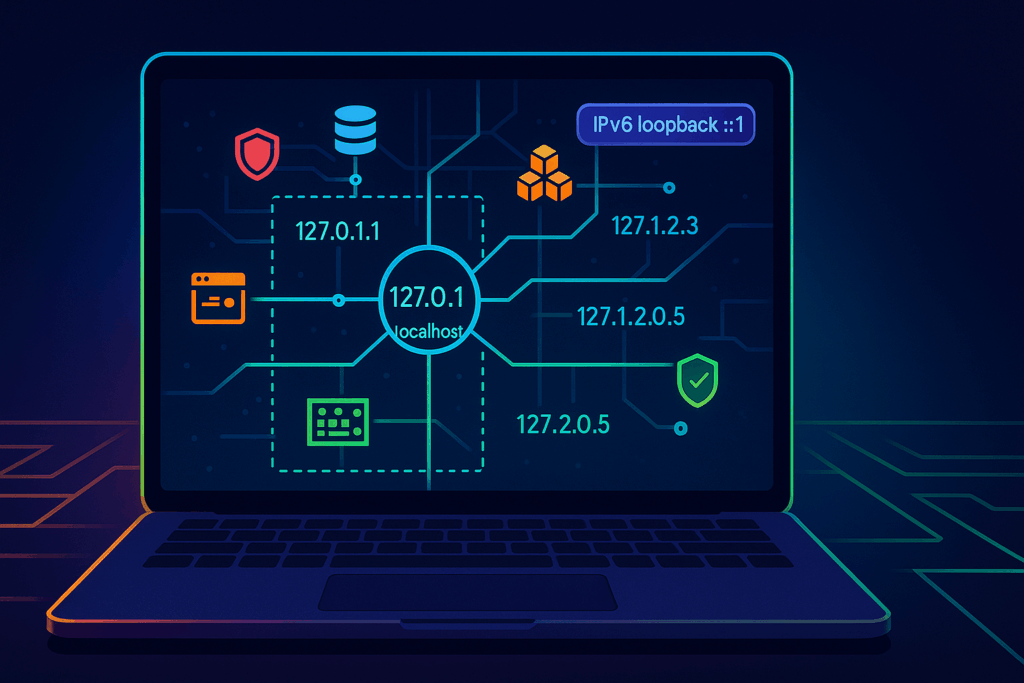
Well, brace yourself for a revelation that will fundamentally alter your relationship with your machine. 127.0.0.1 is not alone. In fact, it lives in a sprawling, chaotic metropolis with over 16 million other addresses, all of them squatting inside your computer, rent-free.

Ignoring these neighbors condemns you to a life of avoidable port conflicts and flimsy localhost tricks. But give them a chance, and you’ll unlock cleaner dev setups, safer tests, and fewer of those classic “Why is my test API saying hello to the entire office Wi-Fi?” moments of sheer panic.

So buckle up. We’re about to take the scenic tour of the neighborhood that the textbooks conveniently forgot to mention.

Your computer is secretly a megacity

The early architects of the internet, in their infinite wisdom, set aside the entire 127.0.0.0/8 block of addresses for this internal monologue. That’s 16,777,216 unique addresses, from 127.0.0.1 all the way to 127.255.255.254. Every single one of them is designed to do one thing: loop right back to your machine. It’s the ultimate homebody network.

Think of your computer not as a single-family home with one front door, but as a gigantic apartment building with millions of mailboxes. And for years, you’ve been stubbornly sending all your mail to apartment #1.

Most operating systems only bother to introduce you to 127.0.0.1, but the kernel knows the truth. It treats any address in the 127.x.y.z range as a VIP guest with an all-access pass back to itself. This gives you a private, internal playground for wiring up your applications.

A handy rule of thumb? Any address starting with 127 is your friend. 127.0.0.2, 127.10.20.30, even 127.1.1.1, they all lead home.

Everyday magic tricks with your newfound neighbors

Once you realize you have a whole city at your disposal, you can stop playing port Tetris. Here are a few party tricks your localhost never told you it could do.

The art of peaceful coexistence

We’ve all been there. It’s 2 AM, and two of your microservices are having a passive-aggressive standoff over port 8080. They both want it, and neither will budge. You could start juggling ports like a circus performer, or you could give them each their own house.

Assign each service its own loopback address. Now they can both listen on port 8080 without throwing a digital tantrum.

First, give your new addresses some memorable names in your /etc/hosts file (or C:\Windows\System32\drivers\etc\hosts on Windows).

# /etc/hosts

127.0.0.1       localhost
127.0.1.1       auth-service.local
127.0.1.2       inventory-service.local

Now, you can run both services simultaneously.

# Terminal 1: Start the auth service
$ go run auth/main.go --bind 127.0.1.1:8080

# Terminal 2: Start the inventory service
$ python inventory/app.py --host 127.0.1.2 --port 8080

Voilà. http://auth-service.local:8080 and http://inventory-service.local:8080 are now living in perfect harmony. No more port drama.

The safety of an invisible fence

Binding a service to 0.0.0.0 is the developer equivalent of leaving your front door wide open with a neon sign that says, “Come on in, check out my messy code, maybe rifle through my database.” It’s convenient, but it invites the entire network to your private party.

Binding to a 127.x.y.z address, however, is like building an invisible fence. The service is only accessible from within the machine itself. This is your insurance policy against accidentally exposing a development database full of ridiculous test data to the rest of the company.

Advanced sorcery for the brave

Ready to move beyond the basics? Treating the 127 block as a toolkit unlocks some truly powerful patterns.

Taming local TLS

Testing services that require TLS can be a nightmare. With your new loopback addresses, it becomes trivial. You can create a single local Certificate Authority (CA) and issue a certificate with Subject Alternative Names (SANs) for each of your local services.

# /etc/hosts again

127.0.2.1   api-gateway.secure.local
127.0.2.2   user-db.secure.local
127.0.2.3   billing-api.secure.local

Now, api-gateway.secure.local can talk to user-db.secure.local over HTTPS, with valid certificates, all without a single packet leaving your laptop. This is perfect for testing mTLS, SNI, and other scenarios where your client needs to be picky about its connections.

Concurrent tests without the chaos

Running automated acceptance tests that all expect to connect to a database on port 5432 can be a race condition nightmare. By pinning each test runner to its own unique 127 address, you can spin them all up in parallel. Each test gets its own isolated world, and your CI pipeline finishes in a fraction of the time.

The fine print and other oddities

This newfound power comes with a few quirks you should know about. This is the part of the tour where we point out the strange neighbor who mows his lawn at midnight.

  • The container dimension: Inside a Docker container, 127.0.0.1 refers to the container itself, not the host machine. It’s a whole different loopback universe in there. To reach the host from a container, you need to use the special gateway address provided by your platform (like host.docker.internal).
  • The IPv6 minimalist: IPv6 scoffs at IPv4’s 16 million addresses. For loopback, it gives you one: ::1. That’s it. This explains the classic mystery of “it works with 127.0.0.1 but fails with localhost.” Often, localhost resolves to ::1 first, and if your service is only listening on IPv4, it won’t answer the door. The lesson? Be explicit, or make sure your service listens on both.
  • The SSRF menace: If you’re building security filters to prevent Server-Side Request Forgery (SSRF), remember that blocking just 127.0.0.1 is like locking the front door but leaving all the windows open. You must block the entire 127.0.0.0/8 range and ::1.

Your quick start eviction notice for port conflicts

Ready to put this into practice? Here’s a little starter kit you can paste today.

First, add some friendly names to your hosts file.

# Add these to your /etc/hosts file
127.0.10.1  api.dev.local
127.0.10.2  db.dev.local
127.0.10.3  cache.dev.local

Next, on Linux or macOS, you can formally add these as aliases to your loopback interface. This isn’t always necessary for binding, but it’s tidy.

# For Linux
sudo ip addr add 127.0.10.1/8 dev lo
sudo ip addr add 127.0.10.2/8 dev lo
sudo ip addr add 127.0.10.3/8 dev lo

# For macOS
sudo ifconfig lo0 alias 127.0.10.1
sudo ifconfig lo0 alias 127.0.10.2
sudo ifconfig lo0 alias 127.0.10.3

Now, you can bind three different services, all to their standard ports, without a single collision.

# Run your API on its default port
api-server --bind api.dev.local:3000

# Run Postgres on its default port
postgres -D /path/to/data -c listen_addresses=db.dev.local

# Run Redis on its default port
redis-server --bind cache.dev.local

Check that everyone is home and listening.

# Check the API
curl http://api.dev.local:3000/health

# Check the database (requires psql client)
psql -h db.dev.local -U myuser -d mydb -c "SELECT 1"

# Check the cache
redis-cli -h cache.dev.local ping
# Expected output: PONG

Welcome to the neighborhood

Your laptop isn’t a one-address town; it’s a small city with streets you haven’t named and doors you haven’t opened. For too long, you’ve been forcing all your applications to live in a single, crowded, noisy studio apartment at 127.0.0.1. The database is sleeping on the couch, the API server is hogging the bathroom, and the caching service is eating everyone else’s food from the fridge. It’s digital chaos.

Giving each service its own loopback address is like finally moving them into their own apartments in the same building. It’s basic digital hygiene. Suddenly, there’s peace. There’s order. You can visit each one without tripping over the others. You stop being a slumlord for your own processes and become a proper city planner.

So go ahead, break the monogamous, and frankly codependent, relationship you’ve had with 127.0.0.1. Explore the neighborhood. Hand out a few addresses. Let your development environment behave like a well-run, civilized society instead of a digital mosh pit. Your sanity and your services will thank you for it. After all, good fences make good neighbors, even when they’re all living inside your head.

Essential tactics for accelerating your CI/CD pipeline

A sluggish CI/CD pipeline is more than an inconvenience, it’s like standing in a seemingly endless queue at your favorite coffee shop every single morning. Each delay wastes valuable time, steadily draining motivation and productivity.

Let’s share some practical, effective strategies that have significantly reduced pipeline delays in my projects, creating smoother, faster, and more dependable workflows.

Identifying common pipeline bottlenecks

Before exploring solutions, let’s identify typical pipeline issues:

  • Inefficient or overly complex scripts
  • Tasks executed sequentially rather than in parallel
  • Redundant deployment steps
  • Unoptimized Docker builds
  • Fresh installations of dependencies for every build

By carefully analyzing logs, reviewing performance metrics, and manually timing each stage, it became clear where improvements could be made.

Reviewing the Initial Pipeline Setup

Initially, the pipeline consisted of:

  • Unit testing
  • Integration testing
  • Application building
  • Docker image creation and deployment

Testing stages were the biggest consumers of time, followed by Docker image builds and overly intricate deployment scripts.

Introducing parallel execution

Allowing independent tasks to run simultaneously rather than sequentially greatly reduced waiting times:

jobs:
  test:
    runs-on: ubuntu-latest
    steps:
      - uses: actions/checkout@v3
      - name: Install Dependencies
        run: npm ci
      - name: Run Unit Tests
        run: npm run test:unit

  build:
    runs-on: ubuntu-latest
    steps:
      - uses: actions/checkout@v3
      - name: Install Dependencies
        run: npm ci
      - name: Build Application
        run: npm run build

This adjustment improved responsiveness, significantly reducing idle periods.

Utilizing caching to prevent redundancy

Constantly reinstalling dependencies was like repeatedly buying groceries without checking the fridge first. Implementing caching for Node modules substantially reduced these repetitive installations:

- name: Cache Node Modules
  uses: actions/cache@v3
  with:
    path: ~/.npm
    key: ${{ runner.os }}-npm-${{ hashFiles('**/package-lock.json') }}
    restore-keys: |
      ${{ runner.os }}-npm-

Streamlining tests based on changes

Running every test for each commit was unnecessarily exhaustive. Using Jest’s –changedSince flag, tests became focused on recent modifications:

npx jest --changedSince=main

This targeted approach optimized testing time without compromising test coverage.

Optimizing Docker builds with Multi-Stage techniques

Docker image creation was initially a major bottleneck. Switching to multi-stage Docker builds simplified the process and resulted in smaller, quicker images:

# Build stage
FROM node:18-alpine as builder
WORKDIR /app
COPY package*.json ./
RUN npm ci
COPY . .
RUN npm run build

# Production stage
FROM nginx:alpine
COPY --from=builder /app/dist /usr/share/nginx/html

The outcome was faster, more efficient builds.

Leveraging scalable Cloud-Based runners

Moving to cloud-hosted runners such as AWS spot instances provided greater speed and scalability. This method, especially beneficial for critical branches, effectively balanced performance and cost.

Key lessons

  • Native caching options vary between CI platforms, so external tools might be required.
  • Reducing idle waiting is often more impactful than shortening individual task durations.
  • Parallel tasks are beneficial but require careful management to avoid overwhelming subsequent processes.

Results achieved

  • Significantly reduced pipeline execution time
  • Accelerated testing cycles
  • Docker builds ceased to be a pipeline bottleneck

Additionally, the overall developer experience improved considerably. Faster feedback cycles, smoother merges, and less stressful releases were immediate benefits.

Recommended best practices

  • Run tasks concurrently wherever practical
  • Effectively cache dependencies
  • Focus tests on relevant code changes
  • Employ multi-stage Docker builds for efficiency
  • Relocate intensive tasks to scalable infrastructure

Concluding thoughts

Your CI/CD pipeline deserves attention, perhaps as much as your coffee machine. After all, neglect it and you’ll soon find yourself facing cranky developers and sluggish software. Give your pipeline the tune-up it deserves, remove those pesky friction points, and you might just find your developers smiling (yes, smiling!) on deployment days. Remember, your pipeline isn’t just scripts and containers, it’s your project’s slightly neurotic, always evolving, very vital circulatory system. Treat it well, and it’ll keep your software sprinting like an Olympic athlete, rather than limping like a sleep-deprived zombie.