
MultiCloud

Why Crossplane is the Kubernetes therapy your multi-cloud setup needs

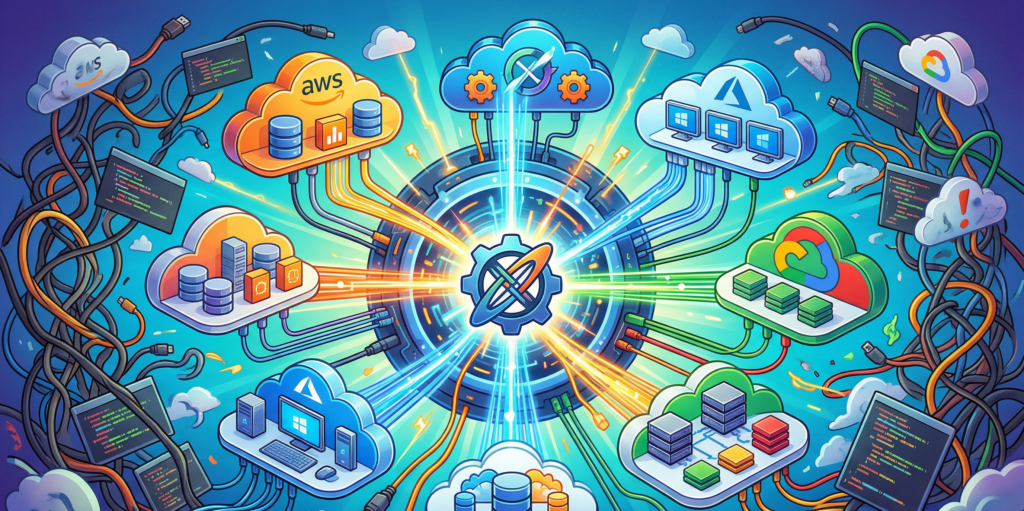
Let us be perfectly honest about multi-cloud environments. They are not a harmonious symphony of computing power. They are a logistical nightmare, roughly equivalent to hosting a dinner party where one guest only eats raw vegan food, another demands a deep-fried turkey, and the third will only consume blue candy. You are running around three different kitchens trying to keep everyone alive and happy while speaking three different languages.

For years, we relied on Terraform or its open-source sibling OpenTofu to manage this chaos. These tools are fantastic, but they come with a terrifying piece of baggage known as the state file. The state file is essentially a fragile, highly sensitive diary holding the deepest, darkest secrets of your infrastructure. If that file gets corrupted or someone forgets to lock it, your cloud provider develops sudden amnesia and forgets where it put the database.

Kubernetes evolved quite a bit while we were busy babysitting our state files. It stopped being just a container orchestrator and started trying to run the whole house. Every major cloud provider released their own Kubernetes operator. Suddenly, you could manage a storage bucket or a database directly from inside your cluster. But there was a catch. The operators refused to speak to each other. You essentially hired a team of brilliant specialists who absolutely hate each other.

This is exactly where Crossplane steps in to act as the universal, unbothered therapist for your infrastructure.

Meet your new obsessive infrastructure butler

Crossplane does not care about vendor rivalries. It installs itself into your Kubernetes cluster and uses the native Kubernetes reconciliation loop to manage your external cloud resources.

If you are unfamiliar with the reconciliation loop, think of it as an aggressively helpful, obsessive-compulsive butler. You hand this butler a piece of YAML paper stating that you require a specific storage bucket in a specific region. The butler goes out, builds the bucket, and then stands there staring at it forever. If a rogue developer logs into the cloud console and manually deletes that bucket, the butler simply builds it again before the developer has even finished their morning coffee. It is relentless, slightly unnerving, and exactly what you want to keep your infrastructure in check.

Because Crossplane lives inside Kubernetes, you do not need to run a separate pipeline just to execute an infrastructure plan. The cluster itself is the engine. You declare what you want, and the cluster makes reality match your desires.

The anatomy of a multi-cloud combo meal

To understand how this actually works without getting bogged down in endless documentation, you only need to understand three main concepts.

First, you have Providers. These are the translator modules. You install the AWS Provider, the Azure Provider, or the Google Cloud Provider, and suddenly your Kubernetes cluster knows how to speak their specific dialects.

Next, you have Managed Resources. These are the raw ingredients. A single virtual machine, a single virtual network, or a single database instance. You can deploy these directly, but asking a developer to configure twenty different Managed Resources just to get a working application is like handing them a live chicken, a sack of flour, and telling them to make a sandwich.

This brings us to the real magic of Crossplane, which is the Composite Resource.

Composite Resources allow you to bundle all those raw ingredients into a single, easy-to-digest package. It is the infrastructure equivalent of a fast-food drive-through. A developer does not need to know about subnets, security groups, or routing tables. They just submitted a claim for a “Standard Web Database” value meal. Crossplane takes that simple request and translates it into the complex web of resources required behind the scenes.

Looking at the code without falling asleep

To prove that this is not just theoretical nonsense, let us look at what it takes to command two completely different cloud providers from the exact same place.

Normally, doing this requires switching between different tools, authenticating multiple times, and praying you do not execute the wrong command in the wrong terminal. With Crossplane, you just throw your YAML files into the cluster.

Here is a sanitized, totally harmless example of how you might ask AWS for a storage bucket.

apiVersion: s3.aws.upbound.io/v1beta1
kind: Bucket
metadata:
  name: acme-corp-financial-reports
spec:
  forProvider:
    region: eu-west-1
  providerConfigRef:
    name: aws-default-provider

And right next to it, in the exact same directory, you can drop this snippet to demand a Resource Group from Azure.

apiVersion: azure.upbound.io/v1beta1
kind: ResourceGroup
metadata:
  name: rg-marketing-dev-01
spec:
  forProvider:
    location: West Europe
  providerConfigRef:
    name: azure-default-provider

You apply these manifests, and Crossplane handles the authentication, the API calls, and the aggressive babysitting of the resources. No Terraform state file is required. It is completely stateless GitOps magic.

The ugly truth about operating at scale

Of course, getting rid of the state file is like going to a music festival without a cell phone. It sounds incredibly liberating until you lose your friends and cannot find your way home.

Operating Crossplane at scale is not always a walk in the park. When things go wrong during provisioning, and they absolutely will go wrong, you do not get a neatly formatted error summary. Because there is no central state file to reference, finding out why a resource failed requires interrogating the Kubernetes API directly.

You type a command to check the status of your resources, and the cluster vomits a massive wall of text onto your screen. It is like trying to find a typo in a phone book while someone shouts at you in a foreign language. Running multiple kubectl commands just to figure out why an Azure database refused to spin up gets very old, very fast.

To survive this chaos, you cannot rely on manual terminal commands. You must pair Crossplane with a dedicated GitOps tool like ArgoCD or FluxCD.

These tools act as the adult in the room. They keep track of what was actually deployed, provide a visual dashboard, and translate the cluster’s internal panic into something a human being can actually read. They give you the visibility that Crossplane lacks out of the box.

Ultimately, moving to Crossplane is a paradigm shift. It requires letting go of the comfortable, procedural workflows of traditional infrastructure as code and embracing the chaotic, eventual consistency of Kubernetes. It has a learning curve that might make you pull your hair out initially, but once you set up your Composite Resources and your GitOps pipelines, you will never want to go back to juggling state files again.

Hybrid Cloud vs Multicloud which strategy is right for you

Cloud computing has been a game-changer, enabling businesses to scale, innovate, and deliver services at a pace once thought impossible. Most companies begin their journey with a single public cloud provider, which serves them well initially. But as a business grows and its needs become more complex, that single-cloud environment often starts to feel restrictive. The one-size-fits-all solution no longer fits.

This is the point at which organizations reach a critical crossroads. The path forward splits, leading toward two powerful strategies that promise greater flexibility, resilience, and freedom: Hybrid Cloud and Multicloud. Let’s unpack these two popular approaches to help you decide which journey is right for you.

When one Cloud is no longer enough

Before diving into definitions, it’s important to understand why businesses are looking beyond a single provider. This isn’t a trend driven by technology for technology’s sake; it’s a strategic evolution fueled by practical business needs.

The core drivers are often a desire for more control over sensitive data, the need to avoid being locked into a single vendor’s ecosystem, and the goal of building a more resilient infrastructure that can withstand outages. As your organization’s digital footprint expands, relying on one provider can feel like putting all your eggs in one basket, a risky proposition in today’s fast-paced digital economy.

Understanding your two main options

Once you’ve decided to expand your cloud strategy, you’ll encounter two primary models. While they sound similar, they solve different problems.

A Hybrid Cloud approach is like having a custom-built workshop at home for your most specialized, delicate work, while also renting a massive, fully-equipped industrial space for heavy-duty production. It’s a mixed computing environment that combines a private cloud (usually on-premises infrastructure you own and manage) with at least one public cloud (like AWS, Azure, or Google Cloud). The two environments are designed to work together, connected by technology that allows data and applications to be shared between them.

A Multicloud strategy, on the other hand, is like deciding to source ingredients for a gourmet meal from different specialty stores. You buy your bread from the best artisan bakery, your cheese from a dedicated fromagerie, and your vegetables from the local farmer’s market. This approach involves using services from multiple public cloud providers at the same time. The key difference is that these cloud environments don’t necessarily need to be integrated. You simply pick and choose the best service from each provider for a specific task.

The hybrid approach is a blend of control and scale

Opting for a hybrid model gives an organization a unique balance of ownership and outsourced power. It’s a popular choice for good reason, offering several distinct advantages.

Flexibility in workload placement

Hybrid setups allow you to run applications and store data in the most suitable location. For example, you can keep your highly sensitive customer database on your private, on-premises servers to meet strict compliance rules, while running your customer-facing web application in the public cloud to handle unpredictable traffic spikes. This ability to “burst” workloads into the public cloud during peak demand is a classic and powerful use case.

Regulatory compliance and security

For industries like finance, healthcare, and government, data sovereignty and privacy regulations (like GDPR or HIPAA) are non-negotiable. A hybrid cloud allows you to keep your most sensitive data within your own four walls, giving you complete control and making it easier to pass security audits. It’s the digital equivalent of keeping your most important documents in a personal safe rather than a rented storage unit.

Enhanced resilience

A well-designed hybrid model offers a robust disaster recovery solution. If your local infrastructure experiences an issue, you can failover critical operations to your public cloud provider, ensuring business continuity with minimal disruption.

However, this approach isn’t without its challenges. Managing and securing two distinct environments requires a more complex operational model and a skilled IT team. Building the “bridge” between the private and public clouds requires careful planning and the right tools to ensure seamless and secure communication.

The multicloud path to freedom and specialization

A multicloud strategy is fundamentally about choice and avoiding dependency. It’s for organizations that want to leverage the unique strengths of different providers without being tied to a single one.

Avoiding vendor lock-in

Dependency on a single provider can be risky. Prices can rise, service quality can decline, or the vendor’s strategic direction might no longer align with yours. Multicloud mitigates this risk. It’s like diversifying your financial investments instead of putting all your money into one stock. This freedom gives you negotiating power and the agility to adapt to market changes.

Access to best-of-breed services

Each cloud provider excels in different areas. AWS is renowned for its mature and extensive set of services, Google Cloud is a leader in data analytics and machine learning, and Azure offers seamless integration with Microsoft’s enterprise software ecosystem. A multicloud strategy allows you to use Google’s AI tools for one project, Azure’s Active Directory for identity management, and AWS’s S3 for robust storage, all at the same time.

Improved global scalability

For businesses with a global user base, multicloud enables you to choose providers that have a strong presence in specific geographic regions. This can reduce latency and improve performance for your customers, while also helping you comply with local data residency laws.

The primary challenge of multicloud is managing the complexity. Each cloud has its own set of APIs, management tools, and security models. Without a unified management platform, your teams could find themselves juggling multiple control panels, leading to operational inefficiencies and potential security gaps. Cost management can also become tricky, requiring careful monitoring to avoid budget overruns.

How to chart your Cloud course

So, how do you decide which path to take? The right choice depends entirely on your organization’s specific circumstances. There is no single “best” answer. Ask yourself these key questions:

  • What are our business and regulatory needs? Do you handle data that is subject to strict residency or compliance laws? If so, a hybrid approach might be necessary to keep that data on-premises.
  • How do our legacy systems fit in? If you have significant investments in on-premises hardware or critical legacy applications that are difficult to move, a hybrid strategy can provide a bridge to the cloud without requiring a complete overhaul.
  • What is our team’s technical maturity? Is your team ready to handle the operational complexity of managing multiple cloud environments? A multicloud strategy requires a higher level of technical expertise and often relies on automation tools like Terraform or orchestration platforms like Kubernetes to be successful.

The road ahead

The lines between hybrid and multicloud are blurring. The future will see these strategies intersect even more with emerging technologies like AI-driven automation, which will simplify management, and edge computing, which will bring processing power even closer to where data is generated.

Ultimately, navigating your cloud journey isn’t about picking a predefined label. It’s about thoughtfully designing a strategy that aligns perfectly with your organization’s unique goals. By clearly understanding the strengths and challenges of each approach, you can build a cloud infrastructure that is strategic, efficient, and ready for the future.

Unified hybrid cloud governance with AWS Control Tower & Terraform Cloud

For many organizations today, working effectively means adopting a blend of cloud environments. Hybrid and multi-cloud strategies offer flexibility, resilience, and cost savings by allowing businesses to pick the best services from different providers and avoid being locked into one vendor. It sounds great on paper, but this freedom introduces a significant headache: governance. Trying to manage configurations, enforce security rules, and maintain compliance across different platforms, each with its own set of tools and controls, can feel like cooking a coordinated meal in several kitchens, each with entirely different layouts and rulebooks. The result? Often chaos, inconsistencies, security blind spots, and wasted effort.

But what if you could bring order to this complexity? What if there was a way to establish a coherent set of rules and automated checks across your hybrid landscape? This is where the powerful combination of AWS Control Tower and Terraform Cloud steps in, offering a unified approach to tame the hybrid beast. Let’s explore how these tools work together to streamline governance and empower your organization.

The growing maze of hybrid cloud governance

Using multiple clouds and on-premises data centers makes sense for optimizing costs and accessing specialized services. However, managing this distributed setup is tough. Each cloud provider (AWS, Azure, GCP) and your own data center operate differently. Without a unified strategy, teams constantly juggle various dashboards and workflows. It’s easy for configurations to drift apart, security policies to become inconsistent, and compliance gaps to appear unnoticed.

This fragmentation isn’t just inefficient; it’s risky. Misconfigurations can lead to security vulnerabilities or service outages. Keeping everything aligned manually is a constant battle. What’s needed is a central command center, a unified governance plane providing clear visibility, consistent control, and automation across the entire hybrid infrastructure.

Why is unified governance key?

Adopting a unified governance approach brings tangible benefits:

  • Speed up account setup: AWS Control Tower automates the creation of secure, compliant AWS accounts based on your predefined blueprints (landing zones). Think of it like having pre-approved building plans; you can construct new, safe environments quickly without lengthy reviews each time.
  • Built-in safety nets: Control Tower comes with pre-configured “guardrails.” These are like safety railings on a staircase, preventive ones stop you from taking a dangerous step (non-compliant actions), while detective ones alert you if something is already out of place. This ensures your AWS environment adheres to best practices from the start.
  • Consistent rules everywhere: Terraform Cloud extends this idea beyond AWS. Using tools like Sentinel or Open Policy Agent (OPA), you can write governance rules (like “no public S3 buckets” or “only approved VM sizes”) once and automatically enforce them across all your cloud environments managed by Terraform. It ensures everyone follows the same playbook, regardless of the kitchen they’re cooking in.

Combining these capabilities creates a governance framework that is both robust and adaptable to the complexities of hybrid setups.

Laying the AWS foundation with Control Tower

AWS Control Tower establishes a well-architected multi-account environment within AWS, known as a landing zone. This provides a solid, governed foundation. Key components include:

  • Organizational Units (OUs): Grouping accounts logically (e.g., by department or environment) to apply specific policies.
  • Guardrails: As mentioned, these are crucial for enforcing compliance. You can even set up automated fixes for issues detected by detective guardrails, reducing manual intervention.
  • Account Factory for Terraform (AFT): While Control Tower provides standard account blueprints, AFT lets you customize these using Terraform. This is invaluable for hybrid scenarios, allowing you to automatically bake in configurations like VPN connections or AWS Direct Connect links back to your on-premises network during account creation.

Control Tower provides the structure and rules for your AWS estate, ensuring consistency and security.

Extending governance across clouds with Terraform Cloud

While Control Tower governs AWS effectively, Terraform Cloud acts as the bridge to manage and govern your entire hybrid infrastructure, including other clouds and on-premises resources.

  • Teamwork made easy: Terraform Cloud provides features like shared state management (so everyone knows the current infrastructure status), access controls, and integration with version control systems (like Git). This allows teams to collaborate safely on infrastructure changes.
  • Policy as Code across clouds: This is where the real magic happens for hybrid governance. Using Sentinel or OPA within Terraform Cloud, you define policies that check infrastructure code before it’s applied, ensuring compliance across AWS, Azure, GCP, or anywhere else Terraform operates.
  • Keeping secrets safe: Securely managing API keys, passwords, and other sensitive data is critical. Terraform Cloud offers encrypted storage and mechanisms for securely injecting credentials when needed.

By integrating Terraform Cloud with AWS Control Tower, you gain a unified workflow to deploy, manage, and govern resources consistently across your entire hybrid landscape.

Smart habits for hybrid control

To get the most out of this unified approach, adopt these best practices:

  • Define, don’t improvise (Idempotency): Use Terraform’s declarative nature to define your desired infrastructure state. This ensures applying the configuration multiple times yields the same result (idempotency). Regularly check for “drift”,  differences between your code and the actual deployed infrastructure, and reconcile it.
  • Manage changes through code (GitOps): Treat your infrastructure configuration like application code. Use Git for version control and pull requests for proposing and reviewing changes. Automate checks within Terraform Cloud as part of this process.
  • See everything in one place (Monitoring): Integrate monitoring tools like AWS CloudWatch with notifications from Terraform Cloud runs. This helps create a centralized view of deployments, changes, and compliance status across all environments.

Putting it all together

Let’s see how this works practically. Imagine your team needs a new AWS account that must securely connect to your company’s private data center.

  1. Define the space (Control Tower OU): Create a new Organizational Unit in AWS Control Tower for this purpose, applying standard security and network guardrails.
  2. Build the account (AFT): Use Account Factory for Terraform (AFT) to provision the new AWS account. Customize the AFT template to automatically include the necessary configurations for a VPN or Direct Connect gateway based on your company standards.
  3. Deploy resources (Terraform Cloud): Once the governed account exists, trigger a Terraform Cloud run. This run, governed by your Sentinel/OPA policies, deploys specific resources within the account, perhaps setting up DNS resolvers to securely connect back to your on-premises network.

This streamlined workflow ensures the new account is provisioned quickly, securely, adheres to company policies, and has the required hybrid connectivity built-in from the start.

The future of governance

The world of hybrid and multi-cloud is constantly evolving, with new tools emerging. However, the fundamental need for simple, secure, and automated governance remains constant.

By combining the strengths of AWS Control Tower for foundational AWS governance and Terraform Cloud for multi-cloud automation and policy enforcement, organizations can confidently manage their complex hybrid environments. This unified approach transforms a potential management nightmare into a well-orchestrated, resilient, and compliant infrastructure ready for whatever comes next. It’s about building a system that is not just powerful and flexible, but also fundamentally manageable.
