On a particularly bleak Monday, October 20, the internet suffered a collective nervous breakdown. Amazon Web Services decided to take a spontaneous nap, and the digital world effectively dissolved. Slack turned into a $27 billion paperweight, leaving office workers forced to endure the horror of unfiltered face-to-face conversation. Disney+ went dark, stranding thousands of toddlers mid-episode of Bluey and forcing parents to confront the terrifying reality of their own unsupervised children. DoorDash robots sat frozen on sidewalks like confused Daleks, threatening the national supply of lukewarm tacos.
Yet, in a suburban basement somewhere in Ohio, a teenager named Tyler streamed all four seasons of Stranger Things in 4K resolution. He did not see a single buffering wheel. He had no idea the cloud was burning down around him.
This is the central paradox of Netflix. They have engineered a system so pathologically untrusting, so convinced that the world is out to get it, that actual infrastructure collapses register as nothing more than a mild inconvenience. I spent weeks digging through technical documentation and bothering former Netflix engineers to understand how they pulled this off. What I found was not just a story of brilliant code. It is a story of institutional paranoia so profound it borders on performance art.
The paranoid bouncer at the door
When you click play on The Crown, your request does not simply waltz into the Netflix servers. It first has to get past the digital equivalent of a nightclub bouncer who suspects everyone of trying to sneak in a weapon. This is Amazon’s Elastic Load Balancer, or ELB.
Most load balancers are polite traffic cops. They see a server and wave you through. Netflix’s ELB is different. It assumes that every server is about three seconds away from exploding.
Picture a nightclub with 47 identical dance floors. The bouncer’s job is to frisk you, judge your shoes, and shove you toward the floor least likely to collapse under the weight of too many people doing the Macarena. The ELB does this millions of times per second. It does not distribute traffic evenly because “even” implies trust. Instead, it routes you to the server with the least outstanding requests. It is constantly taking the blood pressure of the infrastructure.
If a server takes ten milliseconds too long to respond, the ELB treats it like a contagion. It cuts it off. It ghosts it. This is the first commandment of the Netflix religion. Trust nothing. Especially not the hardware you rent by the hour from a company that also sells lawnmowers and audiobooks.
The traffic controller with a god complex
Once you make it past the bouncer, you meet Zuul.
Zuul is the API gateway, but that is a boring term for what is essentially a micromanager with a caffeine addiction. Zuul is the middle manager who insists on being copied on every single email and then rewrites them because he didn’t like your tone.
Its job is to route your request to the right backend service. But Zuul is neurotic. It operates through a series of filters that feel less like software engineering and more like airport security theater. There is an inbound filter that authenticates you (the TSA agent squinting at your passport), an endpoint filter that routes you (the air traffic controller), and an outbound filter that scrubs the response (the PR agent who makes sure the server didn’t say anything offensive).
All of this runs on the Netty server framework, which sounds cute but is actually a multi-threaded octopus capable of juggling tens of thousands of open connections without dropping a single packet. During the outage, while other companies’ gateways were choking on retries, Zuul continued to sort traffic with the cold detachment of a bureaucrat stamping forms during a fire drill.
A dysfunctional family of specialists
Inside the architecture, there is no single “Netflix” application. There is a squabbling family of thousands of microservices. These are tiny, specialized programs that refuse to speak to each other directly and communicate only through carefully negotiated contracts.
You have Uncle User Profiles, who sits in the corner nursing a grudge about that time you watched seventeen episodes of Is It Cake? at 3 AM. There is Aunt Recommendations, a know-it-all who keeps suggesting The Office because you watched five minutes of it in 2018. Then there is Cousin Billing, who only shows up when money is involved and otherwise sulks in the basement.
This family is held together by a concept called “circuit breaking.” In the old days, they used a library called Hystrix. Think of Hystrix as a court-ordered family therapist with a taser.
When a service fails, let’s say the subtitles database catches fire, most applications would keep trying to call it, waiting for a response that will never come, until the entire system locks up. Netflix does not have time for that. If the subtitle service fails, the circuit breaker pops. The therapist steps in and says, “Uncle Subtitles is having an episode and is not allowed to talk for the next thirty seconds.”
The system then serves a fallback. Maybe you don’t get subtitles for a minute. Maybe you don’t get your personalized list of “Top Picks for Fernando.” But the video plays. The application degrades gracefully rather than failing catastrophically. It is the digital equivalent of losing a limb but continuing to run the marathon because you have a really good playlist going.
Here is a simplified view of how this “fail fast” logic looks in the configuration. It is basically a list of rules for ignoring people who are slow to answer:
hystrix:
  command:
    default:
      execution:
        isolation:
          thread:
            timeoutInMilliseconds: 1000
      circuitBreaker:
        requestVolumeThreshold: 20
        sleepWindowInMilliseconds: 5000
Translated to human English, this configuration says: “If you take more than one second to answer me, you are dead to me. If you fail twenty times, I am going to ignore you for five seconds until you get your act together.”
The digital hoarder pantry
At the scale Netflix operates, data storage is less about organization and more about controlled hoarding. They use a system that only makes sense if you have given up on the concept of minimalism.
They use Cassandra, a NoSQL database, to store user history. Cassandra is like a grandmother who saves every newspaper from 1952 because “you never know.” It is designed to be distributed. You can lose half your hard drives, and Cassandra will simply shrug and serve the data from a backup node.
But the real genius, and the reason they survived the apocalypse, is EVCache. This is their homemade caching system based on Memcached. It is a massive pantry where they store snacks they know you will want before you even ask for them.
Here is the kicker. They do not just cache movie data. They cache their own credentials.
When AWS went down, the specific service that failed was often IAM (Identity and Access Management). This is the service that checks if your computer is allowed to talk to the database. When IAM died, servers all over the world suddenly forgot who they were. They were having an identity crisis.
Netflix servers did not care. They had cached their credentials locally. They had pre-loaded the permissions. It is like filling your basement with canned goods, not because you anticipate a zombie apocalypse, but because you know the grocery store manager personally and you know he is unreliable. While other companies were frantically trying to call AWS to ask, “Who am I?”, Netflix’s servers were essentially lip-syncing their way through the performance using pre-recorded tapes.
Hiring a saboteur to guard the vault
This is where the engineering culture goes from sensible to beautifully unhinged. Netflix employs the Simian Army.
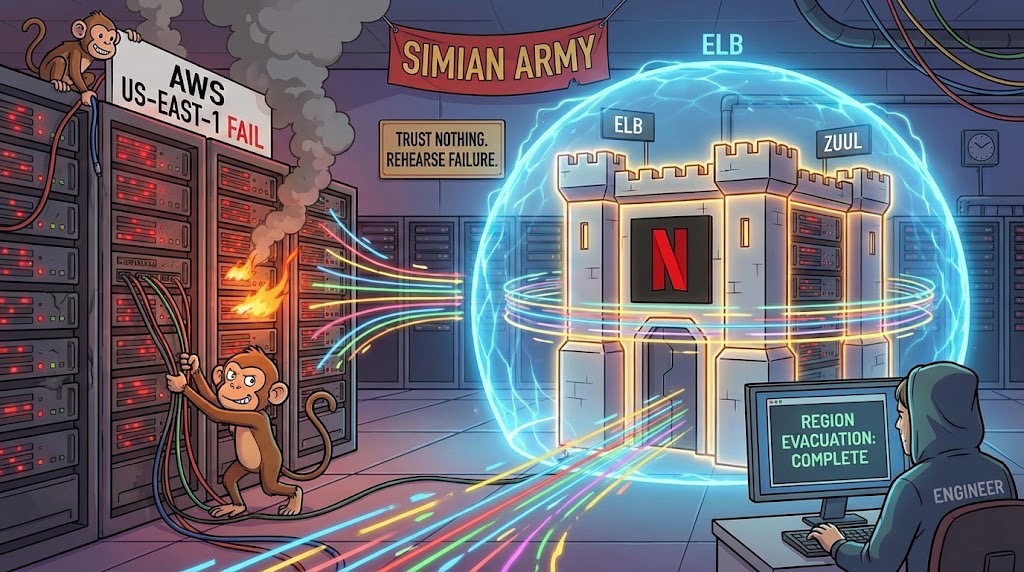
This is not a metaphor. It is a suite of software tools designed to break things. The most famous is Chaos Monkey. Its job is to randomly shut down live production servers during business hours. It just kills them. No warning. No mercy.
Then there is Chaos Kong. Chaos Kong does not just kill a server. It simulates the destruction of an entire AWS region. It nukes the East Coast.
Let that sink in for a moment. Netflix pays engineers very high salaries to build software that attacks their own infrastructure. It is like hiring a pyromaniac to work as a fire inspector. Sure, he will find every flammable material in the building, but usually by setting it on fire first.
I spoke with a former engineer who described their “region evacuation” drills. “We basically declare war on ourselves,” she told me. “At 10 AM on a Tuesday, usually after the second coffee, we decide to kill us-east-1. The first time we did it, half the company needed therapy. Now? We can evacuate a region in six minutes. It’s boring.”
This is the secret sauce. The reason Netflix stayed up is that they have rehearsed the outage so many times that it feels like a chore. While other companies were discovering their disaster recovery plans were written in crayon, Netflix engineers were calmly executing a routine they practice more often than they practice dental hygiene.
Building your own highway system
There is a final plot twist. When you hit play, the video, strictly speaking, does not come from the cloud. It comes from Open Connect.
Netflix realized years ago that the public internet is a dirt road full of potholes. So they built their own private highway. They designed physical hardware, bright red boxes packed with hard drives, and shipped them to Internet Service Providers (ISPs) all over the world.
These boxes sit inside the data centers of your local internet provider. They are like mini-warehouses. When a new season of The Queen’s Gambit comes out, Netflix pre-loads it onto these boxes at 4 AM when nobody is using the internet.
So when you stream the show, the data is not traveling from an Amazon data center in Virginia. It is traveling from a box down the street. It might travel five miles instead of two thousand.
It is an invasive, brilliant strategy. It is like Netflix insisted on installing a mini-fridge in your neighbor’s garage just to ensure your beer is three degrees colder. During the cloud outage, even if the “brain” of Netflix (the control plane in AWS) was having a seizure, the “body” (the video files in Open Connect) was fine. The content was already local. The cloud could burn, but the movie was already in the house.
The beautiful absurdity of it all
The irony is delicious. Netflix is AWS’s biggest customer and its biggest success story. Yet they survive on AWS by fundamentally refusing to trust AWS. They cache credentials, they pre-pull images, they build their own delivery network, and they unleash monkeys to destroy their own servers just to prove they can survive the murder attempt.
They have weaponized Murphy’s Law. They built a company where the unofficial motto seems to be “Everything fails, all the time, so let’s get good at failing.”
So the next time the internet breaks and your Slack goes silent, do not panic. Just open Netflix. Somewhere in the dark, a Chaos Monkey is pulling a plug, a paranoid bouncer is shoving traffic away from a burning server, and your binge-watching will continue uninterrupted. The internet might be held together by duct tape and hubris, but Netflix has invested in really, really expensive duct tape.