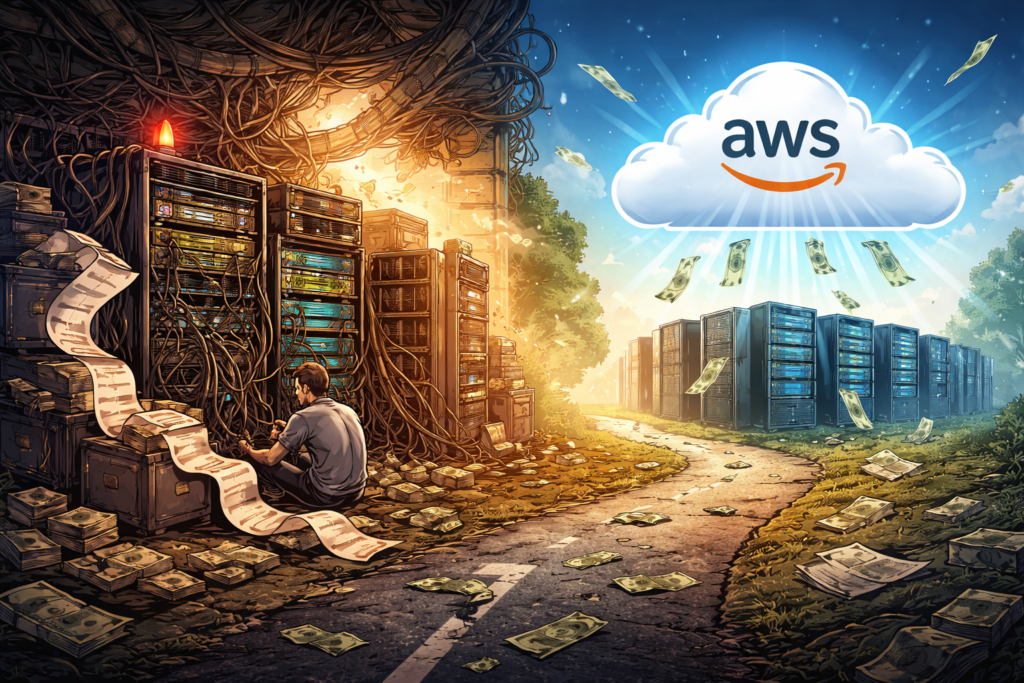

Computer Science stuff

Random comments about Computer Science

How to stay employable when the tools keep changing

I was at my desk the other day attempting to achieve what passes for serenity in modern IT, which is to say I was watching a Kubernetes cluster behave like a supermarket trolley with one cursed wheel. Everything looked stable in the dashboard, which, in cloud terms, is the equivalent of a toddler saying “I am being very quiet” from the other room.

That was when a younger colleague appeared at the edge of my monitor like a pop-up window you simply cannot close.

“Can I ask you something?” he said.

This phrase is rarely followed by useful inquiries, such as “Where do you keep the biscuits?” It is invariably followed by something philosophical, the kind of question that makes you suddenly aware you have become the person other people treat as a human FAQ.

“Is it worth it?” he asked. “All of this. The studying. The certifications. The on-call shifts. With AI coming to take it all away.”

He did not actually use the phrase “robot overlords”, but it hung in the air anyway, right beside that other permanent office presence, the existential dread that arrives every Monday morning and sits down without introducing itself.

Being “senior” in the technology sector is a funny thing. It is not like being a wise mountain sage who understands the mysteries of the wind. It is more like being the only person in the room who remembers what the internet looked like before it became a shopping mall with a comment section. You are not necessarily smarter. You are simply older, and you have survived enough migrations to know that the universe is largely held together by duct tape and misunderstood configuration files.

So I looked at him, panicked slightly, and decided to tell him the truth.

The accidental trap of the perfect puzzle piece

The problem with the way we build careers, especially in engineering, is that we treat ourselves like replacement parts for a very specific machine. We spend years filing down our edges, polishing our corners, and making sure we fit perfectly into a slot labelled “Java Developer” or “Cloud Architect.”

This strategy works wonderfully right up until the moment the machine decides to change its shape.

When that happens, being a perfect puzzle piece is actually a liability. You are left holding a very specific shape in a world that has suddenly decided it prefers round holes. This brings us to the trap of the specialist. The specialist is safe, comfortable, and efficient. But the specialist is also the first thing to be replaced when the algorithm learns how to do the job faster.

The alternative sounds exhausting. It is the path of the “Generalist.”

To a logical brain that enjoys defined parameters, a generalist looks suspiciously like someone who cannot make up their mind. But in the coming years, the generalist (confusing as they may be) is the only one safe from extinction. The generalist does not ask “Where do I fit?” The generalist asks, “What am I trying to build?” and then learns whatever is necessary to build it. It is less like being a factory worker and more like being a frantic homeowner trying to fix a leak with a roll of tape and a YouTube video. It is messy, but unlike the factory worker, the homeowner cannot be automated out of existence because the problems they solve are never exactly the same twice.

The four horsemen of the career apocalypse

Once you accept that the future will not reward narrow excellence, you stumble upon an equally alarming discovery regarding the skills that actually matter. The usual list tends to circle around four eternal pillars known to induce hives in most engineers: marketing, sales, writing, and speaking.

If you work in DevOps or cloud, these words likely land with the gentle comfort of a cold spoon sliding down your back. We tend to view marketing and sales as the parts of the economy where people smile too much and perhaps use too much hair gel. Writing and public speaking, meanwhile, are often just painful reminders of that time we accidentally said “utilize” in a meeting when “use” would have sufficed.

But here is a useful reframing I have been trying to adopt.

Marketing and sales are not trickery. They are simply “the message“. They are the ability to explain to another human being why something matters. If you have ever tried to convince a Product Manager that technical debt is real and dangerous, you have done sales. If you failed, it was likely because your marketing was poor.

Writing and speaking are not performance art. They are “the medium“. In a world where AI can generate code in seconds, the ability to write clean code becomes less valuable than the ability to write a clean explanation of why we need that code. The modern career is increasingly about communicating value rather than just quietly creating it in a dark room. The “Artist” focuses on the craft. The “Sellout” focuses on the money. The goal, irritating as it may be, is to become the “Artist-Entrepreneur” who respects the craft enough to sell it properly.

The museum of ideas and the art of dissatisfaction

So how does one actually prepare for this vaguely threatening future?

The advice usually involves creating a “Vision Board” with pictures of yachts and people laughing at salads. I have always found this difficult, mostly because my vision usually extends no further than wanting my printer to work on the first try.

A far more effective tool is the “Anti-vision“.

This involves looking at the life you absolutely do not want and running in the opposite direction. It is a powerful motivator. I can quite easily visualize a future of endless Zoom meetings where we discuss the synergy of leverage, and that vision propels me to learn new skills faster than any promise of a Ferrari ever could.

This leads to the concept of curating a “Museum of Ideas”. You do not need to be a genius inventor. You just need to be a curator. You collect the ideas, people, and concepts that resonate with you, and you try to figure out why they work. It is reverse engineering, which is something we are actually good at. We do it with software all the time. Doing it with our careers feels strange, but the logic holds. You look at the result you want, and you work backward to find the source code.

This process requires you to embrace a certain amount of boredom and dissatisfaction. We usually treat boredom as a bug in the system, something to be patched immediately with scrolling or distraction. But boredom is actually a feature. It is the signal that it is time to evolve. AI does not get bored. It will happily generate generic emails until the heat death of the universe. Only a human gets bored enough to invent something better.

The currency of confidence

So, back to the colleague at my desk, who was still looking at me with the expectant face of a spaniel waiting for a treat.

I told him that yes, it is worth it. But the game has changed.

We are moving from an economy of “knowing things” (which computers do better) to an economy of “connecting things” (which is still a uniquely human mess). The future belongs to the people who can see the whole system, not just the individual lines of code.

When the output of AI becomes abundant and cheap, the value shifts to confidence. Not the loud, arrogant confidence of a television pundit, but the quiet confidence of someone who understands the trade-offs. Employers and clients will not pay you for the code; they will pay you for the assurance that this specific code is the right solution for their specific, messy reality. They pay for taste. They pay for trust.

If the robots are indeed coming for our jobs, the safest position is not to stand guard over one tiny task. It is to become the person who can see the entire ridiculous machine, spot the real problem, and explain it in plain English while everyone else is still arguing about which dashboard is lying.

That, happily, remains a very human talent.

Now, if you will excuse me, I have to start building my museum of ideas right after I figure out why my Linux kernel has decided to panic-dump in the middle of an otherwise peaceful afternoon. I suspect it, too, has been reading about the future and just wanted to feel something.

Microservices are the architectural equivalent of a midlife crisis

Someone in a zip-up hoodie has just told you that monoliths are architectural heresy. They insist that proper companies, the grown-up ones with rooftop terraces and kombucha taps in the breakroom, build systems the way squirrels store acorns. They describe hundreds of tiny, frantic caches scattered across the forest floor, each with its own API, its own database, and its own emotional baggage.

You stand there nodding along while holding your warm beer, feeling vaguely inadequate. You hide the shameful secret that your application compiles in less time than it takes to brew a coffee. You do not mention that your code lives in a repository that does not require a map and a compass to navigate. Your system runs on something scandalously simple. It is a monolith.

Welcome to the cult of small things. We have been expecting you, and we have prepared a very complicated seat for you.

The insecurity of the monolithic developer

The microservices revolution did not begin with logic. It began with envy. It started with a handful of very successful case studies that functioned less like technical blueprints and more like impossible beauty standards for teenagers.

Netflix streams billions of hours of video. Amazon ships everything from electric toothbrushes to tactical uranium (probably) to your door in two days. Their systems are vast, distributed, and miraculous. So the industry did what any rational group of humans would do. We copied their homework without checking if we were taking the same class.

We looked at Amazon’s architecture and decided that our internal employee timesheet application needed the same level of distributed complexity as a global logistics network. This is like buying a Formula 1 pit crew to help you parallel park a Honda Civic. It is technically impressive, sure. But it is also a cry for help.

Suddenly, admitting you maintained a monolith became a confession. Teams began introducing themselves at conferences by stating their number of microservices, the way bodybuilders flex biceps, or suburban dads compare lawn mower horsepower. “We are at 150 microservices,” someone would say, and the crowd would murmur approval. Nobody thought to ask if those services did anything useful. Nobody questioned whether the team spent more time debugging network calls than writing features.

The promise was flexibility. The reality became a different kind of rigidity. We traded the “spaghetti code” of the monolith for something far worse. We built a distributed bowl of spaghetti where the meatballs are hosted on different continents, and the sauce requires a security token to touch the pasta.

Debugging a murder mystery where the body keeps moving

Here is what the brochures and the medium articles do not mention. Debugging a monolith is straightforward. You follow the stack trace like a detective following footprints in the snow.

Debugging a distributed system, however, is less like solving a murder mystery and more like investigating a haunting. The evidence vanishes. The logs are in different time zones. Requests pass through so many services that by the time you find the culprit, you have forgotten the crime.

Everything works perfectly in isolation. This is the great lie of the unit test. Your service A works fine. Your service B works fine. But when you put them together, you get a Rube Goldberg machine that occasionally processes invoices but mostly generates heat and confusion.

To solve this, we invented “observability,” which is a fancy word for hiring a digital private investigator to stalk your own code. You need a service discovery tool. Then, a distributed tracing library. Then a circuit breaker, a bulkhead, a sidecar proxy, a configuration server, and a small shrine to the gods of eventual consistency.

Your developer productivity begins a gentle, heartbreaking decline. A simple feature, such as adding a “middle name” field to a user profile, now requires coordinating three teams, two API version bumps, and a change management ticket that will be reviewed next Thursday. The context switching alone shaves IQ points off your day. You have solved the complexity of the monolith by creating fifty mini monoliths, each with its own deployment pipeline and its own lonely maintainer who has started talking to the linter.

Your infrastructure bill is now a novelty item

There is a financial aspect to this midlife crisis. In the old days, you rented a server. Maybe two. You paid a fixed amount, and the server did the work.

In the microservices era, you are not just paying for the work. You are paying for the coordination of the work. You are paying for the network traffic between the services. You are paying for the serialization and deserialization of data that never leaves your data center. You are paying for the CPU cycles required to run the orchestration tools that manage the containers that hold the services that do the work.

It is an administrative tax. It is like hiring a construction crew where one guy hammers the nail, and twelve other guys stand around with clipboards coordinating the hammering angle, the hammer velocity, and the nail impact assessment strategy.

Amazon Prime Video found this out the hard way. In a move that shocked the industry, they published a case study detailing how they moved from a distributed, serverless architecture back to a monolithic structure for one of their core monitoring services.

The results were not subtle. They reduced their infrastructure costs by 90 percent. That is not a rounding error. That is enough money to buy a private island. Or at least a very nice yacht. They realized that sending video frames back and forth between serverless functions was the digital equivalent of mailing a singular sock to yourself one at a time. It was inefficient, expensive, and silly.

The myth of infinite scalability

Let us talk about that word. Scalability. It gets whispered in architectural reviews like a magic spell. “But will it scale?” someone asks, and suddenly you are drawing boxes and arrows on a whiteboard, each box a little fiefdom with its own database and existential dread.

Here is a secret that might get you kicked out of the hipster coffee shop. Most systems never see the traffic that justifies this complexity. Your boutique e-commerce site for artisanal cat toys does not need to handle Black Friday traffic every Tuesday. It could likely run on a well-provisioned server and a prayer. Using microservices for these workloads is like renting an aircraft hangar to store a bicycle.

Scalability comes in many flavors. You can scale a monolith horizontally behind a load balancer. You can scale specific heavy functions without splitting your entire domain model into atomic particles. Docker and containers gave us consistent deployment environments without requiring a service mesh so complex that it needs its own PhD program to operate.

The infinite scalability argument assumes you will be the next Google. Statistically, you will not. And even if you are, you can refactor later. It is much easier to slice up a monolith than it is to glue together a shattered vase.

Making peace with the boring choice

So what is the alternative? Must we return to the bad old days of unmaintainable codeballs?

No. The alternative is the modular monolith. This sounds like an oxymoron, but it functions like a dream. It is the architectural equivalent of a sensible sedan. It is not flashy. It will not make people jealous at traffic lights. But it starts every morning, it carries all your groceries, and it does not require a specialized mechanic flown in from Italy to change the oil.

You separate concerns inside the same codebase. You make your boundaries clear. You enforce modularity with code structure rather than network latency. When a module truly needs to scale differently, or a team truly needs autonomy, you extract it. You do this not because a conference speaker told you to, but because your profiler and your sprint retrospectives are screaming it.

Your architecture should match your team size. Three engineers do not need a service per person. They need a codebase they can understand without opening seventeen browser tabs. There is no shame in this. The shame is in building a distributed system so brittle that every deploy feels like defusing a bomb in an action movie, but without the cool soundtrack.

Epilogue

Architectural patterns are like diet fads. They come in waves, each promising total transformation. One decade, it is all about small meals, the next it is intermittent fasting, the next it is eating only raw meat like a caveman.

The truth is boring and unmarketable. Balance works. Microservices have their place. They are essential for organizations with thousands of developers who need to work in parallel without stepping on each other’s toes. They are great for systems that genuinely have distinct, isolated scaling needs.

For everything else, simplicity remains the ultimate sophistication. It is also the ultimate sanity preserver.

Next time someone tells you monoliths are dead, ask them how many incident response meetings they attended this week. The answer might be all the architecture review you need.

(Footnote: If they answer “zero,” they are either lying, or their pager duty alerts are currently stuck in a dead letter queue somewhere between Service A and Service B.)

Why your AWS bill secretly hates Graviton

The party always ends when the bill arrives.

Your team ships a brilliant release. The dashboards glow a satisfying, healthy green. The celebratory GIFs echo through the Slack channels. For a few glorious days, you are a master of the universe, a conductor of digital symphonies.

And then it shows up. The AWS invoice doesn’t knock. It just appears in your inbox with the silent, judgmental stare of a Victorian governess who caught you eating dessert before dinner. You shipped performance, yes. You also shipped a small fleet of x86 instances that are now burning actual, tangible money while you sleep.

Engineers live in a constant tug-of-war between making things faster and making them cheaper. We’re told the solution is another coupon code or just turning off a few replicas over the weekend. But real, lasting savings don’t come from tinkering at the edges. They show up when you change the underlying math. In the world of AWS, that often means changing the very silicon running the show.

Enter a family of servers that look unassuming on the console but quietly punch far above their weight. Migrate the right workloads, and they do the same work for less money. Welcome to AWS Graviton.

What is this Graviton thing anyway?

Let’s be honest. The first time someone says “ARM-based processor,” your brain conjures images of your phone, or maybe a high-end Raspberry Pi. The immediate, skeptical thought is, “Are we really going to run our production fleet on that?”

Well, yes. And it turns out that when you own the entire datacenter, you can design a chip that’s ridiculously good at cloud workloads, without the decades of baggage x86 has been carrying around. Switching to Graviton is like swapping that gas-guzzling ’70s muscle car for a sleek, silent electric skateboard that somehow still manages to tow your boat. It feels wrong… until you see your fuel bill. You’re swapping raw, hot, expensive grunt for cool, cheap efficiency.

Amazon designed these chips to optimize the whole stack, from the physical hardware to the hypervisor to the services you click on. This control means better performance-per-watt and, more importantly, a better price for every bit of work you do.

The lineup is simple:

  • Graviton2: The reliable workhorse. Great for general-purpose and memory-hungry tasks.
  • Graviton3: The souped-up model. Faster cores, better at cryptography, and sips memory bandwidth through a wider straw.
  • Graviton3E: The specialist. Tuned for high-performance computing (HPC) and anything that loves vector math.

This isn’t some lab experiment. Graviton is already powering massive production fleets. If your stack includes common tools like NGINX, Redis, Java, Go, Node.js, Python, or containers on ECS or EKS, you’re already walking on paved roads.

The real numbers behind the hype

The headline from AWS is tantalizing. “Up to 40 percent better price-performance.” “Up to,” of course, are marketing’s two favorite words. It’s the engineering equivalent of a dating profile saying they enjoy “adventures.” It could mean anything.

But even with a healthy dose of cynicism, the trend is hard to ignore. Your mileage will vary depending on your code and where your bottlenecks are, but the gains are real.

Here’s where teams often find the gold:

  • Web and API services: Handling the same requests per second at a lower instance cost.
  • CI/CD Pipelines: Faster compile times for languages like Go and Rust on cheaper build runners.
  • Data and Streaming: Popular engines like NGINX, Envoy, Redis, Memcached, and Kafka clients run beautifully on ARM.
  • Batch and HPC: Heavy computational jobs get a serious boost from the Graviton3E chips.

There’s also a footprint bonus. Better performance-per-watt means you can hit your ESG (Environmental, Social, and Governance) goals without ever having to create a single sustainability slide deck. A win for engineering, a win for the planet, and a win for dodging boring meetings.

But will my stuff actually run on it?

This is the moment every engineer flinches. The suggestion of “recompiling for ARM” triggers flashbacks to obscure linker errors and a trip down dependency hell.

The good news? The water’s fine. For most modern workloads, the transition is surprisingly anticlimactic. Here’s a quick compatibility scan:

  • You compile from source or use open-source software? Very likely portable.
  • Using closed-source agents or vendor libraries? Time to do some testing and maybe send a polite-but-firm support ticket.
  • Running containers? Fantastic. Multi-architecture images are your new best friend.
  • What about languages? Java, Go, Node.js, .NET 6+, Python, Ruby, and PHP are all happy on ARM on Linux.
  • C and C++? Just recompile and link against ARM64 libraries.

The easiest first wins are usually stateless services sitting behind a load balancer, sidecars like log forwarders, or any kind of queue worker where raw throughput is king.

A calm path to migration

Heroic, caffeine-fueled weekend migrations are for rookies. A calm, boring checklist is how professionals do it.

Phase 1: Test in a safe place

Launch a Graviton sibling of your current instance family (e.g., a c7g.large instead of a c6i.large). Replay production traffic to it or run your standard benchmarks. Compare CPU utilization, latency, and error rates. No surprises allowed.

Phase 2: Build for both worlds

It’s time to create multi-arch container images. docker buildx is the tool for the job. This command builds an image for both chip architectures and pushes them to your registry under a single tag.

# Build and push an image for both amd64 and arm64 from one command
docker buildx build \
  --platform linux/amd64,linux/arm64 \
  --tag $YOUR_ACCOUNT.dkr.ecr.$[REGION.amazonaws.com/my-web-app:v1.2.3](https://REGION.amazonaws.com/my-web-app:v1.2.3) \
  --push .

Phase 3: Canary and verify

Slowly introduce the new instances. Route just 5% of traffic to the Graviton pool using weighted target groups. Stare intently at your dashboards. Your “golden signals”, latency, traffic, errors, and saturation, should look identical across both pools.

Here’s a conceptual Terraform snippet of what that weighting looks like:

resource "aws_lb_target_group" "x86_pool" {
  name     = "my-app-x86-pool"
  # ... other config
}

resource "aws_lb_target_group" "arm_pool" {
  name     = "my-app-arm-pool"
  # ... other config
}

resource "aws_lb_listener_rule" "weighted_routing" {
  listener_arn = aws_lb_listener.frontend.arn
  priority     = 100

  action {
    type = "forward"

    forward {
      target_group {
        arn    = aws_lb_target_group.x86_pool.arn
        weight = 95
      }
      target_group {
        arn    = aws_lb_target_group.arm_pool.arn
        weight = 5
      }
    }
  }

  condition {
    path_pattern {
      values = ["/*"]
    }
  }
}

Phase 4: Full rollout with a parachute

If the canary looks healthy, gradually increase traffic: 25%, 50%, then 100%. Keep the old x86 pool warm for a day or two, just in case. It’s your escape hatch. Once it’s done, go show the finance team the new, smaller bill. They love that.

Common gotchas and easy fixes

Here are a few fun ways to ruin your Friday afternoon, and how to avoid them.

  • The sneaky base image: You built your beautiful ARM application… on an x86 foundation. Your FROM amazonlinux:2023 defaulted to the amd64 architecture. Your container dies instantly. The fix: Explicitly pin your base images to an ARM64 version, like FROM –platform=linux/arm64 public.ecr.aws/amazonlinux/amazonlinux:2023.
  • The native extension puzzle: Your Python, Ruby, or Node.js app fails because a native dependency couldn’t be built. The fix: Ensure you’re building on an ARM machine or using pre-compiled manylinux wheels that support aarch64.
  • The lagging agent: Your favorite observability tool’s agent doesn’t have an official ARM64 build yet. The fix: Check if they have a containerized version or gently nudge their support team. Most major vendors are on board now.

A shift in mindset

For decades, we’ve treated the processor as a given, an unchangeable law of physics in our digital world. The x86 architecture was simply the landscape on which we built everything. Graviton isn’t just a new hill on that landscape; it’s a sign the tectonic plates are shifting beneath our feet. This is more than a cost-saving trick; it’s an invitation to question the expensive assumptions we’ve been living with for years.

You don’t need a degree in electrical engineering to benefit from this, though it might help you win arguments on Hacker News. All you really need is a healthy dose of professional curiosity and a good benchmark script.

So here’s the experiment. Pick one of your workhorse stateless services, the ones that do the boring, repetitive work without complaining. The digital equivalent of a dishwasher. Build a multi-arch image for it. Cordon off a tiny, five-percent slice of your traffic and send it to a Graviton pool. Then, watch. Treat your service like a lab specimen. Don’t just glance at the CPU percentage; analyze the cost-per-million-requests. Scrutinize the p99 latency.

If the numbers tell a happy story, you haven’t just tweaked a deployment. You’ve fundamentally changed the economics of that service. You’ve found a powerful new lever to pull. If they don’t, you’ve lost a few hours and gained something more valuable: hard data. You’ve replaced a vague “what if” with a definitive “we tried that.”

Either way, you’ve sent a clear message to that smug monthly invoice. You’re paying attention. And you’re getting smarter. Doing the same work for less money isn’t a stunt. It’s just good engineering.

The mutability mirage in Cloud

We’ve all been there. A DevOps engineer squints at a script, muttering, “But I changed it, it has to be mutable.” Meanwhile, the cloud infrastructure blinks back, unimpressed, as if to say, “Sure, you swapped the sign. That doesn’t make the building mutable.”

This isn’t just a coding quirk. It’s a full-blown identity crisis in the world of cloud architecture and DevOps, where confusing reassignment with mutability can lead to anything from baffling bugs to midnight firefighting sessions. Let’s dissect why your variables are lying to you, and why it matters more than you think.

The myth of the mutable variable

Picture this: You’re editing a configuration file for a cloud service. You tweak a value, redeploy, and poof, it works. Naturally, you assume the system is mutable. But what if it isn’t? What if the platform quietly discarded your old configuration and spun up a new one, like a magician swapping a rabbit for a hat?

This is the heart of the confusion. In programming, mutability isn’t about whether something changes; it’s about how it changes. A mutable object alters its state in place, like a chameleon shifting colors. An immutable one? It’s a one-hit wonder: once created, it’s set in stone. Any “change” is just a new object in disguise.

What mutability really means

Let’s cut through the jargon. A mutable object, say, a Python list, lets you tweak its contents without breaking a sweat. Add an item, remove another, and it’s still the same list. Check its memory address with id(), and it stays consistent.

Now take a string. Try to “modify” it:

greeting = "Hello"  
greeting += " world"

Looks like a mutation, right? Wrong. The original greeting is gone, replaced by a new string. The memory address? Different. The variable name greeting is just a placeholder, now pointing to a new object, like a GPS rerouting you to a different street.

This isn’t pedantry. It’s the difference between adjusting the engine of a moving car and replacing the entire car because you wanted a different color.

The great swap

Why does this illusion persist? Because programming languages love to hide the smoke and mirrors. In functional programming, for instance, operations like map() or filter() return new collections, never altering the original. Yet the syntax, data = transform(data), feels like mutation.

Even cloud infrastructure plays this game. Consider immutable server deployments: you don’t “update” an AWS EC2 instance. You bake a new AMI and replace the old one. The outcome is change, but the mechanism is substitution. Confusing the two leads to chaos, like assuming you can repaint a house without leaving the living room.

The illusion of change

Here’s where things get sneaky. When you write:

counter = 5  
counter += 1  

You’re not mutating the number 5. You’re discarding it for a shiny new 6. The variable counter is merely a label, not the object itself. It’s like renaming a book after you’ve already read it, The Great Gatsby didn’t change; you just called it The Even Greater Gatsby and handed it to someone else.

This trickery is baked into language design. Python’s tuples are immutable, but you can reassign the variable holding them. Java’s String class is famously unyielding, yet developers swear they “changed” it daily. The culprit? Syntax that masks object creation as modification.

Why cloud and DevOps care

In cloud architecture, this distinction is a big deal. Mutable infrastructure, like manually updating a server, invites inconsistency and “works on my machine” disasters. Immutable infrastructure, by contrast, treats servers as disposable artifacts. Changes mean new deployments, not tweaks.

This isn’t just trendy. It’s survival. Imagine two teams modifying a shared configuration. If the object is mutable, chaos ensues, race conditions, broken dependencies, the works. If it’s immutable, each change spawns a new, predictable version. No guessing. No debugging at 3 a.m.

Performance matters too. Creating new objects has overhead, yes, but in distributed systems, the trade-off for reliability is often worth it. As the old adage goes: “You can optimize for speed or sanity. Pick one.”

How not to fall for the trick

So how do you avoid this trap?

  1. Check the documentation. Is the type labeled mutable? If it’s a string, tuple, or frozenset, assume it’s playing hard to get.
  2. Test identity. In Python, use id(). In Java, compare references. If the address changes, you’ve been duped.
  3. Prefer immutability for shared data. Your future self will thank you when the system doesn’t collapse under concurrent edits.

And if all else fails, ask: “Did I alter the object, or did I just point to a new one?” If the answer isn’t obvious, grab a coffee. You’ll need it.

The cloud doesn’t change, it blinks

Let’s be brutally honest: in the cloud, assuming something is mutable because it changes is like assuming your toaster is self-repairing because the bread pops up different shades of brown. You tweak a Kubernetes config, redeploy, and poof, it’s “updated.” But did you mutate the cluster or merely summon a new one from the void? In the world of DevOps, this confusion isn’t just a coding quirk; it’s the difference between a smooth midnight rollout and a 3 a.m. incident war room where your coffee tastes like regret.

Cloud infrastructure doesn’t change; it reincarnates. When you “modify” an AWS Lambda function, you’re not editing a living organism. You’re cremating the old version and baptizing a new one in S3. The same goes for Terraform state files or Docker images: what looks like a tweak is a full-scale resurrection. Mutable configurations? They’re the digital equivalent of duct-taping a rocket mid-flight. Immutable ones? They’re the reason your team isn’t debugging why the production database now speaks in hieroglyphics.

And let’s talk about the real villain: configuration drift. It’s the gremlin that creeps into mutable systems when no one’s looking. One engineer tweaks a server, another “fixes” a firewall rule, and suddenly your cloud environment has the personality of a broken vending machine. Immutable infrastructure laughs at this. It’s the no-nonsense librarian who will replace the entire catalog if you so much as sneeze near the Dewey Decimal System.

So the next time a colleague insists, “But I changed it!” with the fervor of a street magician, lean in and whisper: “Ah, yes. Just like how I ‘changed’ my car by replacing it with a new one. Did you mutate the object, or did you just sacrifice it to the cloud gods?” Then watch their face, the same bewildered blink as your AWS console when you accidentally set min_instances = 0 on a critical service.

The cloud doesn’t get frustrated. It doesn’t sigh. It blinks. Once. Slowly. And in that silent judgment, you’ll finally grasp the truth: change is inevitable. Mutability is a choice. Choose wisely, or spend eternity debugging the ghost of a server that thought it was mutable.

(And for the love of all things scalable: stop naming your variables temp.)

Building living systems with WebSockets

For the longest time, communication on the web has been a painfully formal affair. It’s like sending a letter. Your browser meticulously writes a request, sends it off via the postal service (HTTP), and then waits. And waits. Eventually, the server might write back with an answer. If you want to know if anything has changed five seconds later, you have to send another letter. It’s slow, it’s inefficient, and frankly, the postman is starting to give you funny looks.

This constant pestering, “Anything new? How about now? Now?”, is the digital equivalent of a child on a road trip asking, “Are we there yet?” It’s called polling, and it’s the clumsy foundation upon which much of the old web was built. For applications that need to feel alive, this just won’t do.

What if, instead of sending a flurry of letters, we could just open a phone line directly to the server? A dedicated, always-on connection where both sides can just shout information at each other the moment it happens. That, in a nutshell, is the beautiful, chaotic, and nonstop chatter of WebSockets. It’s the technology that finally gave our distributed systems a voice.

The secret handshake that starts the party

So how do you get access to this exclusive, real-time conversation? You can’t just barge in. You have to know the secret handshake.

The process starts innocently enough, with a standard HTTP request. It looks like any other request, but it carries a special, almost magical, header: Upgrade: websocket. This is the client subtly asking the server, “Hey, this letter-writing thing is a drag. Can we switch to a private line?”

If the server is cool, and equipped for a real conversation, it responds with a special status code, 101 Switching Protocols. This isn’t just an acknowledgment; it’s an agreement. The server is saying, “Heck yes. The formal dinner party is over. Welcome to the after-party.” At that moment, the clumsy, transactional nature of HTTP is shed like a heavy coat, and the connection transforms into a sleek, persistent, two-way WebSocket tunnel. The phone line is now open.

So what can we do with all this chatter?

Once you have this open line, the possibilities become far more interesting than just fetching web pages. You can build systems that breathe.

The art of financial eavesdropping

Think of a stock trading platform. With HTTP, you’d be that sweaty-palmed investor hitting refresh every two seconds, hoping to catch a price change. With WebSockets, the server just whispers the new prices in your ear the microsecond they change. It’s the difference between reading yesterday’s newspaper and having a live feed from the trading floor piped directly into your brain.

Keeping everyone on the same page literally

Remember the horror of emailing different versions of a document back and forth? “Report_Final_v2_Johns_Edits_Final_FINAL.docx”. Collaborative tools like Google Docs killed that nightmare, and WebSockets were the murder weapon. When you type, your keystrokes are streamed to everyone else in the document instantly. It’s a seamless, shared consciousness, not a series of disjointed monologues.

Where in the world is my taxi

Ride-sharing apps like Uber would be a farce without a live map. You don’t want a “snapshot” of where your driver was 30 seconds ago; you want to see that little car icon gliding smoothly toward you. WebSockets provide that constant stream of location data, turning a map from a static picture into a living, moving window.

When the conversation gets too loud

Of course, hosting a party where a million people are all talking at once isn’t exactly a walk in the park. This is where our brilliant WebSocket-powered dream can turn into a bit of a logistical headache.

A server that could happily handle thousands of brief HTTP requests might suddenly break into a cold sweat when asked to keep tens of thousands of WebSocket phone lines open simultaneously. Each connection consumes memory and resources. It’s like being a party host who promised to have a deep, meaningful conversation with every single guest, all at the same time. Eventually, you’re just going to collapse from exhaustion.

And what happens if the line goes dead? A phone can be hung up, but a digital connection can just… fade into the void. Is the client still there, listening quietly? Or did their Wi-Fi die mid-sentence? To avoid talking to a ghost, servers have to periodically poke the client with a ping message. If they get a pong back, all is well. If not, the server sadly hangs up, freeing the line for someone who actually wants to talk.

How to be a good conversation host

Taming this beast requires a bit of cleverness. You can’t just throw one server at the problem and hope for the best.

Load balancers become crucial, but they need to be smarter. A simple load balancer that just throws requests at any available server is a disaster for WebSockets. It’s like trying to continue a phone conversation while the operator keeps switching you to a different person who has no idea what you were talking about. You need “sticky sessions,” which is a fancy way of saying the load balancer is smart enough to remember which server you were talking to and keeps you connected to it.

Security also gets a fun new twist. An always-on connection is a wonderfully persistent doorway into your system. If you’re not careful about who you’re talking to and what they’re saying (WSS, the secure version, is non-negotiable), you might find you’ve invited a Trojan horse to your party.

A world that talks back

So, no, WebSockets aren’t just another tool in the shed. They represent a philosophical shift. It’s the moment we stopped treating the web like a library of dusty, static books and started treating it like a bustling, chaotic city square. We traded the polite, predictable, and frankly boring exchange of letters for the glorious, unpredictable mess of a real-time human conversation.

It means our applications can now have a pulse. They can be surprised, they can interrupt, and they can react with the immediacy of a startled cat. Building these living systems is certainly noisier and requires a different kind of host, one who’s part traffic cop and part group therapist. But by embracing the chaos, we create experiences that don’t just respond; they engage, they live. And isn’t building a world that actually talks back infinitely more fun?

How AI transformed cloud computing forever

When ChatGPT emerged onto the tech scene in late 2022, it felt like someone had suddenly switched on the lights in a dimly lit room. Overnight, generative AI went from a niche technical curiosity to a global phenomenon. Behind the headlines and excitement, however, something deeper was shifting: cloud computing was experiencing its most significant transformation since its inception.

For nearly fifteen years, the cloud computing model was a story of steady, predictable evolution. At its core, the concept was revolutionary yet straightforward, much like switching from owning a private well to relying on public water utilities. Instead of investing heavily in physical servers, businesses could rent computing power, storage, and networking from providers like AWS, Google Cloud, or Azure. It democratized technology, empowering startups to scale into global giants without massive upfront costs. Services became faster, cheaper, and better, yet the fundamental model remained largely unchanged.

Then, almost overnight, AI changed everything. The game suddenly had new rules.

The hardware revolution beneath our feet

The first transformative shift occurred deep inside data centers, a hardware revolution triggered by AI.

Traditionally, cloud servers relied heavily on CPUs, versatile processors adept at handling diverse tasks one after another, much like a skilled chef expertly preparing dishes one by one. However AI workloads are fundamentally different; training AI models involves executing thousands of parallel computations simultaneously. CPUs simply weren’t built for such intense multitasking.

Enter GPUs, Graphics Processing Units. Originally designed for video games to render graphics rapidly, GPUs excel at handling many calculations simultaneously. Imagine a bustling pizzeria with a massive oven that can bake hundreds of pizzas all at once, compared to a traditional restaurant kitchen serving dishes individually. For AI tasks, GPUs can be up to 100 times faster than standard CPUs.

This demand for GPUs turned them into high-value commodities, transforming Nvidia into a household name and prompting tech companies to construct specialized “AI factories”, data centers built specifically to handle these intense AI workloads.

The financial impact businesses didn’t see coming

The second seismic shift is financial. Running AI workloads is extremely costly, often 20 to 100 times more expensive than traditional cloud computing tasks.

Several factors drive these costs. First, specialized GPU hardware is significantly pricier. Second, unlike traditional web applications that experience usage spikes, AI model training requires continuous, heavy computing power, often 24/7, for weeks or even months. Finally, massive datasets needed for AI are expensive to store and transfer.

This cost surge has created a new digital divide. Today, CEOs everywhere face urgent questions from their boards: “What is our AI strategy?” The pressure to adopt AI technologies is immense, yet high costs pose a significant barrier. This raises a crucial dilemma for businesses: What’s the cost of not adopting AI? The potential competitive disadvantage pushes companies into difficult financial trade-offs, making AI a high-stakes game for everyone involved.

From infrastructure to intelligent utility

Perhaps the most profound shift lies in what cloud providers actually offer their customers today.

Historically, cloud providers operated as infrastructure suppliers, selling raw computing resources, like giving people access to fully equipped professional kitchens. Businesses had to assemble these resources themselves to create useful services.

Now, providers are evolving into sellers of intelligence itself, “Intelligence as a Service.” Instead of just providing raw resources, cloud companies offer pre-built AI capabilities easily integrated into any application through simple APIs.

Think of this like transitioning from renting a professional kitchen to receiving ready-to-cook gourmet meal kits delivered straight to your door. You no longer need deep culinary skills, similarly, businesses no longer require PhDs in machine learning to integrate AI into their products. Today, with just a few lines of code, developers can effortlessly incorporate advanced features such as image recognition, natural language processing, or sophisticated chatbots into their applications.

This shift truly democratizes AI, empowering domain experts, people deeply familiar with specific business challenges, to harness AI’s power without becoming specialists in AI themselves. It unlocks the potential of the vast amounts of data companies have been collecting for years, finally allowing them to extract tangible value.

The Unbreakable Bond Between Cloud and AI

These three transformations, hardware, economics, and service offerings, have reinvented cloud computing entirely. In this new era, cloud computing and AI are inseparable, each fueling the other’s evolution.

Businesses must now develop unified strategies that integrate cloud and AI seamlessly. Here are key insights to guide that integration:

  • Integrate, don’t reinvent: Most businesses shouldn’t aim to create foundational AI models from scratch. Instead, the real value lies in effectively integrating powerful, existing AI models via APIs to address specific business needs.
  • Prioritize user experience: The ultimate goal of AI in business is to dramatically enhance user experiences. Whether through hyper-personalization, automating tedious tasks, or surfacing hidden insights, successful companies will use AI to transform the customer journey profoundly.

Cloud computing today is far more than just servers and storage, it’s becoming a global, distributed brain powering innovation. As businesses move forward, the combined force of cloud and AI isn’t just changing the landscape; it’s rewriting the very rules of competition and innovation.

The future isn’t something distant, it’s here right now, and it’s powered by AI.

Six popular API Styles explained with everyday examples

APIs are the digital equivalent of stagehands in a grand theatre production, mostly invisible, but essential for making the magic happen. They’re the connectors that let different software systems whisper (or shout) at each other, enabling everything from your food delivery app to complex financial transactions. But here’s the kicker: not all APIs are built the same. Just as you wouldn’t use a sledgehammer to crack a nut, picking the right API architectural style is crucial. Get it wrong, and you might end up with a system that’s as efficient as a sloth in a race.

Let’s explore six of the most common API styles using some down-to-earth examples. By the end, you’ll have a better feel for which one might be the star of your next project, or at least, which one to avoid for a particular task.

What is an API and why does its architecture matter anyway

Think of an API (Application Programming Interface) as a waiter in a bustling restaurant. You, the customer (an application), tell the waiter (the API) what you want from the menu (the available services or data). The waiter then scurries off to the kitchen (another application or server), places your order, and hopefully, returns with what you asked for. Simple, right?

Well, the architecture is like the waiter’s whole operational manual. Does the waiter take one order at a time with extreme precision and a 10-page form for each request? Or are they zipping around, taking quick, informal orders? The architecture defines these rules of engagement, dictating how data is formatted, what protocols are used, and how systems communicate. Choosing wisely means your digital services run smoothly; choose poorly, and you’ll experience digital indigestion.

SOAP APIs are the ones with all the paperwork

First up is SOAP (Simple Object Access Protocol), the seasoned veteran of the API world. If APIs were government officials, SOAP would be the one demanding every form be filled out in triplicate, notarized, and delivered by carrier pigeon (okay, maybe not the pigeon part). It’s all about strict contracts and formality.

What it is essentially SOAP relies heavily on XML (that verbose markup language some of us love to hate) and follows a very rigid structure for messages. It’s like sending a very formal, legally binding letter for every single interaction.

Key features you should know It boasts built-in standards for security and reliability (WS-Security, ACID transactions), which is why it’s often found in serious enterprise environments. Think banking, payment gateways, places where “oops, my bad” isn’t an acceptable error message.

When you might actually use it If you’re dealing with high-stakes financial transactions or systems that demand bulletproof reliability and have complex operations, SOAP, despite its perceived clunkiness, still has its place. It’s the digital equivalent of wearing a suit and tie to every meeting.

Everyday example to make it stick Imagine applying for a mortgage. The sheer volume of paperwork, the specific formats required, the multiple signatures, that’s the SOAP experience. Thorough, yes. Quick and breezy, not so much.

SOAP is robust, but its verbosity can make it feel like wading through molasses for simpler, web-based applications.

RESTful APIs are the popular kid on the block

Then along came REST (Representational State Transfer), and suddenly, building web APIs felt a lot less like rocket science and more like, well, just using the web. It’s the style that powers a huge chunk of the internet you use daily.

What it is essentially REST isn’t a strict protocol like SOAP; it’s more of an architectural style, a set of guidelines. It leverages standard HTTP methods (GET, POST, PUT, DELETE – sound familiar?) to interact with resources (like user data or a product listing).

Key features you should know It’s generally stateless (each request is independent), uses simple URLs to identify resources, and can return data in various formats, though JSON (JavaScript Object Notation) has become its best friend due to its lightweight nature.

When you might actually use it For most public-facing web services, mobile app backends, and situations where simplicity, scalability, and broad compatibility are key, REST is often the go-to. It’s the versatile t-shirt and jeans of the API world.

Everyday example to make it stick Think of browsing a well-organized online store. Each product page has a unique URL (the resource). You click to view details (a GET request), add it to your cart (maybe a POST request), and so on. It’s intuitive and follows the web’s natural flow.

REST is wonderfully straightforward for many scenarios, but what if you only want a tiny piece of information and REST insists on sending you the whole encyclopedia entry?

GraphQL asks for exactly what you need, no more no less

Enter GraphQL, the API style that decided over-fetching (getting too much data) and under-fetching (having to make multiple requests to get all related data) were just plain inefficient. It waltzes in and asks, “Why order the entire buffet when you just want the shrimp cocktail?”

What it is essentially GraphQL is a query language for your API. Instead of the server dictating what data you get from a specific endpoint, the client specifies exactly what data it needs, down to the individual fields.

Key features you should know It typically uses a single endpoint. Clients send a query describing the data they want, and the server responds with a JSON object matching that query’s structure. This gives clients incredible power and flexibility.

When you might actually use it It’s fantastic for applications with complex data requirements, mobile apps trying to minimize data usage, or when you have many different clients needing different views of the same data. Think of apps like Facebook, which originally developed it.

Everyday example to make it stick Imagine going to a tailor. Instead of picking a suit off the rack (which might mostly fit, like REST), you tell the tailor your exact measurements and precisely how you want every part of the suit to be (that’s GraphQL). You get a perfect fit with no wasted material.

GraphQL offers amazing precision, but this power comes with its own learning curve and can sometimes make server-side caching a bit more intricate.

gRPC high speed and secret handshakes

Sometimes, even the targeted requests of GraphQL feel a bit too leisurely, especially for internal systems that need to communicate at lightning speed. For these scenarios, there’s gRPC, Google’s high-performance, open-source RPC (Remote Procedure Call) framework.

What it is essentially gRPC is designed for speed and efficiency. It uses Protocol Buffers (protobufs) by default as its interface definition language and for message serialization, think of protobufs as a super-compact and fast way to structure data, way more efficient than XML or JSON for this purpose. It also leverages HTTP/2 for its transport, enabling features like multiplexing and server push.

Key features you should know It supports bi-directional streaming, is language-agnostic (you can write clients and servers in different languages), and is generally much faster and more efficient than REST or GraphQL for inter-service communication within a microservices architecture.

When you might actually use it This style is ideal for communication between microservices within your network, or for mobile clients where network efficiency is paramount. It’s less common for public-facing APIs due to browser limitations with HTTP/2 and protobufs, though this is changing.

Everyday example to make it stick Think of the communication between different specialized chefs in a high-end restaurant kitchen during a dinner rush. They use their own shorthand, specialized tools, and direct communication lines to get things done incredibly fast. That’s gRPC, not really meant for you to overhear, but super effective for those involved.

gRPC is a speed demon for internal traffic, but it’s not always the easiest to debug with standard web tools.

WebSockets the never-ending conversation

So far, we’ve mostly talked about request-response models: the client asks, and the server answers. But what if you need a continuous, two-way conversation? What if you want data to be pushed from the server to the client the moment it’s available, without the client having to ask repeatedly? For this, we have WebSockets.

What it is essentially WebSockets provide a persistent, full-duplex communication channel over a single TCP connection. “Full-duplex” is a fancy way of saying both the client and server can send messages to each other independently, at any time, once the connection is established.

Key features you should know It allows for real-time data transfer. Unlike traditional HTTP where a new connection might be made for each request, a WebSocket connection stays open, allowing for low-latency communication.

When you might actually use it This is the backbone of live chat applications, real-time online gaming, live stock tickers, or any application where you need instant updates pushed from the server.

Everyday example to make it stick It’s like having an open phone line or a walkie-talkie conversation. Once connected, both parties can talk freely and hear each other instantly, without having to redial or send a new letter for every sentence.

WebSockets are fantastic for real-time interactivity, but maintaining all those open connections can be resource-intensive on the server if you have many clients.

Webhooks the polite tap on the shoulder

Finally, let’s talk about Webhooks. Sometimes, you don’t want your application to constantly poll another service asking, “Is it done yet? Is it done yet? How about now?” That’s inefficient and, frankly, a bit annoying. Webhooks offer a more civilized approach.

What it is essentially A Webhook is an automated message sent from one application to another when something happens. It’s an event-driven HTTP callback. Basically, you tell another service, “Hey, when this specific event occurs, please send a message to this URL of mine.”

Key features you should know They are lightweight and enable real-time (or near real-time) notifications without the need for constant checking. The source system initiates the communication when the event occurs.

When you might actually use it They are perfect for third-party integrations. For example, when a payment is successfully processed by Stripe, Stripe can send a Webhook to your application to notify it. Or when new code is pushed to a GitHub repository, a Webhook can trigger your CI/CD pipeline.

Everyday example to make it stick It’s like setting up a mail forwarding service. You don’t have to keep checking your old mailbox. When a letter arrives at your old address (the event), the postal service automatically forwards it to your new address (your application’s Webhook URL). Your app gets a polite tap on the shoulder when something it cares about has happened.

Webhooks are wonderfully simple and efficient for event-driven communication, but your application needs to be prepared to receive and process these incoming messages at any time, and you’re relying on the other service to reliably send them.

So which API style gets the crown

As you’ve probably gathered, there’s no single “best” API style. It’s all about context, darling.

  • SOAP still dons its formal attire for serious, secure enterprise gigs.
  • REST is the friendly, ubiquitous choice for most web interactions.
  • GraphQL offers surgical precision when you’re tired of data overload.
  • gRPC is the speedster for your internal microservice Olympics.
  • WebSockets keep the conversation flowing for all things real-time.
  • Webhooks are the efficient messengers that tell you when something’s up.

The ideal choice hinges on what you’re building. Are you prioritizing raw speed, iron-clad security, data efficiency, or the magic of live updates? Each style offers a different set of trade-offs. And just to keep things spicy, the API landscape is always evolving. New patterns emerge, and old ones get new tricks. So, the best advice? Stay curious, understand the fundamentals, and don’t be afraid to pick the right tool, or API style, for the specific job at hand. After all, building great software is part art, part science, and a healthy dose of knowing which waiter to call.

What exactly is Data Engineering

The world today runs on data. Every click, purchase, or message we send creates data, and we’re practically drowning in it. However, raw data alone isn’t helpful. Data engineering transforms this flood of information into valuable insights.

Think of data as crude oil. It is certainly valuable, but in its raw form, it’s thick, messy goo. It must be refined before it fuels anything useful. Similarly, data needs processing before it can power informed decisions. This essential refinement process is exactly what data engineering does, turning chaotic, raw data into structured, actionable information.

Without data engineering, businesses face data chaos; analysts might wait endlessly for data, or executives might make decisions blindly without reliable information. Good data engineering eliminates these issues, ensuring data flows efficiently and reliably.

Understanding what Data Engineering is

Data engineering is the hidden machinery that makes data useful for analysis. It involves building robust pipelines, efficient storage solutions, diligent data cleaning, and thorough preparation. Everything needed to move data from its source to its destination neatly and effectively.

A good data engineer is akin to a plumber laying reliable pipes, a janitor diligently cleaning up messes, and an architect ensuring the entire system remains stable and scalable. They create critical infrastructure that data scientists and analysts depend on daily.

Journey of a piece of data

Data undergoes an intriguing journey from creation to enabling insightful decisions. Let’s explore this journey step by step:

Origin of Data

Data arises everywhere, continuously and relentlessly:

  • People interacting with smartphones
  • Sensors operating in factories
  • Transactions through online shopping
  • Social media interactions
  • Weather stations reporting conditions

Data arrives continuously in countless formats, structured data neatly organized in tables, free-form text, audio, images, or even streaming video.

Capturing the Data

Effectively capturing this torrent of information is critical. Data ingestion is like setting nets in a fast-flowing stream, carefully catching exactly what’s needed. Real-time data, such as stock prices, requires immediate capture, while batch data, like daily sales reports, can be handled more leisurely.

The key challenge is managing diverse data formats and varying speeds without missing crucial information.

Finding the Right Storage

Captured data requires appropriate storage, typically in three main types:

  • Databases (SQL): Structured repositories for transactional data, like MySQL or PostgreSQL.
  • Data Lakes: Large, flexible storage systems such as Amazon S3 or Azure Data Lake, storing raw data until it’s needed.
  • Data Warehouses: Optimized for rapid analysis, combining organizational clarity and flexibility, exemplified by platforms like Snowflake, BigQuery, and Redshift.

Choosing the right storage solution depends on intended data use, volume, and accessibility requirements. Effective storage ensures data stays secure, readily accessible, and scalable.

Transforming Raw Data

Raw data often contains inaccuracies like misspelled names, incorrect date formats, duplicate records, and missing information. Data processing cleans and transforms this messy data into actionable insights. Processing might involve:

  • Integrating data from multiple sources
  • Computing new, derived fields
  • Summarizing detailed transactions
  • Normalizing currencies and units
  • Extracting features for machine learning

Through careful processing, data transforms from mere potential into genuine value.

Extracting Valuable Insights

This stage brings the real payoff. Organized and clean data allows analysts to detect trends, enables data scientists to create predictive models, and helps executives accurately track business metrics. Effective data engineering streamlines this phase significantly, providing reliable and consistent results.

Ensuring Smooth Operations

Data systems aren’t “set and forget.” Pipelines can break, formats can evolve, and data volumes can surge unexpectedly. Continuous monitoring identifies issues early, while regular maintenance ensures everything runs smoothly.

Exploring Data Storage in greater detail

Let’s examine data storage options more comprehensively:

Traditional SQL Databases

Relational databases such as MySQL and PostgreSQL remain powerful because they:

  • Enforce strict rules for clean data
  • Easily manage complex relationships
  • Ensure reliability through ACID properties (Atomicity, Consistency, Isolation, Durability)
  • Provide SQL, a powerful querying language

SQL databases are perfect for transactional systems like banking or e-commerce platforms.

Versatile NoSQL Databases

NoSQL databases emerged to manage massive data volumes flexibly and scalably, with variants including:

  • Document Databases (MongoDB): Ideal for semi-structured or unstructured data.
  • Key-Value Stores (Redis): Perfect for quick data access and caching.
  • Graph Databases (Neo4j): Excellent for data rich in relationships, like social networks.
  • Column-Family Databases (Cassandra): Designed for high-volume, distributed data environments.

NoSQL databases emphasize scalability and flexibility, often compromising some consistency for better performance.

Selecting Between SQL and NoSQL

There isn’t a universally perfect choice; decisions depend on specific use cases:

  • Choose SQL when data structure remains stable, consistency is critical, and relationships are complex.
  • Choose NoSQL when data structures evolve quickly, scalability is paramount, or data is distributed geographically.

The CAP theorem helps balance consistency, availability, and partition tolerance to guide this decision.

Mastering the ETL process

ETL (Extract, Transform, Load) describes moving data efficiently from source systems to analytical environments:

Extract

Collect data from various sources like databases, APIs, logs, or web scrapers.

Transform

Cleanse and structure data by removing inaccuracies, standardizing formats, and eliminating duplicates.

Load

Move processed data into analytical systems, either by fully refreshing or incrementally updating.

Modern tools like Apache Airflow, NiFi, and dbt greatly enhance the efficiency and effectiveness of the ETL process.

Impact of cloud computing

Cloud computing has dramatically reshaped data engineering. Instead of maintaining costly infrastructure, businesses now rent exactly what’s needed. Cloud providers offer complete solutions for:

  • Data ingestion
  • Scalable storage
  • Efficient processing
  • Analytical warehousing
  • Visualization and reporting

Cloud computing offers instant scalability, cost efficiency, and access to advanced technology, allowing engineers to focus on data challenges rather than infrastructure management. Serverless computing further simplifies this process by eliminating server-related concerns.

Essential tools for Data Engineers

Modern data engineers use several essential tools, including:

  • Python: Versatile and practical for various data tasks.
  • SQL: Crucial for structured data queries.
  • Apache Spark: Efficiently processes large datasets.
  • Apache Airflow: Effectively manages complex data pipelines.
  • dbt: Incorporates software engineering best practices into data transformations.

Together, these tools form reliable and robust data systems.

The future of Data Engineering

Data engineering continues to evolve rapidly:

  • Real-time data processing is becoming standard.
  • DataOps encourages collaboration and automation.
  • Data mesh decentralizes data ownership.
  • MLOps integrates machine learning models seamlessly into production environments.

Ultimately, effective data engineering ensures reliable and efficient data flow, crucial for informed business decisions.

Summarizing

Data engineering may lack glamour, but it serves as the essential backbone of modern organizations. Without it, even the most advanced data science projects falter, resulting in misguided decisions. Reliable data engineering ensures timely and accurate data delivery, empowering analysts, data scientists, and executives alike. As businesses become increasingly data-driven, strong data engineering capabilities become not just beneficial but essential for competitive advantage and sustainable success.

In short, investing in excellent data engineering is one of the most strategic moves an organization can make.

How real-time data transforms Architecture and DevOps

You know, for a long time, Enterprise Architecture, or EA, felt a bit like map-making after the explorers had already come back. People drew intricate diagrams of how things were or how they should be, often locked away in tools only a few knew how to use. It was important work, sure, but sometimes it felt disconnected from the fast-paced world of building and running software, especially in the cloud and DevOps realms where things change by the minute.

But something interesting has been happening. EA is shedding its old skin. It’s moving away from being a static blueprint repository and becoming more like a dynamic, living navigation system for the business. And the fuel for this new system? Data. Lots of it. This shift makes EA incredibly relevant and much more exciting for those of us knee-deep in DevOps, SRE, and Cloud Architecture. Let’s explore how this data-driven approach isn’t just a new coat of paint for EA but a powerful engine for building and operating systems today.

Real-time data is king, so no more stale maps

Think about driving using a paper map printed last year versus using a live GPS app. Which one do you trust when navigating rush hour traffic? It’s the same with system architecture. Decisions based on diagrams updated manually months ago, or worse, on someone’s gut feeling, just don’t cut it anymore.

The new approach insists on using live data. This means tapping directly into the sources of truth through APIs and integrations. We’re talking about pulling information from your cloud provider, your monitoring systems (think Prometheus, Datadog, Dynatrace), your CI/CD pipelines, your configuration management databases (CMDBs), and even your code repositories.

Why is this such a big deal for DevOps and Cloud folks? Because it mirrors exactly what we strive for with observability. We need real-time insights into system health, performance, and dependencies to operate effectively. When EA leverages the same live data streams, it stops being a theoretical exercise and starts reflecting the actual, breathing state of our complex, distributed systems. Imagine architectural diagrams that automatically update when a new service is deployed via your pipeline or that highlight dependencies based on real network traffic observed by your monitoring tools. That’s moving from a stale map to a live GPS.

Turning data noise into strategic signals

Okay, so we hook everything up and get data flowing. Great! But now we risk drowning in it. A flood of metrics and logs isn’t useful on its own; it can just be noise. The real magic happens when we turn that raw data into insights and those insights into action.

This is where smart visualizations and context-aware dashboards come into play. Instead of presenting architects or DevOps teams with a giant spreadsheet of everything, the idea is to show the right information to the right people at the right time. Think dashboards tailored to specific business capabilities, showing not just CPU usage but how application performance impacts user experience or conversion rates. Or tools that use algorithms to automatically detect anomalies or predict potential bottlenecks based on current trends.

There’s even a fascinating concept emerging called a “Digital Twin of an Organization” or DTO. Don’t let the fancy name scare you. Think of it as a sophisticated simulation or model of your systems and processes built on real data. It allows you to ask “what if” questions. What happens if we migrate this database? What’s the impact of doubling traffic to this service? It’s like having a virtual sandbox, informed by reality, to test changes and understand complex interdependencies before touching production. For SREs and architects managing intricate cloud environments, being able to model changes and predict outcomes is incredibly powerful – it helps us navigate complexity and reduce risk.

The automation and AI advantage freeing up brainpower

Now, collecting all this data, analyzing it, and keeping models updated sounds like a ton of work. And it would be if done manually. This is where automation becomes essential.

Much like we use Infrastructure as Code (IaC) tools (like Terraform or Pulumi) to automate infrastructure provisioning or CI/CD pipelines to automate testing and deployment, modern EA relies heavily on automation. Automating data collection from various sources is just the start. We can automate the generation of visualizations, the detection of architectural drift (when the reality no longer matches the intended design), and even basic consistency checks against predefined architectural principles or security standards.

And Artificial Intelligence (AI) is starting to play a role too. AI can help make sense of unstructured data (like text in design documents), identify complex patterns in operational data that humans might miss (hello, AIOps!), and even suggest improvements or refactoring options for system designs.

The goal here isn’t to replace architects or engineers. It’s the same goal as in DevOps automation: to handle the repetitive, time-consuming, and error-prone tasks so that humans can focus their valuable brainpower on the more strategic, creative, and complex challenges. It frees people up to think about higher-level design, innovation, and solving tricky business problems.

Why this matters to you

So, why should you, as a DevOps engineer, SRE, or Cloud Architect, care about these shifts in EA?

Because this data-driven, automated approach bridges the gap that often existed between architecture and operations.

  • Faster, Better Decisions: When architecture is based on the same live data you use for monitoring and troubleshooting, decisions about scaling, resilience, or refactoring become much more informed and timely.
  • Reduced Friction: It breaks down silos. Architects understand the operational reality better, and Ops/Dev teams get clearer guidance rooted in that reality. Collaboration improves naturally.
  • Proactive Problem Solving: By analyzing trends and modeling changes (like with a DTO), you can move from reactive firefighting to proactively identifying and mitigating risks or performance issues.
  • Improved Alignment: It helps ensure that the systems we build and run are truly aligned with business goals, using metrics that matter to the business, not just technical metrics.
  • Efficiency: Automation handles the grunt work, letting you focus on more interesting and impactful problems.

Essentially, this evolution of EA makes the architect’s work more grounded, more dynamic, and more directly supportive of the goals we pursue in DevOps and Cloud environments – building resilient, scalable, and efficient systems that deliver value quickly.

Embracing a smarter architecture

The world of Enterprise Architecture is changing. It’s becoming less about static drawings and rigid governance and more about leveraging real-time data, insightful analytics, and smart automation. It’s becoming a living, breathing part of the technology ecosystem.

For those of us working in DevOps and the Cloud, this is fantastic news. It means EA is speaking our language, using the data we rely on, and adopting the automation principles we champion. It’s becoming a powerful ally in our quest to build and operate better systems. Letting data steer the ship isn’t just a new rule for architects; it’s a smarter way for all of us to navigate the complexities of modern technology.

What are cloud operating systems?

You know your computer, right? That trusty machine, maybe running Windows, macOS, or perhaps a flavor of Linux like my buddy Fernando rocks with his Ubuntu setup. It has an Operating System. Its job? To manage the guts of that one machine, the processor, the memory, the storage, making sure your apps can run, your files are saved. It’s the conductor of a small, personal orchestra.

Now… zoom out. Way out.

Imagine not one computer but thousands. Tens of thousands. Maybe millions. Housed in colossal buildings we call data centers, spread across the globe, all interconnected. A sprawling, humming galaxy of computation.

How do you manage that? You can’t just install Windows on the entire internet! That’s like trying to run a city using the rules of a single household. It just doesn’t scale.

Meet the Cloud Operating System.

Now, hold on, don’t picture a single piece of software called “CloudOS” that you download. It’s more fundamental, more… cosmic in its scope. Think of it less as the OS on a single server in the cloud (that’s often still Linux or Windows), and more like the overarching intelligence, the distributed brain managing the entire fleet, the whole data center, maybe even multiple data centers as one cohesive entity.

What does this cosmic brain do? It performs a symphony of coordination on a scale that would make your desktop OS blush:

  1. It Abstracts the Hardware: It takes all those individual servers, storage racks, networking gear, the raw physical stuff, and throws a kind of “invisibility cloak” over it. It presents it all as a unified, seemingly infinite pool of resources. You ask for processing power, memory, storage, and the Cloud OS figures out where in that vast physical infrastructure to get it from, without you needing to know or care about the specific box. It’s like asking for “water” and the system handles whether it comes from this reservoir or that aquifer.
  2. It Orchestrates Resources: Need to spin up a thousand virtual servers for a massive calculation? Boom. The Cloud OS handles the provisioning, allocation, and networking. Need to automatically scale your website’s capacity because you just went viral? The Cloud OS is the maestro making that happen seamlessly. It’s the ultimate traffic controller, resource allocator, and taskmaster for the entire digital city.
  3. It Manages Virtualization: This is key. Cloud OSes are masters of virtualization, carving up physical machines into multiple virtual ones (VMs) or pooling resources to make many machines act as one giant one. It’s about turning rigid hardware into a flexible, fluid resource.
  4. It Provides Essential Services: Think scheduling (what runs where and when), storage management (replicating data for safety, moving it for speed), network management (directing traffic flow), fault tolerance (if one server fails, the system barely notices), and massive automation (because no army of humans could manage this manually).

So, can you point to one specific “Cloud Operating System”? Well, it’s complicated. The giants, Amazon AWS, Microsoft Azure, and Google Cloud Platform, have built their own incredibly sophisticated, largely proprietary systems that act as the planet-scale operating systems for their clouds. Projects like OpenStack aim to provide an open-source framework to build this kind of cloud management system. And technologies like Kubernetes, while often called a “container orchestrator,” are essentially performing many of the distributed operating system functions at the application layer within the cloud.

Why is this disruptive? Because it fundamentally broke the old model of computing. We went from being limited by the box on our desk to tapping into near-limitless resources on demand. The Cloud OS is the unsung hero behind this revolution, the invisible intelligence weaving together the fabric of the modern digital world. It’s not just managing silicon and wires; it’s managing possibility on an unprecedented scale.

Think about that the next time you access a file from anywhere or watch a video streamed from the ether. You’re witnessing the silent, elegant dance orchestrated by a Cloud Operating System.

Hope that expands your view of the computational cosmos! Keep looking up… and into the cloud.